

How to compose an excerpt for Ampersand theme that will include a "read more" li
-
I want my manual excerpt to include a thumbnail image from the post and text. I’d like to end with “Read more” and have that link to the blog post.
1. Image: I figured out how to copy and paste the html for the image and then change the size to thumbnail but something gets weird with the caption code. Could you provide me with a generic bit of html that will allow me to automate the process for each post where I just put a portion of the image html in and have it link to the post, not the image’s attachment page.
2. Read More: Could you also provide the html or other code needed to end the manual excerpt with “Read more” and have it link to that excerpt’s blog post?
HUGE THANKS!!!
The blog I need help with is: (visible only to logged in users)
-
Hi Jana,
Image: I figured out how to copy and paste the html for the image and then change the size to thumbnail but something gets weird with the caption code. Could you provide me with a generic bit of html that will allow me to automate the process for each post where I just put a portion of the image html in and have it link to the post, not the image’s attachment page.
If I understand correctly, you’re looking for the image shown here to redirect to the blog page correct?
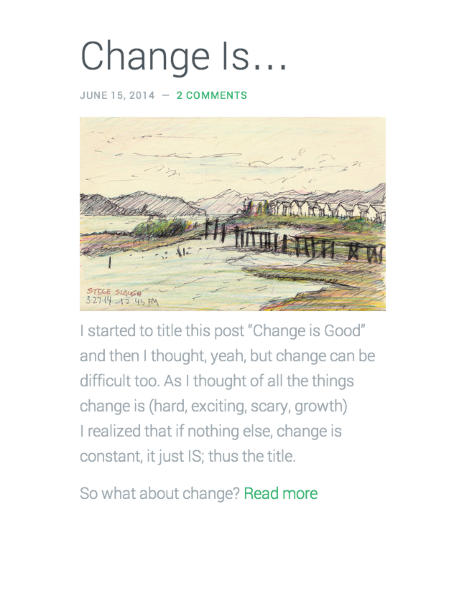
If so, you’ll just need to adjust the image settings as explained here:
http://en.support.wordpress.com/images/image-settings/#within-posts
Within those settings, you’ll need to set the post URL in the “Link to” field. Can you give that a try?
Read More: Could you also provide the html or other code needed to end the manual excerpt with “Read more” and have it link to that excerpt’s blog post?
It looks like you may have already figured this out as I see the “Read More” link in your latest post. However, this can be accomplished using the More tag as explained here:
http://en.support.wordpress.com/splitting-content/more-tag/
You can customize the tag to read however you would like.
Let me know if you need anything else!
-
Hi Jeremy,
Actually my questions were very specifically about the Ampersand theme and when the theme designer answered another even more theme-specific question on the premium blog forum I was able to run these questions by him. While your answers are correct for regular blog posts, they don’t work for this particular specific implementation (the most recent blog posts automatically show up as excerpts on the static home page of this theme. The developer is going to build a “Read More” link directly into theme (though I figured out how to do it manually as an html link in the excerpt that shows up on the home page in the meantime.) I figured out how to manually put the image in the excerpt too, using html for the image and linking it to the blog post). I was just hoping for someone to save me a little time by giving an html example that includes the right code for Image source, Thumbnail size, and Linking the image to the blog post. I did a lot of trial and error and got it to work, now I just need to “reverse engineer” it to make a sample code to paste in for each blog post going forward. -
Hi Jana,
I understand – sorry for the oversight in the beginning. You’re making those changes to the “Excerpt” section within the Edit Post screen.
I’m glad you were able to figure out how to make this work! It seems like the general form would be the following:
<img src="IMAGE URL">
EXCERPT
<a href="BLOG POST URL">Read more</a>
If you would like the image to direct to the blog post as well, you could modify it to the following:
<a href="BLOG POST URL"><img src="IMAGE URL"></a>
EXCERPT
<a href="BLOG POST URL">Read more</a>
Please let me know if that works for you!
-
YOU ARE WONDERFUL! This is exactly what I needed…the essential HTML logic for the HTML novice. I feel empowered! Woohoo! Thanks so much!
-


- The topic ‘How to compose an excerpt for Ampersand theme that will include a "read more" li’ is closed to new replies.
 WordPress.com Forums