

How to create a blogroll?
-
I have Chronicle theme. How can I create a blogroll? Thanks for help..
The blog I need help with is: (visible only to logged in users)
-
Sure! You can setup a blogroll from the wp-admin area of your dashboard: https://martinjryansamerica.wordpress.com/wp-admin/.
Once there, click Links along the left side and you’ll be in the area to add links. There are directions with screenshots for setting links up here: https://en.support.wordpress.com/blogroll/add-a-blogroll-link/.
After you’ve added your links, be sure to add the Links Widget somewhere on your site to display them: https://en.support.wordpress.com/widgets/links-widget/.
Let me know if you have any questions! :)
-
-
-
Hi again–
I now have my blogroll names in the list format, but I can’t figure out the widget thing. How to install the roll on my home page. Help is appreciated. -
Hi there!
To add the blogroll to your site, go to Customize > Widgets, then select where you want the widget to go (like Sidebar). Once there, add the widget called Links.
Once added, you’ll see some options to configure it, like how many links you want it to show at a time. Then save.
This page has a screenshot of configuring the widget, if needed: https://en.support.wordpress.com/widgets/links-widget/
Let me know if you have any questions!
-
Hi. A note of thanks for your support, which enabled slowpoke me to succeed–several days ago– with the blogroll.
I have another question: I notice, the result of the blogroll, when scrolling down, the image banners are reduced side to side by a third–meaning an edge of each banner, either side, is lost. While I’ve retired as an artist/designer this still bugs me. I notice that these cut off banners, on my screen measure 4 & 1/2 inches wide. I’m wondering if I can reduce and place each entire image within that (width) measurement? If this is possible, can you tell me how to do it? Thanks. -
If you’re referring to the grey strips here:
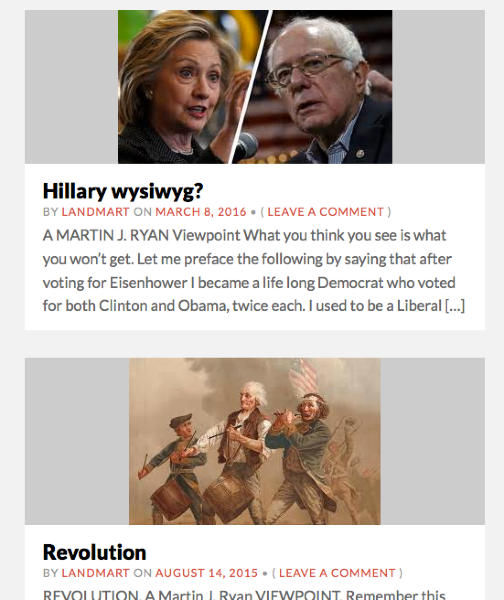
The featured images you’ve used on those posts are a bit too small. Try reuploading images for those posts that are at least 345px wide by 210px high.
-
Hi– Like your title: Happiness Engineer. Sounds like an alternate name for Heavenly Angel. Everyone should have one in his/her life. Meanwhile:
No, not the images with the grey strips. The large banners at the top that are fading one into the other–they are the images that reappear when you scroll down below, accompanying my “viewpoint” articles. These banners are too large when they become featured on auto, below, as the head of each article.
My question is: Since they appear automatically with each article, does this mean it is not possible to replace them with smaller versions of themselves, so that they are not cropped as you now see them? Thanks for help. -
Hi– Like your title: Happiness Engineer. Sounds like an alternate name for Heavenly Angel. Everyone should have one in his/her life
Ha! Nice way to look at it.
My question is: Since they appear automatically with each article, does this mean it is not possible to replace them with smaller versions of themselves, so that they are not cropped as you now see them? Thanks for help.
I’d suggest you ask over in the Chronicle forum, where the developer, who’s most familiar with the theme, will be glad to help you directly:
-


- The topic ‘How to create a blogroll?’ is closed to new replies.
 WordPress.com Forums