

How to display sharing buttons, reply box at homepage view (Reddle theme)
-
At my blog’s landing page, the Reddle template displays all posts starting with the most recent, yet doesn’t display the sharing buttons or “leave a reply” box beneath any of them. These items are only displayed when a particular post’s direct URL is accessed.
How can I display these items at the landing page view?
The blog I need help with is: (visible only to logged in users)
-
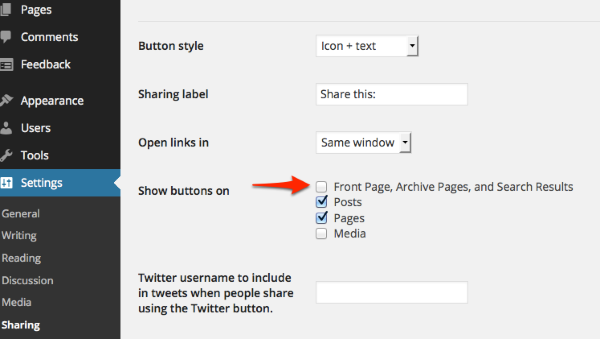
You can display your sharing buttons on the homepage by checking the box next to “Front Page, Archive Pages, and Search Results” under Settings > Sharing:
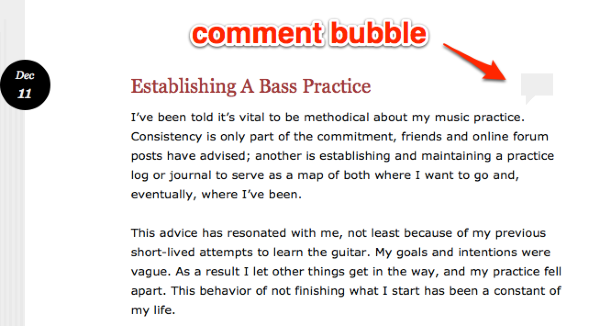
In Reddle, a comment bubble is displayed on the front page for each post. If there are comments on the post, the number will be displayed in that bubble, otherwise visitors need to click the bubble to leave a comment:
-


- The topic ‘How to display sharing buttons, reply box at homepage view (Reddle theme)’ is closed to new replies.
 WordPress.com Forums