

How to finish a Blog / webside ??
-
How can I cut finish a Blog / webside by wordpress, or use it for another domain name ???
I need answer very short – please !
Greetings, Steffen OrlowskiThe blog I need help with is: (visible only to logged in users)
-
HI Steffen,
I’m a bit confused. Are you trying to add a new domain name? Or point your domain to another WordPress.com site?
If you feel more comfortable writing in German, please feel free to write your question in German, and I can either translate it or have one of our German speaking staff get back to you. :)
Thank you!
-
Dear … ?!
Danke für schnelle Antwort !
Ich beabsichtige 2 Ziele:
– <www.weidenimwind.net> zu löschen
– <www.naturoh.net> zu aktivierenVokalem für’s Löschen fand ich keine Möglichkeit !!?
Grüsse Steffen
Steffen Orlowski
(email visible only to moderators and staff) -
Dear … ?!
Danke für Deine schnelle Antwort !
Ich beabsichtige 2 Ziele:
– zu löschen
– zu aktivierenVokalem für’s Löschen fand ich keine Möglichkeit !!?
Grüsse Steffen
Steffen Orlowskiart
-
Hi Steffen!
Thanks for the clarification! I translated your message via Google Translate:
[Dear …?
Thank you for quick response!
I would like two objectives:
– Delete <www.weidenimwind.net>
– To activate <www.naturoh.net>
Vocal’s for deleting, I found no way!?]—
I understand you would like to cancel your custom domain: weidenimwind.net, but please note that this is different from other upgrades and is stated during the purchase process.
Canceling a domain at this time means you completely give up ownership of the domain. There is no guarantee the domain will become available to re-register after cancellation.
If you would like to completely cancel your ownership of the domain name, please reply to confirm and I can do this for you.
If you want to add a new custom domain: naturoh.net, please go to Store > My Domains and add that domain. You can purchase it exactly like when you purchased weidenimwind.net. Take a look below for further instructions:
Let me know if you have any questions with this!
-
Dear gracejiyoung !
Thanks for your fast answer again.It took me a while for clearing:
Yes I want to cancel <weidenimwind.net> to have no longer any personal or finance responsibility anymore for that.
I understand that only this blog is then canceled, but it dos’nt effect all my other websides !??I want to cancel too :
Mein Blog
<naturodotnet.wordpress.com>BUT NOT :
naturOH
<naturohdotnet.wordpress.com>
>>>>>>with this webside , I still have difficulties to publish it- may you help me here ??Best regards steffen
-
Hi there!
I have canceled weidenimwind.net as requested. It is no longer in your account and you will not be charged for it going forward.
If you want to permanently delete your site: naturodotnet.wordpress.com, follow the guide below:
http://en.support.wordpress.com/settings/delete-site/
Please read the warnings and advice before deleting a site, as we can’t revert a site deletion for any reason.
If you want to hide your site instead, you can use the following guide to make your site private so only you and other members of the site can view it when logged in:
http://en.support.wordpress.com/settings/privacy-settings/
Please make sure you are in the Dashboard of naturodotnet.wordpress.com when you do this.
<naturohdotnet.wordpress.com>
>>>>>>with this webside , I still have difficulties to publish it- may you help me here ??Can you please explain what difficulties you are having? I’d be more than happy to take a further look!
Cheers!
-
Dear Gracejiyoung,
Thanks for canceling <www.weidenimwind.net> in the published browsers !
What do I still have to do to get it away also in my workspace, when I work with wordpress ?My question I still have is, why I can’t find and see <www.naturoh.net> in a usual browser, what I have paid for ?
Only <www.naturohdotnet.wordpress.com> works , still not sure about that ???Do you understand my problem ?
I would be here very happy for your help !Many thanks steffen
-
Hi Steffen,
I was able to find your WordPress.com site at naturoh.net as seen here:
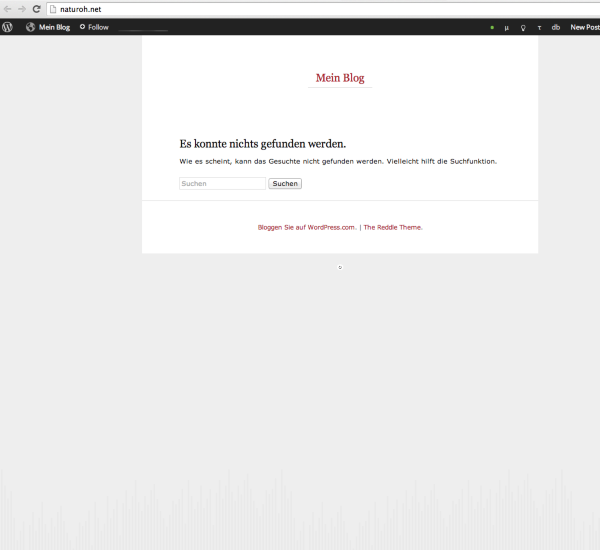
Can you please try clearing out your cache and cookies using the guide below?
Let me know if that doesn’t work!
-
Dear Gracijyoung,
Thanks for your help !
I tried all to clear, like you suggested, but it doesn’t work till now.
To clear cookies doesn’t work , because only old version: http://support.apple.com/kb/PH5042Can I use < naturoh> with <.net > as a Trademark and Internetadress ?
Because there are another companies, which uses also naturoh with <.de> or <.eu>
Do you know, or Who can I ask about the right law ?
If there is a problem I would need to transfer my webside to another name/ internetadress !?? How – could I do that , without paying again ?
Do you understand the problems ??It would be great if you can help me here !!!?
Thank you steffen -
Hi there,
Please update your browser to the most recent version. I highly recommend using Google Chrome or Firefox:
You currently purchased the domain: naturoh.net so that is yours. Since you own the domain no one would be able to take it away from you. However, as for the content within the site, please do not infringe on any one else’s work.
Here’s some information about Fair Use from the U.S. Copyright Office:
http://www.copyright.gov/fls/fl102.htmlAs long as you are not copying any one else’s work and abiding by our Terms of Service you can keep your site here. Here’s our Terms of Service:
You can edit the site by going to your Dashboard here:
https://naturodotnet.wordpress.com/wp-admin/
There you can start creating your site.
Cheers!
-
Dear gracejiyoung !
Thanks for your answer again.
<www.naturoh.net> doesn’t work on any browser, so I think it is not e special browser problem !!??I’m a bit unpassion that it takes so long to find the mistake to get it working properly !! I really need to get it working tomorrow (Thu), then I leave for a couple of days.
Good night steffen
-
Hi there,
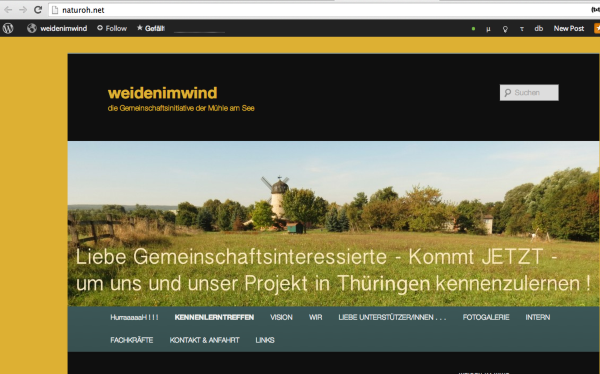
Please note that your site is up and running – it is just empty as seen here:
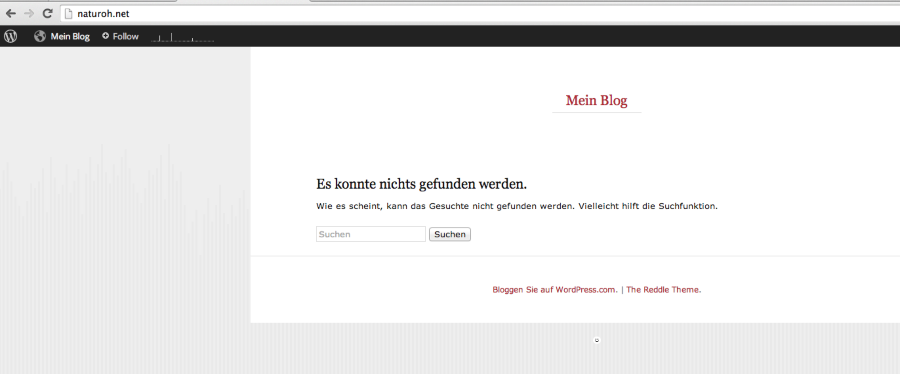
Is that what you see? If so, then your site is up. If that’s not what you see can you please provide me a screenshot of what you see? Upload that image to your Media > Library page here:
https://weidenimwind.wordpress.com/wp-admin/upload.php
You can create content from your site from your Dashboard here:
https://weidenimwind.wordpress.com/wp-admin/index.php
Cheers!
-
Dear gracejiyoung !
Yes the address <naturoh.net> is empty in all public browsers- that is exactlly the problem, because I put since 1 week information on <naturoh.net> but nobody can’t see – WHY ???????
PLEASE HELP HERE TODAY TO SOLVE !!!!!!!
regards STEFFENSee screenshoot with the ready page in wordpress, uploaded !!! >>>
/Users/steffeno/Desktop/Bildschirmfoto 2014-08-14 um 11.53.09.png
/Users/steffeno/Desktop/Bildschirmfoto 2014-08-14 um 11.40.59.png -
++++++>>> adding to my mail from 14.8. 11:54 :
I’m confuses with your answer, I dont know if you understand me !??
I don’t want ro run anymore :
<weidenimwind.net>
<naturo.net>
I want to see and to run in public.
<naturoh.net> what I have paid for ! ! !
regards steffen -
Hi Steffen,
Is this the content you want to see on naturoh.net?:
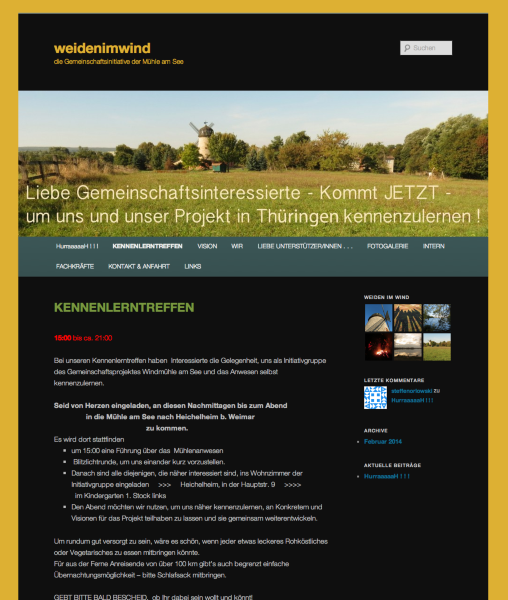
If that is your site and you want to see that at the domain: naturoh.net I can move over the domain promptly.
-
Hi,
on https://cloudup.com/cc8pGAP9mov
we see the content from the finished page <weidenimwind.net>!
BUT I want to see my new content of NATUROH on <naturoh.net> !PLEASE – IS THIS SO DIFFICULLT TO MAKE ??!!
ITIS IMPORTANT FOR ME THAT THIS WORKS NOW !
regards steffen -
-
Dear gracejiyoung !
The actual result is really confusing for me !I want to transfer my content from :
http://naturohdotnet.wordpress.com
to:
http://www.naturoh.net .and:
You can cancel all content and address related to :
http://www.weidenimwind.netPlease !
Thank you !
Regards Steffen -
The domain has been moved back to naturohdotnet.wordpress.com as seen here:
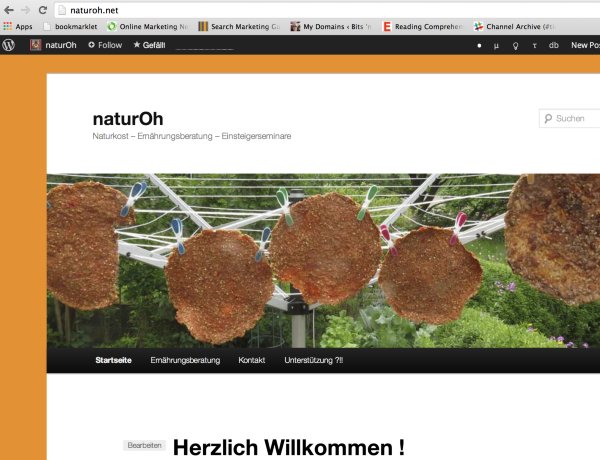
If you are not seeing the screenshot above, clear out your cache and cookies using the guide below:
If you want to permanently delete your site (weidenimwind.wordpress.com), follow the guide below:
http://en.support.wordpress.com/settings/delete-site/
Please read the warnings and advice before deleting a site, as we can’t revert a site deletion for any reason.
If you want to hide your site instead, you can use the following guide to make your site private so only you and other members of the site can view it when logged in:


- The topic ‘How to finish a Blog / webside ??’ is closed to new replies.
 WordPress.com Forums