

How to get rid of new editor, new statistics
-
I do not want to work with the new editor, I do not want the new statistics, I don’t want any of this crap. Why change what was good to work with? The things are now less efficient, consume more time, I have to scroll much more and information is shown that I do not want or do not need. It’s like Microsoft style putting “Tiles” in place that nobody wants. How can I get rid of the new editor, the new statistics and hopefully the new kind of menue for the comments and like on the admin window-top-toolbar of the blog?
I would be very sad to delete my whole blog and stop this thing just because I am anoyed every time so much by this “better experience”. I hate it.The blog I need help with is: (visible only to logged in users)
-
Hi Michael,
You can still reach all the old tools (editor, stats, settings, etc) by going directly to your blog’s /wp-admin/ dashboard:
http://michasfoodblog.wordpress.com/wp-admin/
We have no intention of removing the /wp-admin/ dashboard, but the new stats, editor, and settings available at WordPress.com are the default, so you’ll need to reach the /wp-admin/ dashboard either directly or by click on it in the Admin bar:
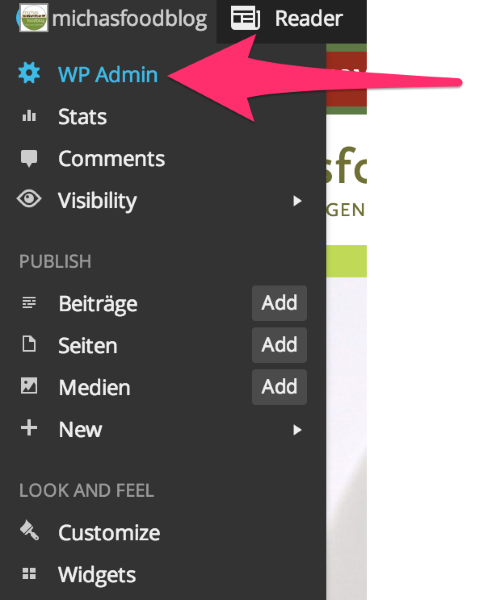
There’s no completely getting rid of the new changes, but they are built in such a way that the new tools are stand-alone from the old tools.
Best,
-Alex G.


- The topic ‘How to get rid of new editor, new statistics’ is closed to new replies.
 WordPress.com Forums