

How to link from the web to my images?
-
Instructions here all refer to linking images into my blog. This is not what I want to do.
I want to use my media library as a source of images, not only for my blog, but also to display in threads on other forums.
When I select one of my images, its URL is not a plain URL that can be linked to from elsewhere. It ends in something like “…gif?w=567” or “…/#main”. These do not work on other websites that I post on.
How do I find the basic, general-purpose URL for an image in my library?The blog I need help with is: (visible only to logged in users)
-
Hi,
You can get the direct link to your image file, which is the one you’ll want to link on other websites, from the media library page for that image.
For example, if you go to Media and click on an image, you’ll be taken to a page like this one:
https://climatebysurly.wordpress.com/wp-admin/post.php?post=1119&action=edit
On the right side there you’ll see a File URL — that’s the one you want :)

Let me know if you have any questions!
-
I have followed your instructions.
The image I wish to link to from an external site is “Rainfall9713 tb” uploaded July 2 2014.
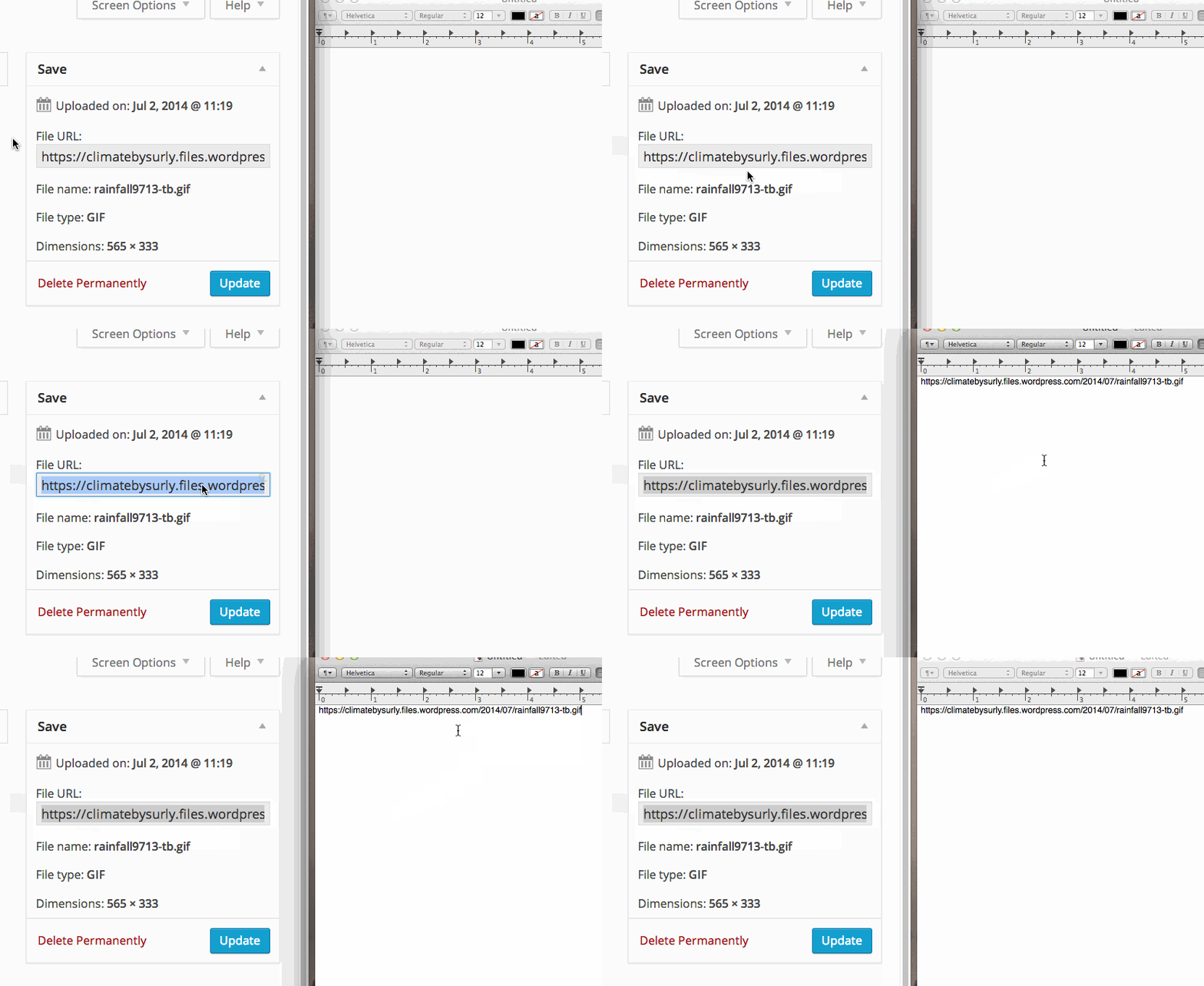
I have found a line : “File URL:” and below it a grey box displaying the first part of a URL. I cannot read the whole URL and it won’t copy.
If I click in the grey box, its border goes red or blue, but I still can’t copy it or read the whole URL.
Double-clicking in the grey box selects some of the words, colouring them blue.
When I hover over the line “File URL:” I get a little hand. Clicking on that seems to have no effect.
What do I do next? -
Double-clicking in the grey box selects some of the words, colouring them blue.
You’re on the right track here. :)
Even though the box is not wide enough to show the whole link, when you double-click in it and the line of text turns blue, you have it all selected. You can then press ctrl-c on your keyboard OR go to Edit > Copy on your menu to copy the link to your clipboard.
The next step would be to ctrl-v or Edit > Paste the link from your clipboard to the location you want to share it.


- The topic ‘How to link from the web to my images?’ is closed to new replies.
 WordPress.com Forums