

How to remove border and bring menu bar below the header?
-
Hello I am fairly a novice at WordPress and have never used any coding before. I need help with the following:
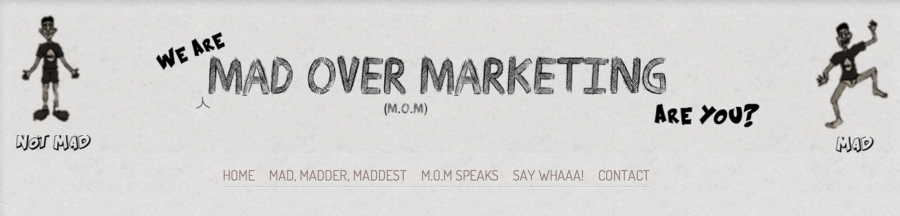
1. I want to remove the border from around the banner image at the top.
2. I want to bring the menu bar (Home, about us etc) to below the header, and align it centrally.This is the link to the blog : http://madovermarketing.com/
I am using the Ideation & Intent ThemeAny help will be much appreciated.
The blog I need help with is: (visible only to logged in users)
-
Hi there,
After looking into your site, I found that you had already added the CSS. I think the only thing you might want to do is move the menu bar below the image. You can try adding this:
div.menu-main-menu-container {
	position: relative;
	top: 12em;
}
You can change around the numbers to fit the look you want.
Cheers!
-
It works! Thanks a lot!
Though, now there is a lot of blank space at the top. Is there any way I can move the header image up and get rid of the blank space?
Cheers!
-
-
-


- The topic ‘How to remove border and bring menu bar below the header?’ is closed to new replies.
 WordPress.com Forums