

I am told "Can't post this message on Facebook," but not why
-
After adding 25G more space, I have not been able to link my posts to Facebook. I thought my most recent post was too large, so I split it in two. Still not working. If I copy and paste the URL link to Facebook, I get a lot of code, and then a box with my blog title, etc. But it’s a hassle. What am I doing differently? What am I doing wrong?
The blog I need help with is: (visible only to logged in users)
-
Hi there!
Have you tried sharing your post via the Facebook button at the bottom of your post? For example, please go to this page:
Then, click on Facebook button at the bottom of the post as seen here:
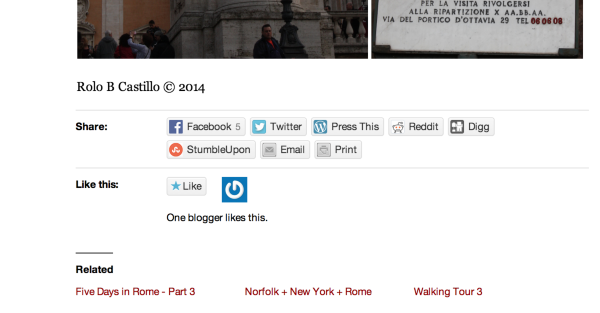
If you are not logged into your Facebook account, it will ask you too. Another easy way to automatically post on your Facebook wall is to connect your Facebook account through Publicize.
Please go to Settings > Sharing in your Dashboard. Once you are there, the first module will be Publicize. Please connect your Facebook account, and then whenever you publish a post it will automatically share it on your Facebook wall if you set it too!
Feel free to reach out if you have any questions!
-
That is exactly how I have been posting on Facebook.
But surprisingly, soon after I fired that inquiry, I wrote another post and tried again, this time successfully. I still don’t know what I did differently. It was more than 24 hours between adding 25G and successfully posting on Facebook. So thanks all, but it resolved itself … without my understanding what exactly happened. -
I’m glad it’s all resolved! If you run into this again, please let me know!
Happy Blogging


- The topic ‘I am told "Can't post this message on Facebook," but not why’ is closed to new replies.


 WordPress.com Forums