

I can't find the place to change name server.
-
I found the support article outlining how to change my Nameserver, but it’s hard to follow. I can’t find the place where I can actually edit my name server.
The blog I need help with is: (visible only to logged in users)
-
Hi there!
I’m happy to help! You can find the Domain Manager through your dashboard at Store > Domains. You’ll need to scroll down and select ‘Make changes to DNS.’ And then set a new password. Save and select the same from the drop down menu. This time, copy your customer number and click on ‘Manage Your Domains’:
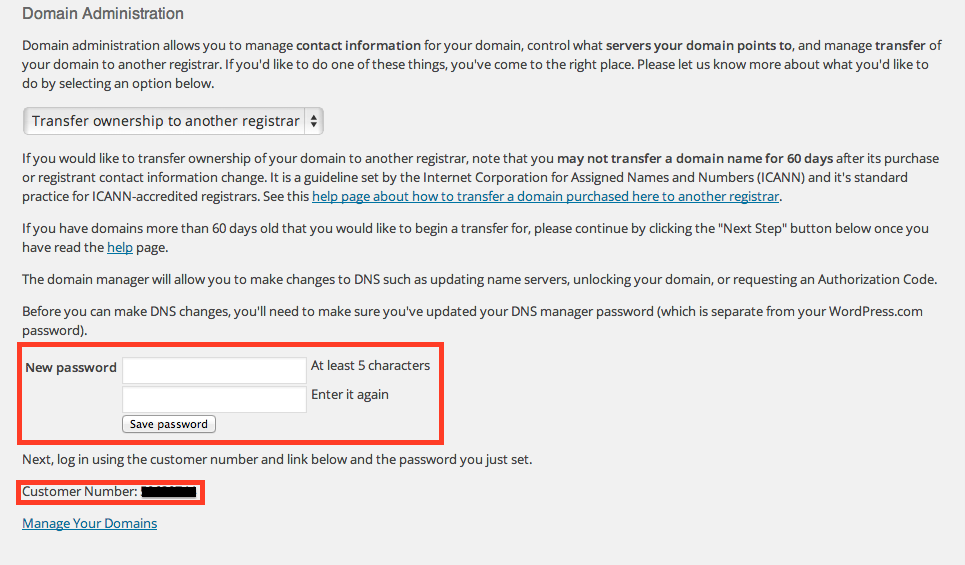
Let me know if you’re still not able to access your Domain Manager and I’ll investigate further!


- The topic ‘I can't find the place to change name server.’ is closed to new replies.
 WordPress.com Forums