I cant see my wordpress site after ive login
-
I cant see my wordpress site after ive login
how can i edit my blog?
The blog I need help with is: (visible only to logged in users)
-
Is this the blog you are referring to http://ptansc.wordpress.com/ or not?
If it is then the Admin login link is http://ptansc.wordpress.com/wp-admin/You must be logged in as Admin http://en.support.wordpress.com/user-roles/#administrator under the exact same username account that registered the blog to access the blog’s dashboard.
Clicking this link should display all your blogs registered under the same username, including the hidden ones: https://dashboard.wordpress.com/wp-admin/index.php?page=my-blogs&show=hidden
If you do not see the blog here http://en.support.wordpress.com/my-blogs/ then
follow this guide > http://en.support.wordpress.com/my-blogs/#my-blogs-dashboard-visibilityIf you have lost your log-in information you can visit https://en.wordpress.com/wp-login.php?action=lostpassword
Your last resort for obtaining access is to complete the form for account recovery at this link https://en.wordpress.com/wp-login.php?action=recovery with as much information as possible and submit it to the Account Recovery Staff so they can contact you by email ie. not on these public support forums which are available to everyone with internet access.
-
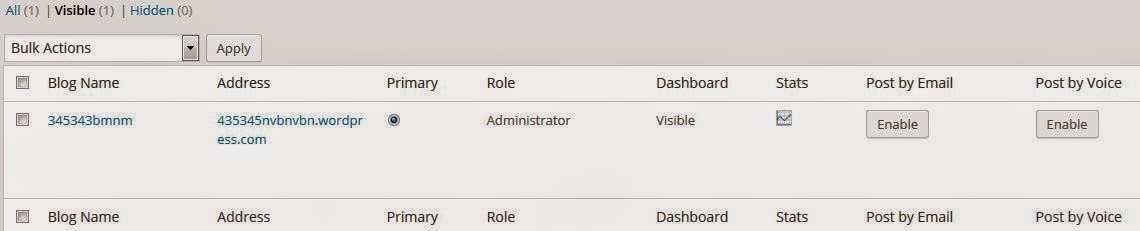
ptansc.wordpress.com is my blog..im able to login to my account but from the side bar : My Blogs –> ALL.. I cant see ptansc.wordpress.com site. It is not hidden..
is there anyway to find that my blog ptansc.wordpress.com is under which email account?
-
Your last resort for obtaining access is to complete the form for account recovery at this link https://en.wordpress.com/wp-login.php?action=recovery with as much information as possible and submit it to the Account Recovery Staff so they can contact you by email ie. not on these public support forums which are available to everyone with internet access.
-
If you have hidden it in your list at My Blogs, you will require staff support to make it visible again. I flagged this for them.
-
If you have hidden it in your list at My Blogs, you will require staff support to make it visible again.
This is actually not true. You can change the visibility of your sites here:
https://ptansc.wordpress.com/wp-admin/index.php?page=my-blogs
In the Dashboard column you’ll see “Visible” or “Hidden”. You’ll need to make your site “Visible” in order to view it at My Sites.
Were you trying to make your site private? You can do that following these directions:
http://en.support.wordpress.com/settings/privacy-settings
Let me know if you have more questions.
-
Actually i havent been logging to my wordpress for more than 2 years. The last time ive accessed to it was via my pc.. where ive installed WordPress.org.. however now that ive formatted my pc.. i no longer had wordpress.org on my pc..so i tried to login in via http://www.wordpress.com.. from my account i could not see http://ptansc.wordpress.com/ admin setting..
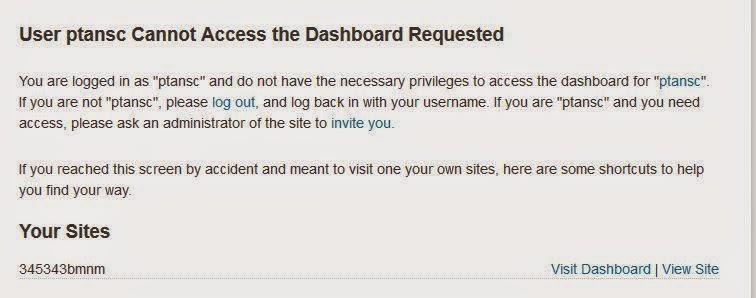
Screen shotwhen i click on https://ptansc.wordpress.com/wp-admin/index.php?page=my-blogs, it says tat i have no privillage to acces to my dashboard Screenshot2
-
-
Thanks for that information! It looks like you used the delete blog tool about six months ago to delete this site. Something went wrong and the site wasn’t actually deleted, though you were removed from the site as a user.
Usually there’s no way to recover a deleted site, but since this site wasn’t actually deleted I can restore you as a user if you’d like. Or, if you’d like this site deleted, I can complete that process for you.
Let me know what you’d like to do.
-
-
More than happy to. I’ve deleted it for you now. Let me know if there’s anything else I can help with.
-


- The topic ‘I cant see my wordpress site after ive login’ is closed to new replies.
 WordPress.com Forums