I just want my blog to look like the sample theme
-
Is there a way to find out each aspect that’s used to create the look of the sample theme of Oxygen?
The blog I need help with is: (visible only to logged in users)
-
Is there a way to find out each aspect that’s used to create the look of the sample theme of Oxygen?
Yep. Read & follow the instructions:
https://wordpress.com/themes/oxygen/ -
Thanks, but it’s still not giving me exactly what they show. I do believe some of it may be custom (paid) extras.The black box on the left, the film strip below the main photo are a challenge. I also can’t figure out how to keep the blog on the “front” page. My images aren’t showing up unless I click on the article.
-
I want to take a youtube video and add it to my blog. How do I get the image to display at 750×380?
-
but it’s still not giving me exactly what they show. I do believe some of it may be custom (paid) extras.
Nope, all of them are free.
a) You have changed the colors
b) Maybe you have changed the CSS too (or not)The black box on the left
Widget Areas
Oxygen offers seven widget areas:The Primary Sidebar displays categories and archives by default, and the Secondary Sidebar displays search, links, and meta by default if no widgets are configured in Appearance → Widgets.
from the instructions page:
https://wordpress.com/themes/oxygen/the film strip below the main photo are a challenge
Featured Slider
The Showcase Page template offers a featured slider for up to six Sticky Posts that have a Featured Image at least 750 pixels wide. Keep in mind: if you mark a post as Sticky but the featured image is less than 750 pixels wide, then it won’t display in the slider and will still disappear from the river of posts.
I also can’t figure out how to keep the blog on the “front” page. My images aren’t showing up unless I click on the article.From, again, the instructions page:
https://wordpress.com/themes/oxygen/And now, please, go to the instructions page and follow it exactly. ;)
-
I tried to follow the instructions :( I certainly can’t get the filmstrip of images below my main image. And my main image is on the left, not the right. That seems to be by default.
-
The header image in Oxygen appears between the title/tagline and the top primary menu location. What you are seeing on the demo site is the featured content slider to the right of the sidebar. The demo site does not have a header image active.
I see you have a post set to Sticky. To have it show at the top in the featured content area, you also have to set a featured image. Setting to sticky and setting a featured image in a post are both required in order for the post to show in that featured content area. Featured images have to be at least 750px in width for the featured content slider. Open your Welcome to Pearl’s Party post and set a featured image that is at least 750px in width for that post and update it and it will appear in the top area below the menu as seen in the demo site.
To have additional posts/images appear in the grid below the feature content area, you will have to create more posts and set them to sticky with a featured image.
-
Wow! thesacredpath that was extremely helpful! So, I have another question. I want my next post “Tequila” to be a youtube video. How do I configure that so that it meets the 750px width? Is there some html code to use?
-
Glad that helped. On your Tequila post my suggestion would be to put the Youtube in the body of the post and take a screenshot of it and put that in as the featured image. You can’t directly add a Youtube as a featured image.
-
That’s what I kinda figured out. And I finally have it more or less how I want it. Having said that, do you happen to know if there’s a different WordPress theme that would have the capability of putting the Youtube as the image (featured or otherwise)?
-
In “Stats” there is a section for videos. How do I get my youtube videos to show up as “videos” that have been played?
-
The Video stats are for videos that have been uploaded directly to your site using VideoPress. It will not bring in stats on videos hosted elsewhere, such as Youtube.
-
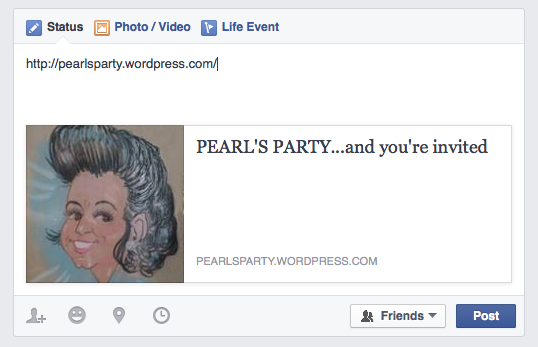
when I try to put my link onto a facebook comment, it doesn’t load an image, like every other website. Where is the setting for that?
-
@billietoy, when you share a post on FB, FB looks for the first image in the post generally and will use that one. Which post did you try sharing and I’ll be more than happy to have a look at things for you.
-
I tried sharing http://www.pearlsparty.wordpress.com , the homepage, not a specific post. No image shows up. Equally bummed that my posts that include a video necessitate a still image on FB, which takes you to my wordpress page, where you have to click again on the image which takes you to the video. So many steps!!!
-
The main page of your site really doesn’t have any images in the page itself. It has the images in the slider, but those are part of posts and will not be picked up. FB does its best to pull out an image, if it can find one, but in this case, there aren’t any images associated with the home page itself.
On the videos, I don’t know that FB has ever gone past the post/page that they are asked to share to download a video from another site such as Youtube. As I remember, they will only pull from the site they are asked to share.
-
So I just added a logo…small….but an image, nevertheless. Still not transferring over to FB :(
-
Go here https://developers.facebook.com/tools/debug/og/object/ at FB, put in the URL of your site at the top and then click the Fetch new scrape information and then try sharing again. That worked for me. Screenshot: https://cldup.com/yBPC9kAx97.png
-
Wow! There you go again. Great tips. How do you know this stuff??? You’ve been a tremendous help. What other advice can you impart?
-
You are welcome, and it is just years and years of plundering while doing web design and WordPress support. Sometimes I’m amazed what things are floating around in my head. :)
As far as other advice, I’ll give you one of my secrets… Google searches. I’m beginning to wonder if there is ANYTHING you can’t find with Google search. Well, maybe a few things. ;-P


- The topic ‘I just want my blog to look like the sample theme’ is closed to new replies.
 WordPress.com Forums