

I think I have downloaded and activated a theme that is not for wordpress.com?
-
I fell in love with Autofocus the moment I saw it. The design and layout are exactly what I am looking for but now that I have purchased the upgrade and begun to build the home page, I am totally confused. It is not intuitive, although I would consider myself savvier than most, and I can’t properly configure my media and have no idea how to add the captions below the photo. I am about to abandon the theme in frustration but I can’t do it unless I ask if there is nothing I can do? Can I apply the custom upgrade to another theme? HELP!
The blog I need help with is: (visible only to logged in users)
-
Hi there,
It is not intuitive, although I would consider myself savvier than most, and I can’t properly configure my media and have no idea how to add the captions below the photo.
You mentioned the following above, but it looks like those issues are not necessarily theme issues and would occur with any theme you apply.
In order to add a caption to any image, if you click on the image there will be a pencil icon on the left hand corner. It will look like this:
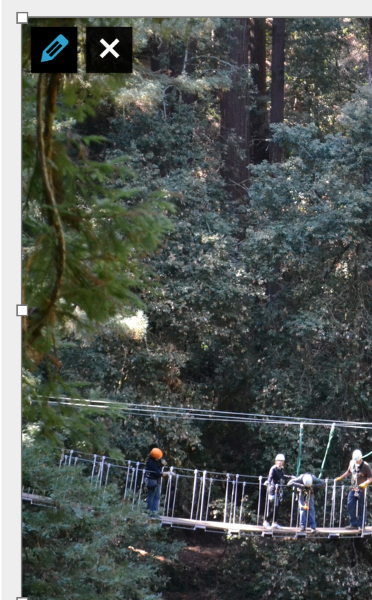
Click that and you will be able to add a caption as seen here:
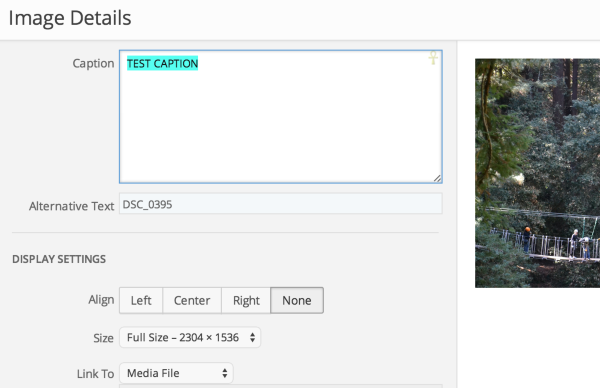
As for configuring your media, if you press on the Add Media button you will be able to add images from already uploaded images or upload images directly from your computer as seen here:
Add Media button:
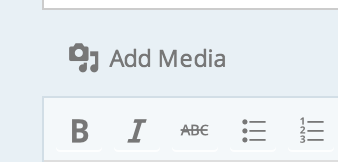
Add media from Media Library or upload from your computer:
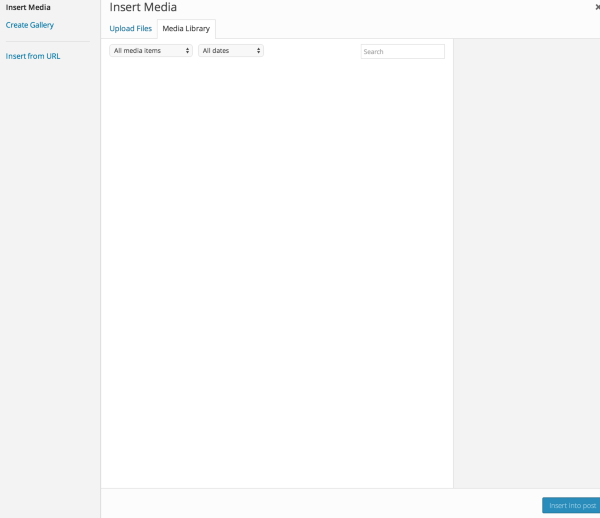
You can find more information here:
http://en.support.wordpress.com/media/media-add-new/
Also, for support on the Autofocus theme, you can find the guide here:
https://wordpress.com/themes/autofocus/
Let me know if you have any questions with this!
-
Thank you so much! I really appreciate your taking the time to help! I am going to give it another try.
-
You’re very welcome!
If you run into anything along the way feel free to check back in with me in this thread!


- The topic ‘I think I have downloaded and activated a theme that is not for wordpress.com?’ is closed to new replies.
 WordPress.com Forums