

I want to change back to my old customized theme, how to do it?
-
I previewed another theme. Some how it changed my blog theme and now I can’t find the previous theme with the css changes we did.
The blog I need help with is: (visible only to logged in users)
-
Hi there,
I went through your history and I see that there were multiple theme switches recently:
The first switch: Book Lite, then Skeptical, then Harmonic, and lastly Tonal.
The one right before was Harmonic. So what you can do is switch back to that theme and then go to Appearance > Customize > CSS in your Dashboard. There will be a link at the top to view your CSS Revisions as seen here:
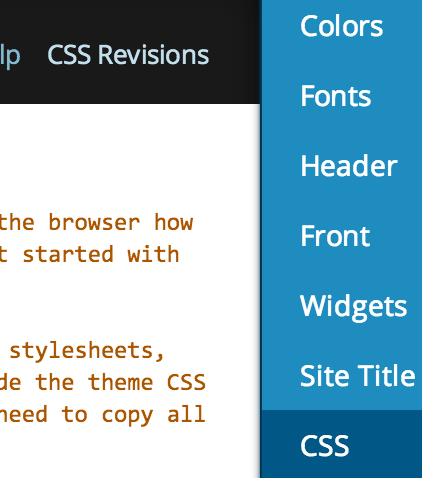
You should be able to find it there.
Cheers!


- The topic ‘I want to change back to my old customized theme, how to do it?’ is closed to new replies.
 WordPress.com Forums