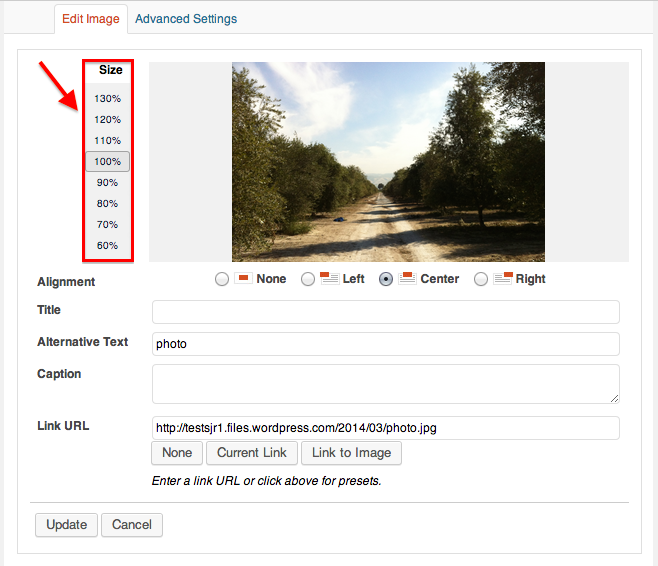
image reduction within post no longer working
-
The image reduction edit function within the post is no longer working … I used to use it without problem (for about 4 years). But no longer. I resize pix prior to uploading, of course, and sometimes make a SECOND image-size decision at the INSERT moment, but I like the option of further reducing a picture’s size AFTER I’ve inserted it into the post. Why has this stopped working?
PS It would be wonderful if, after resizing a CENTERED picture (presuming this function will work again), that the text below did not ALSO become center-justified, then requiring me to highlight and re-justify left.
The blog I need help with is: (visible only to logged in users)
-
Hi there!
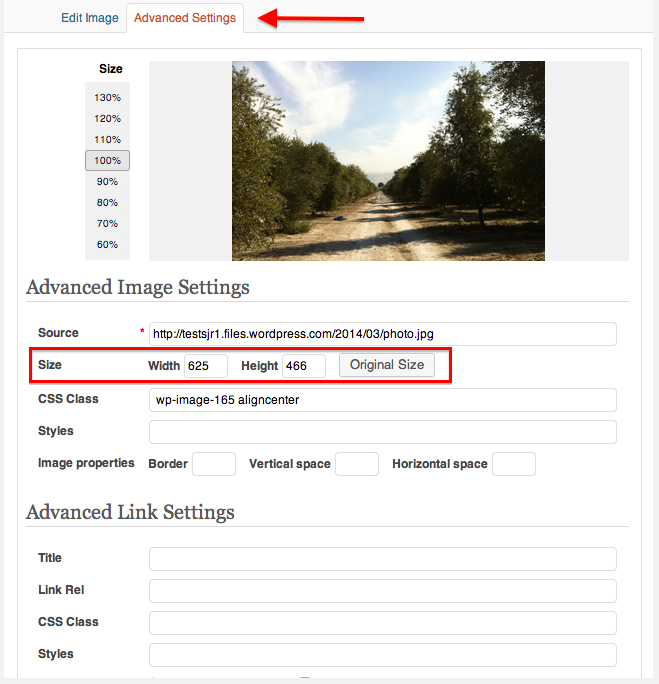
I don’t seem to be able to replicate the problems you described. Are you changing the size of the image with the percentage settings, or manually on the advanced settings tab?
As for the centering issue, are you going back and editing this image after placing it? Are you editing an already published post?
If you have any other details that I can use to replicate this issue, that would be greatly appreciated!
-
Hi Shawna, thanks for responding… I used to effectively use the percentage function to shrink a photo and it just doesn’t work anymore. I often did AFTER publication, because I would look and review the post and decide the size of the image was boring or distracting.
The center-justification of text happens during the pre-post AND post-post phases, I think. Does it make a difference?
-
Hi there!
Thanks for that information! It shouldn’t effect how you use the editor, but it does help me in testing our functionality.
If you don’t make sure that there’s a line break after your image, your text is in the same paragraph (
<p>) as your picture, so when you change the alignment of the image, it affects the following text as well. You can avoid this by making sure you hit enter before putting in your text after an image.You can see these tags if you open the Text editor in your post. Here’s an example in my test post:
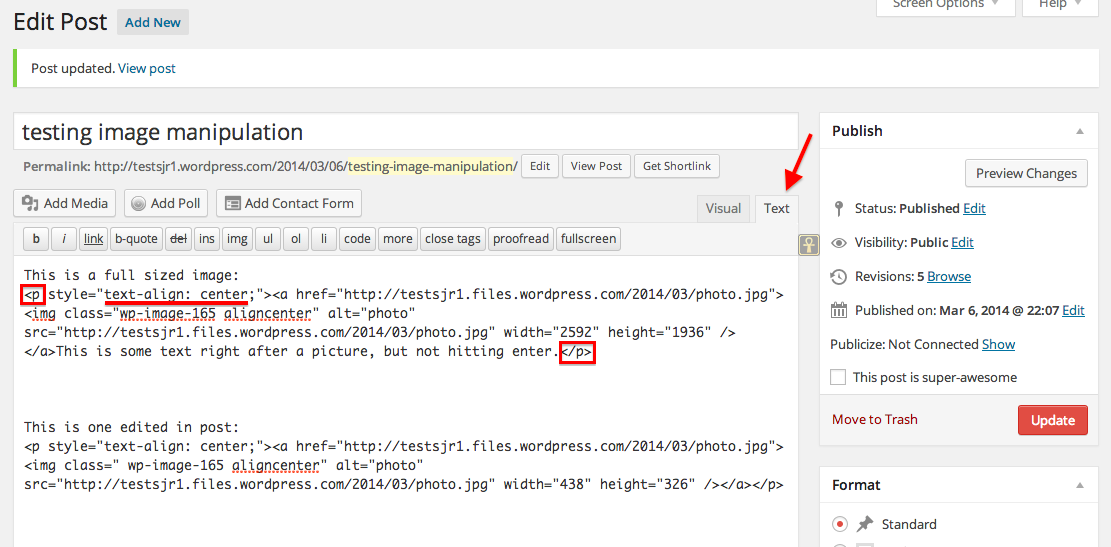
I still haven’t been able to replicate your error with the image resizing pre or post publishing. Can you try clearing your cache and cookies and trying again?
Can you also make sure that your browser is up to date? You can check by going here:
Let me know if it starts working!


- The topic ‘image reduction within post no longer working’ is closed to new replies.
 WordPress.com Forums