

image size and border
-
what are you doing? what are you doing? all my pictures were with no border and in 540×360 size. can the young genius tell me now how can i resize the picture?
The blog I need help with is: (visible only to logged in users)
-
-
Hi there!
There have been recent changes to the image editor. We no longer have an Advanced Settings pane for image settings. We have also disabled the image border feature. You can read more about the on going conversation about these recent changes here:
If you’re interested in sharing your thoughts on these changes, you can post a response in this thread:
https://en.forums.wordpress.com/topic/image-resize-1
You can edit your image size by dragging the boxes that appear around the outer edge of your image when you click on it:
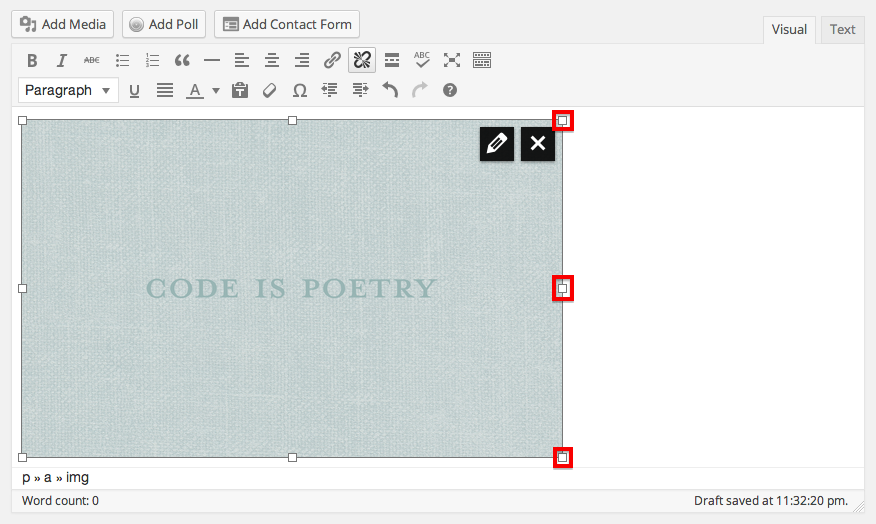
Or by selecting one of the various options that are available when you click on the pencil in the upper right hand corner of the image:
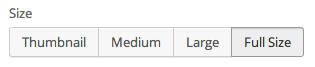
Let me know if I can answer any other questions for you!
-
I’m sorry, I forgot to include one other way you can change the size of your image. Once your in the image editing menu through the pencil, click on Edit Image:
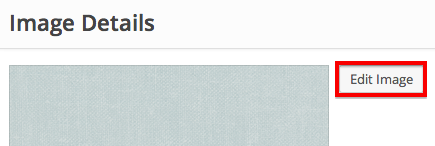
Then you can crop or scale the image:
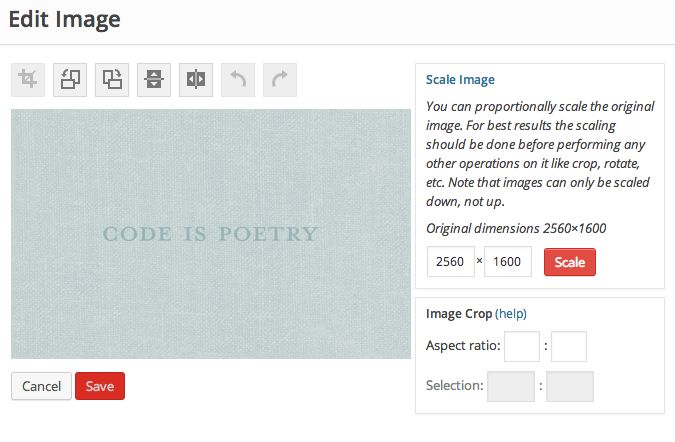
Let me know if I can help with anything else!
-
i was not takling about re-sizing. i was talking about the border(have a border or not was a choice you gave us). i solved with a full afternoon with a programmer(why should i spend my time with a programmer for a WP blog?)but today i posted a new article and…new week…new surprise: i used to put a picture as “cover” in 540×360 and add a “more images” for the rest of pictures in 300×200, using a sort of very beautiful grid by two. now, forget it! one over the other, aligned left! cheap and not chic!
-
sorry but now should i re-elaborate all my posts? the post http://aerodinamiche.wordpress.com/2014/03/10/au-soleil/
so as displayed now is shit! i am doing design, i am an artist and your last “innovation” is something absolutly cheap. please contact me very soon and find a solution for my posts or i close my blog! -
Hi there!
I’m sorry, I missed the question about the border from your other thread.
For now, you can remove or add the border by inserting border=0px in the HTML as shown here:
<img class="alignleft size-large wp-image-15039" src="URL" alt="Featured Image -- 15038" width="584" height="389" border="0px" />Just adjust the number 0 to how thick you want the border to be. To be clear, you will need to adjust the image code in the Text Editor. This is explained here:
As for your images, if you’d like to display a set of images in a grid, I would suggest using a Gallery. The square setting creates a grid of square images.
Let me know if I can help with anything else!
-
speechless! speechless! you have destroyed 2 years of my work! now it is no more possible to create the same easy and clean grid and i have to re-adjust all my posts. incredible! sorry but i do not see any future with you!
-
soryy. i have no time to waste re-adjusting all the most important posts, so please adjust the following posts, re-sizing all the images in 540×360 without border for:
– GPM;
– 47;
– va por la hora;
– a ray of sun;
– go russia go. -
Hi there!
We don’t edit users posts. Definitely let me know if you have trouble with the directions I gave above though!
-
are you understanding what kind of trouble are you doing? i have to spend 2 hrs now adjusting all my posts that YOU CHANGED? you don’t edit users posts but you can modify them? ehm?


- The topic ‘image size and border’ is closed to new replies.


 WordPress.com Forums