Images and text not aligning as I want them to.
-
Sometimes I can display two images side by side and sometimes I can’t. So obviously, I don’t know what I do to get them to display side by side in the first place. Also, when I do get them to display side by side and type some more text, it ends up displaying on the blog in between the 2 pictures.
Could you please tell me how to display 2 images side by side and proceed to another paragraph below them?
Thank you,
StarThe blog I need help with is: (visible only to logged in users)
-
Hi Star,
Sure thing!
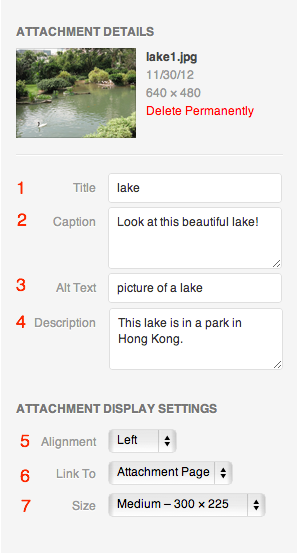
If you would like them side-by-side on their own line, you can add them both one after another and set to alignment None (under option #5 in this screenshot: http://en.support.files.wordpress.com/2009/08/image-settings1.png?w=688 ) then press Enter to jump to the next line.
If that isn’t working for you, please send me a link to the post that you’re having issue with and I’d be happy to adjust it as a template for you to use next time.
Cheers!


- The topic ‘Images and text not aligning as I want them to.’ is closed to new replies.


 WordPress.com Forums