

images from my blog not showing on Bloglovin
-
Images from my blog show up in posts on Bloglovin? Any suggestions to fix this? I found this:
Here is my feed: https://www.bloglovin.com/blog/6712275
Thanks in advance for you assistance!
Mary
The blog I need help with is: (visible only to logged in users)
-
Hi Mary,
Please note that your feed is valid as seen here and the images are being included in jpg format:
http://feedvalidator.org/check.cgi?url=http%3A%2F%2Fhomeiswheretheboatis.net%2Ffeed%2F
It looks like everything is working as it should on our end. Can you contact the Bloglovin support team and let me know what they say? If it’s something on our end, I’ll have our team look into it directly.
This is the link to your feed:
http://homeiswheretheboatis.net/feed/
Thank you!
-
Hi, this is the response I received Bloglovin:
Hi,
The content of your posts do not include any jpeg files. If you look at your RSS-feed in a firefox window, you can see that there are no images in the feed.
http://homeiswheretheboatis.net/feed/
Best Regards,
Thea Lammers, bloglovin’ -
Hi Mary,
You’ll see here that the Media files are attached:
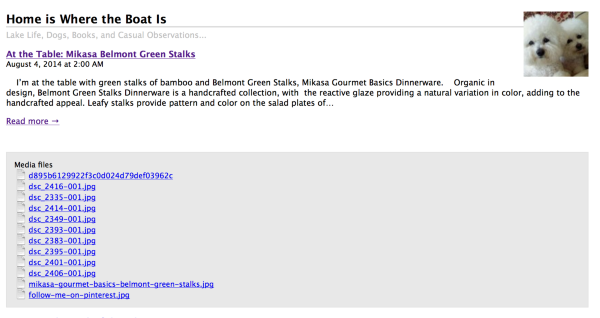
I did a little more digging on this issue and found that some users reported that changing the the site settings to send the full article through RSS, as opposed to just the summary, fixed their issue. I would suggest trying this.
To set your RSS to use full posts, you can go to the following link and click the “Full Text” checkbox for the area named “For each article in a feed show” when you go to Settings > Reading in your Dashboard. Here’s the direct link:
https://homeiswheretheboatis.wordpress.com/wp-admin/options-reading.php
Let me know if you have any questions with this!
-
That seems to fix the problem with the images on bloglovin with a full text vs. summary. The problem with that is my readers don’t click over to visit if they see the whole content of my post in an email :( Any other suggestions?
-
Hi Mary,
I did a little bit of digging and found a way around this. So what you can do is take what you want to show up in the email (including the image) from the Text Editor. Then paste that into the Excerpt area. So it should be like this:
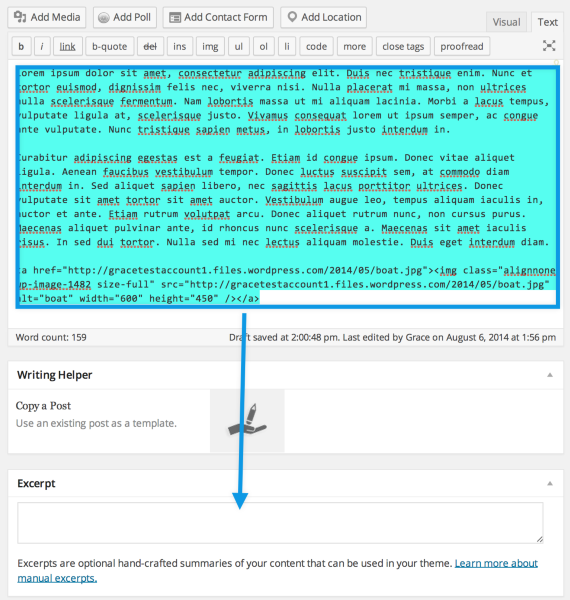
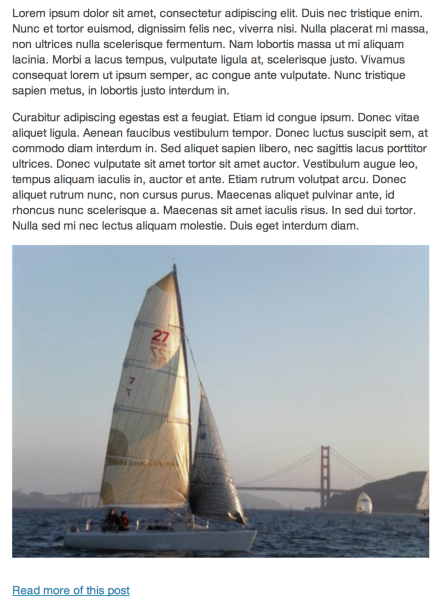
Then, the image that you have including the text will show up in the email notifications as seen here:
Cheers!


- The topic ‘images from my blog not showing on Bloglovin’ is closed to new replies.
 WordPress.com Forums