

Imbed Media Player Problem
-
The Imbed audio player doesn’t play on first, second, … attempt in my blog. I often have to refresh my page to get it to play. On right side of player I see “NaN:NaN”. After refreshing, that changes to amount of time song will play and everything is fine. Can I do something to have it load in correctly the first time?
The blog I need help with is: (visible only to logged in users)
-
My problem, above, occurs on the R2 Tunes page of my blog. Any suggestions? R2 thanks you. :-)
-
Hi there,
Currently, the audio files here are all playing on the first shot on my side in both Chrome and Safari:
Are you still having trouble with this? If so, can you try another browser? I just want to see if this is localized to a specific browser or not.
-
Hello,
Thanks for the reply and I think you’ve hit upon what the problem is. It works fine on Firefox, but is, as stated in my initial posting, still not working correctly on Safari.
Do you think I need to do something in the preference settings on Safari in order for it to work on that browser? I use Safari, exclusively, as my web browser.
-
Hi Ron,
Can you navigate to Safari -> About to confirm what version you’re using? Also, can you navigate to Safari -> Preferences -> Extensions and turn them all off for a second just to see if that’s causing the issue?
-
Hello Jeremey,
I’m using Safari Version 7.1 (9537.85.10.17.1)
I only had one extension and I had already turned my extensions off before I started this specific forum post.
It still does, as explained above, but the last time I tried to play each song, only two of them showed “NaN:NaN”.
Thanks for your prompt responses.
-
Hey Ron,
Could you let me know the name of the two songs that displayed “NaN:NaN” or where they are in the post?
-
Hi Jeremey,
I can’t find a pattern. Yesterday, it was Unchained Melody and Christofori’s Dream.
Today, all of them are displaying “NaN:NaN”. Some of them play, after awhile, and the “NaN:NaN” remains the whole time they are playing.
Then, when I refreshed the page, they all worked properly. This is confusing! :-(
Thanks for sticking with me.
-
Hey Ron,
I was able to reproduce this, but oddly enough, I’m having the same issue as you are with identifying what is causing this. Can you try to play the audio files on our audio support page here to see if you notice the issue there as well?
-
Hello Jeremey,
The two players under the “first way” (1) would not play. The arrow changed to two vertical bars, but nothing else changed and there was no sound.
The Soundcloud and Audiomack under 4 & 5 did play.
Thanks for “sticking with me.”
-
Can you try playing the actual audio files outside of the player? For example, try loading this link:
[audio src="http://en.support.files.wordpress.com/2012/05/mattmullenweg-interview.m4a" /]
-
Hi Jeremey,
When I clicked on the hyper-text link it showed a black screen with a Q and ? inside of it. I think the Q is the same icon used for the QuickTime Player. Hmm……. Does that make any sense to you?
-
Hey Ron,
You should see something like this in Safari when you load that file URL:
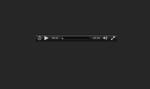
Could you take a screenshot of what you’re seeing and upload it to your media library so I can take a look? Screenshot instructions can be found here:
-
Hello Jeremey,
I do get the screen shot you provided above, WHILE it’s loading.
After it loads, it changes to the screen shot entitled, “Screen Shot Copy” that I uploaded to my media library.
I hope this helps. Let me know, if you need for me to do anything else.
Thanks, again, for sticking with me.
–Ron
-
Hey Ron,
Thanks for the screenshot. Can you open up Quicktime on your computer and then click “Quicktime Player” then “About Quicktime Player”? I’d like to see what version you’re running.
Also, could you try resetting Safari (Safari -> Reset Safari)? Just a note, here’s what that will do (empty history, reset top sites, etc):
-
Hi Jeremey,
I reset Safari and here’s the version of Quicktime Player that I’m running “Version 10.3 (727.4)”.
After resetting Safari I tried a few of the tunes, but they are still responding as I described above. :-(
-
Hey Ron,
So, the “NaN” error is referring to “Not a number”, which generally occurs with some kind of encoding error.
Can you try uploading a new audio file and see if you get that same error on the new file? I’m wondering if something happened with the encoding on the old files.
-
Hello Jeremey,
I did what you asked. I uploaded “Night And Day” by Willie Nelson. It’s the last tune on the R2 Tunes page. It behaved as the others.
The first time I played it, I got the “NaN.” After refreshing the page it worked fine. That is typical for the rest of them, although sometimes a song or so will work the first time. I can find no pattern.
-
Hey Ron,
Alright – final test. Can you try loading the following URL in your Safari browser?
[audio src="http://jeremeyduvall.com/wp-content/uploads/2014/10/mattmullenweg-interview.m4a" /]
Let me know if that produces the question mark or if the file plays correctly.
-


- The topic ‘Imbed Media Player Problem’ is closed to new replies.
 WordPress.com Forums