

inactive domain
-
I recently purchased a domain lorenzocastela.com. When I search the domain name it come out invalid, not existing.
The blog I need help with is: (visible only to logged in users)
-
Hi there,
I have already submitted the request to uncancel your domain. Once I hear back I will let you know in our private email message. Please reply to that message.
-
-
-
-
It is currently working now. I have updated your primary domain to: lorenzocastela.com.
If you find that it is not working, can you please try clearing out your cache and cookies using the guide below?
Happy Blogging!
-
-
Hi there,
You are not seeing this:
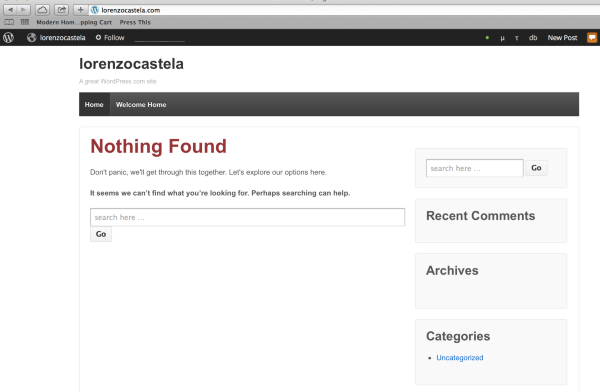
Have you cleared out your cache and cookies? Each time you access a web page, your web browser stores a temporary copy of the files needed to display the web page to you. Those temporary files are called the browser cache. If your cache is not updating properly or if it’s stuck, you could be viewing an older version of some of the supporting files that run WordPress.com.
If you are experiencing problems displaying WordPress.com pages, clearing the browser cache is a good first step to try to resolve the issue. If that doesn’t help, you should also try clearing the browser cookies.
It is also possible for your Internet Service Provider to create a cache at the network level. This means that instead of viewing the WordPress.com web servers for some files, the ISP has created a cache to store files on their network to try to reduce bandwidth costs and also to make loading some web pages faster. If a network-side cache is causing you trouble, you most likely just need to wait for it to clear out on its own – it could take a day or two.
-
-
Thanks for your patience! If you find that it’s still not loading then, please do let me know!
-
-
Hello again Ms Young. I don’t have plugins tab on my dashboard, is there a way for me to get it?
-
Hi there,
It is not possible to install plugins on WordPress.com, for security reasons. Plugins can only be installed on self-hosted WordPress blogs. If you are wondering how WordPress.com differs from WordPress.org, this support article explains the distinction:
If you don’t find what you are looking for, just let me know what you’d like to achieve with a plugin, and I’ll see if I can find a solution!
Thanks
-
-
Hi there,
Yes – this guide will step you through the process of moving your site to a WordPress.org instance:
http://en.support.wordpress.com/moving-a-blog/#moving-to-wordpress-org
As we only support sites hosted here at WordPress.com, all issues with the new site – including the importing of the file – must be taken to the WordPress.org support community:
If you’d like assistance moving your WordPress.com site to WordPress.org, we have a service called Guided Transfer that does all the work for you. Check it out to see if its right for you:
http://en.support.wordpress.com/guided-transfer/
Cheers!


- The topic ‘inactive domain’ is closed to new replies.
 WordPress.com Forums