Increasing Widget size for Instagram photos
-
Hi,
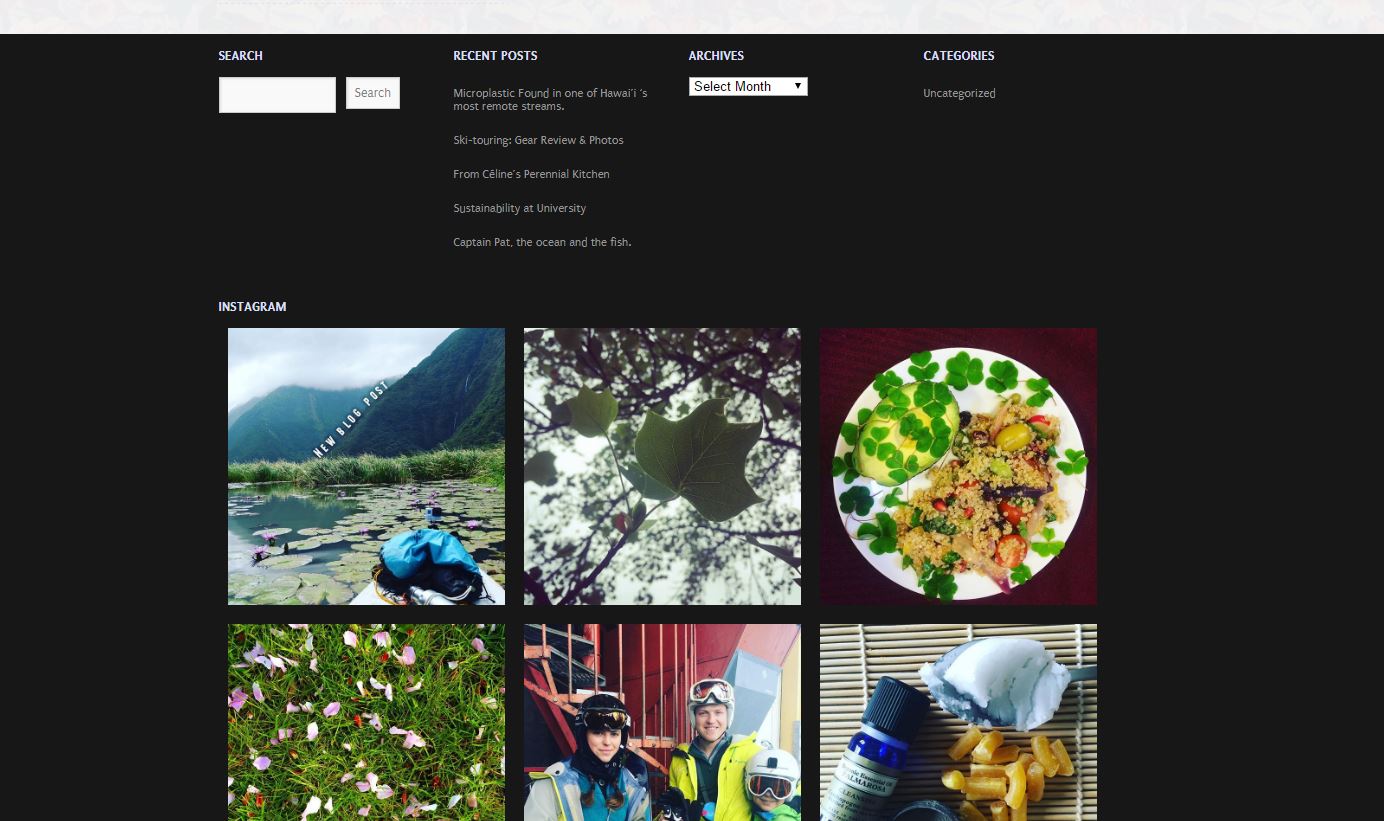
I’ve searched all over the internet and can’t seem to find the answers I need. I want to insert an instagram layout like this website at the bottom of the main page: http://deliciouslyella.com/ I’ve added the instagram widget but the photos are ridiculously small ! I want the pictures nice and big so you can see them
my website: https://celinejennison.wordpress.com/cheers !
The blog I need help with is: (visible only to logged in users)
-
Hi celinejennison
You can add this CSS to change the width of the Widget and make the images bigger.
#wpcom_instagram_widget-3 {
    width: auto;
}
This is how it would look: https://cldup.com/wj4y7Ec5GW.JPG
-
wow, thank you so much ! I have a few more questions if you don’t mind!
On the main page,
1) how could I keep the background pattern at the top (flowers), but then remove it where the pictures are and add a ribbon on each side , like one of these: http://www.vecteezy.com/vector-art/87938-free-monochrome-native-american-pattern-vector-borders2) How can I switch the layout so that the instagram feed is above the ‘search’, ‘recent posts’ and all the rest ?
blog post pages
How do I:
1) insert a static ‘ribbon’ at the top of the blog posts like this: http://deliciouslyella.com/pea-broccoli-and-almond-soup/
with my logo in a much smaller size and the menu that stays at the top. 2) make the ‘search’ ‘ recent posts’ and ‘archives’ menu on the right less wide.
Many thanks,
Céline
-
Hi Céline,
1) how could I keep the background pattern at the top (flowers), but then remove it where the pictures are and add a ribbon on each side
Modify the selector on your body.home CSS rule so it looks like this, which will put your flower image only in the header area, instead of the entire page.
body.home #header
Doing the ribbons on each side is a bit more complex. First off, those are vector drawings, so you would need to use a program like Adobe Illustrator or something to be able to pull out and use the borders. What you would have to do then would be to create an image that would then be used as a main background for your home page. The content area is 960px wide, so you would probably want at least 1060px between the ribbons, so you would create the background image wide enough to give that dimension between the ribbons and also give enough space for the two ribbons. You would want the height of the new image to be no higher than the ribbons. You would then insert it like this into your CSS.body.home { background-image: url("URL_OF_IMAGE"); background-repeat: repeat-y; background-position: center top; }The ribbons would then repeat down the page and the top bit of them would be hidden by the background you put into #header
-
Also, you would want to save the new ribbon image as a PNG image with transparency (no background color) so your background color would show through.


- The topic ‘Increasing Widget size for Instagram photos’ is closed to new replies.
 WordPress.com Forums