

Instagram and Twitter feeds
-
How do I make my instagram and twitter posts appear on my free wordpress blog?
The blog I need help with is: (visible only to logged in users)
-
How do I make my instagram and twitter posts appear on my free wordpress blog?
The blog I need help with is beershophq.com.
-
Hi there,
You can add the Instagram widget as seen here:
http://en.support.wordpress.com/instagram/instagram-widget/
You can then add the Twitter Timeline widget as seen here:
http://en.support.wordpress.com/widgets/twitter-timeline-widget/
Let me know if you have any questions with this!
-
After following the steps, Instagram is still not appearing even after I’m being told Instagram connection added. Twitter isn’t appearing either or even being told that connection was added.
-
Hi there,
I am able to see it on your About page as seen here:
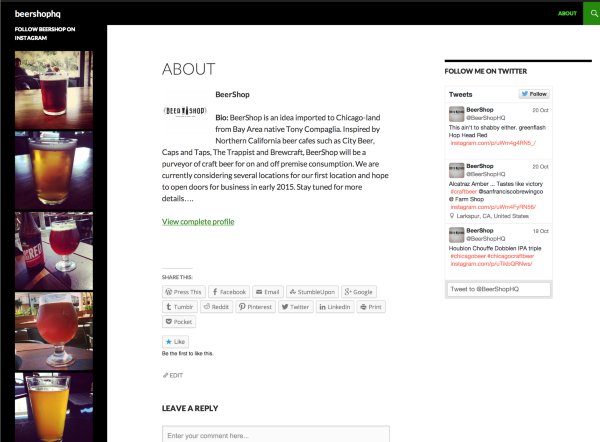
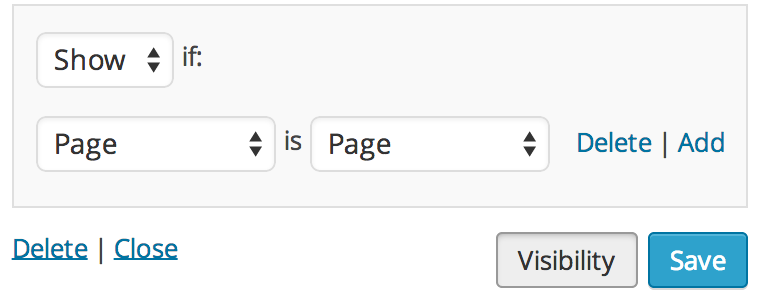
The reason I am only able to see it on a page is because you set the Visibility of those widgets pages only as seen here:
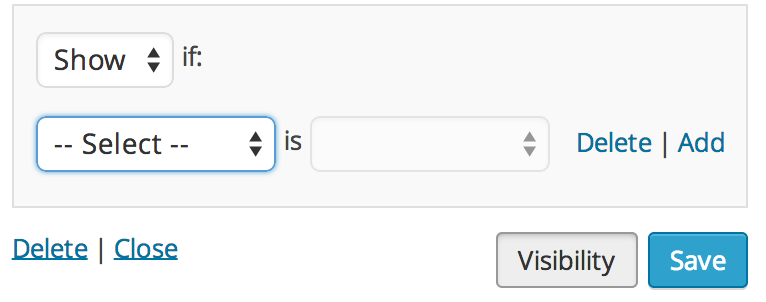
If you want it visible on your entire site, go back and edit those Widgets and click on Visibility. Then set to to Show if –Select– as seen here:
Cheers!
-
I can now see them in the About page. Unfortunately after following your directions, they are still not appearing on the landing page. Can you take a look again and tell me what I am doing wrong?
Also, is there anyway to control the amour of the webpage? For example, I’d like my logo to be on top of the home page instead of BEERSHOPHQ. Additionally, I’d like the font below to not include all caps. Please advise.
-
Unfortunately after following your directions, they are still not appearing on the landing page. Can you take a look again and tell me what I am doing wrong?
I see that you switched to the Intergalactic theme. Please note for that theme, it only shows the widgets when you click on the 3-line icon at the top right hand corner of the page as seen here:
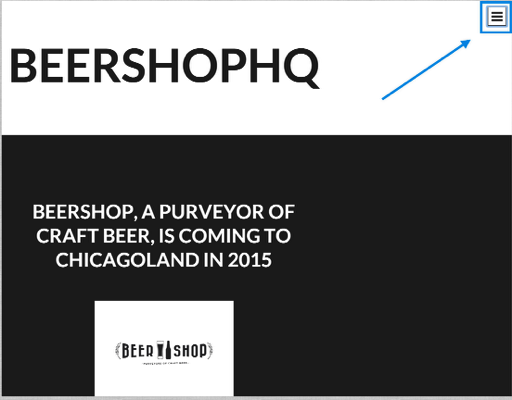
After you click that you can see your widgets here:
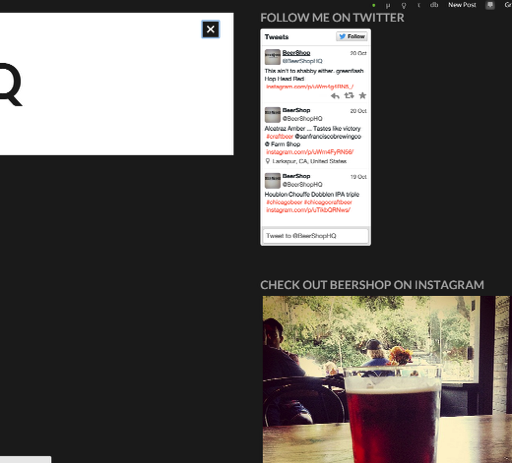
You can read more about the Intergalactic theme here:
https://wordpress.com/themes/intergalactic/
If you do not like this feature, it would be best to switch to another theme:
Also, is there anyway to control the amour of the webpage? For example, I’d like my logo to be on top of the home page instead of BEERSHOPHQ. Additionally, I’d like the font below to not include all caps.
You can add a custom header to your page by going to Appearance > Header in your Dashboard.
As for the Uppercase text – that is also apart of the theme. You can change that if you edit CSS, but please note this would require you to purchase the WordPress.com Premium upgrade. This would include the Custom Design upgrade that allows you to add CSS in addition to applying custom fonts and colors. If this is an upgrade you wish to purchase, let me know and I can provide you the code to remove the uppercase!
Feel free to reach out if you have any questions!


- The topic ‘Instagram and Twitter feeds’ is closed to new replies.
 WordPress.com Forums