

Invalid rss errors
-
My blog lifeinspandex.com is not showing up on bloglovin site/app when I search for it. I went to validate my rss and it said there were the following errors:
The following notes and warnings highlight missing or conflicting information which caused the validator to perform some guesswork prior to validation, or other things affecting the output below. If the guess or fallback is incorrect, it could make validation results entirely incoherent. It is highly recommended to check these potential issues, and, if necessary, fix them and re-validate the document.
No Character Encoding Found! Falling back to UTF-8.None of the standards sources gave any information on the character encoding labeling for this document. Without encoding information it is impossible to reliably validate the document. As a fallback solution, the “UTF-8” encoding was used to read the content and attempt to perform the validation, but this is likely to fail for all non-trivial documents.
Read the FAQ entry on character encoding for more details and pointers on how to fix this problem with your document.
Unable to Determine Parse Mode!The validator can process documents either as XML (for document types such as XHTML, SVG, etc.) or SGML (for HTML 4.01 and prior versions). For this document, the information available was not sufficient to determine the parsing mode unambiguously, because:
the MIME Media Type (text/html) can be used for XML or SGML document types
No known Document Type could be detected
No XML declaration (e.g <?xml version=”1.0″?>) could be found at the beginning of the document.
No XML namespace (e.g <html xmlns=”http://www.w3.org/1999/xhtml” xml:lang=”en”>) could be found at the root of the document.
As a default, the validator is falling back to SGML mode.
No DOCTYPE found! Checking with default HTML 4.01 Transitional Document Type.No DOCTYPE Declaration could be found or recognized in this document. This generally means that the document is not declaring its Document Type at the top. It can also mean that the DOCTYPE declaration contains a spelling error, or that it is not using the correct syntax.
The document was checked using a default “fallback” Document Type Definition that closely resembles “HTML 4.01 Transitional”.
Learn how to add a doctype to your document from our FAQ.
No Character encoding declared at document levelNo character encoding information was found within the document, either in an HTML meta element or an XML declaration. It is often recommended to declare the character encoding in the document itself, especially if there is a chance that the document will be read from or saved to disk, CD, etc.
See this tutorial on character encoding for techniques and explanations.
↑ TOPValidation Output: 3 Errors
Line 3, Column 1: no document type declaration; implying “<!DOCTYPE HTML SYSTEM>”
<html>
✉
The checked page did not contain a document type (“DOCTYPE”) declaration. The Validator has tried to validate with a fallback DTD, but this is quite likely to be incorrect and will generate a large number of incorrect error messages. It is highly recommended that you insert the proper DOCTYPE declaration in your document — instructions for doing this are given above — and it is necessary to have this declaration before the page can be declared to be valid.
Line 4, Column 5: document type does not allow element “PRE” herepageok
✉
The element named above was found in a context where it is not allowed. This could mean that you have incorrectly nested elements — such as a “style” element in the “body” section instead of inside “head” — or two elements that overlap (which is not allowed).
One common cause for this error is the use of XHTML syntax in HTML documents. Due to HTML’s rules of implicitly closed elements, this error can create cascading effects. For instance, using XHTML’s “self-closing” tags for “meta” and “link” in the “head” section of a HTML document may cause the parser to infer the end of the “head” section and the beginning of the “body” section (where “link” and “meta” are not allowed; hence the reported error).
Line 5, Column 7: end tag for “HTML” which is not finished
</html>
✉
Most likely, you nested tags and closed them in the wrong order. For example <p>…</p> is not acceptable, as must be closed before <p>. Acceptable nesting is: <p>…</p>
Another possibility is that you used an element which requires a child element that you did not include. Hence the parent element is “not finished”, not complete. For instance, in HTML the <head> element must contain a <title> child element, lists require appropriate list items (- and
- require
- ; <dl> requires <dt> and <dd>), and so on.
The blog I need help with is: (visible only to logged in users)
-
Howdy!
It looks like your blog is appearing correctly on BlogLovin now as shown here:
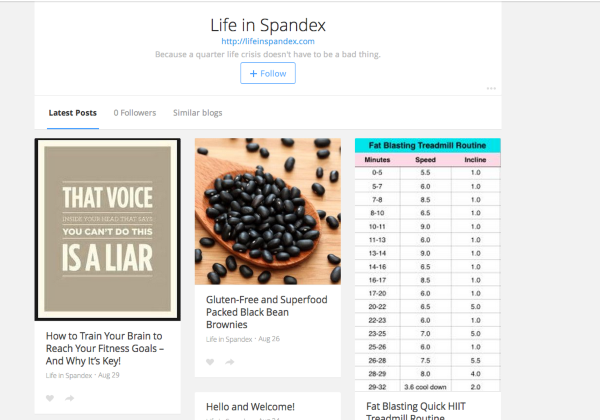
I found it here:
https://www.bloglovin.com/blog/12838363/posts
Can you let me know if the blog is appearing correctly on your side as well?
-
-
Hey Emily,
I’m seeing featured images on my side on BlogLovin:
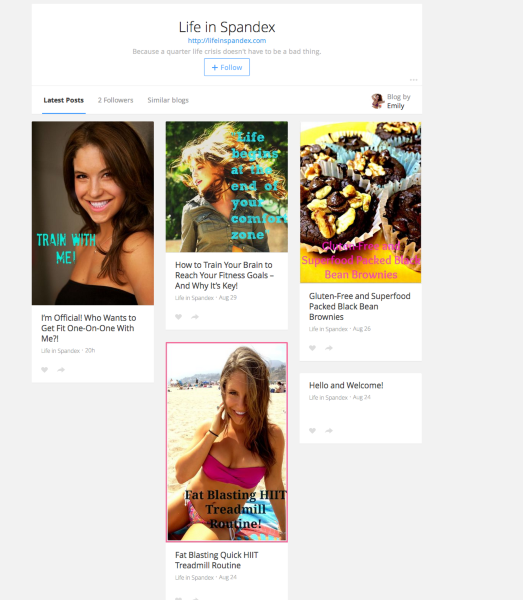
Can you let me know what you see here?
-
I see that now too. However, when I try searching for the blog again through the search box it’s not showing up anymore :( ugh!
-
What search term are you using on BlogLovin? It’s coming up for me under lifeinspandex.com:
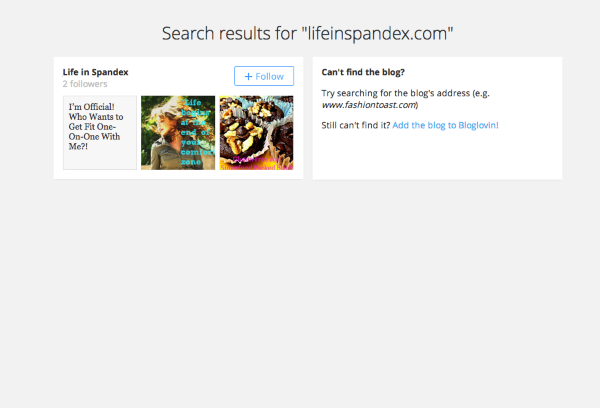
-
-
I believe this will just take some time as BlogLovin categorizes your blog. It’s similar to how Google search results take a few weeks to update and include a new site. However, if it doesn’t appear within the next week or so, please let me know, and I’ll see what I can do!
-
It looks good thank you! Also, I am having difficulties adding ads to my blog. Can you help?
-
Hi!
We do have an advertising program called WordAds, which you can see here:
Sidebar ads outside of the WordAds program are not allowed per our advertising policies here:
http://en.support.wordpress.com/advertising/
That link above will explain a bit more about what types of advertisements are allowed at WordPress.com (related affiliate links for example). You can also read about how to apply for WordAds using the top link.
Please let me know if you need anything else!
-
Thanks so much! Also, I added a picture to my Gravatar profile and wanted to add the widget to my main sidebar, but the image is not showing up. It just shows as the Gravatar logo. ugh!
-
Hi!
It looks like the Gravatar was uploaded correctly. Now, you just need to assign it to your email address. Navigate to your profile here:
http://en.gravatar.com/emails/
You should see your email address highlighted in blue and a row of two images below. Click the correct image you uploaded. That will assign the photo to your email. Can you give that a try?
-
I am still only seeing the gravatar icon image and not my own photo on my main sidebar. Is there a way I can send you a screen shot?
-
Hi!
Definitely – you can send a screenshot following the instructions here:
You can just upload it to your Media Library, and I’ll take a look.
Also, can you try following these instructions one last time?
http://en.support.wordpress.com/avatars/gravatars/#upload-an-avatar
I think they might be slightly different than the ones you tried before!
-
-
Hi!
I’m thinking you may have uploaded the screenshot to your self-hosted site (lifeinspandex.com). Unfortunately, I can’t see the files at that site. Could you upload it here instead so I can take a look?
https://fitspiredailyblog.wordpress.com/wp-admin/upload.php
Sorry – I should’ve clarified that beforehand!
-
its working now anyways :) thanks!
another question haha… is there a way to add a main sidebar for widgets on the top of my blog or on the left hand side?
i’m referring to lifeinspandex.com site
also, how do i delete the other two sites that aren’t lifeinspandex.com –> fitspiredailyblog.wordpress.com and i can’t remember the other at the moment
-
Hi!
Is there a way to add a main sidebar for widgets on the top of my blog or on the left hand side?
It looks like you’ve moved lifeinspandex.com to a self-hosted site. Therefore, I don’t have access to your site files (only those on WordPress.com). However, it looks like you’re still using the Twenty Twelve theme. By default, that theme only supports widgets on the right-hand side of the page.
Also, how do i delete the other two sites that aren’t lifeinspandex.com –> fitspiredailyblog.wordpress.com and i can’t remember the other at the moment
I believe you’re referring to fitspiredailyblog.wordpress.com and fitlifehealthymind.wordpress.com. If so, you can delete them following the instructions:


- The topic ‘Invalid rss errors’ is closed to new replies.
 WordPress.com Forums