

Is it possible to have two blog styled pages
-
I’d like my album page to look the same way as the blog page with a preview. Is this possible?
The blog I need help with is: (visible only to logged in users)
-
Hi there,
Yes! So what you should do is create a Category Pages. So you would create posts like you normally would for you Blog page – as mentioned by the theme, make sure you add Featured Images. Then, create a Category called Album and set the posts you want on in Album to that category as seen here:
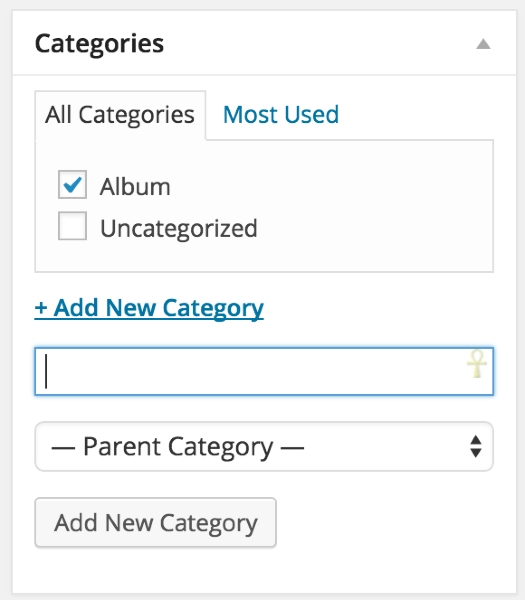
You would do this while you are editing the post.
Here’s an infographic that may be helpful as well:
http://catswithmustaches.org/category-pages/
Feel free to reach out if you have any questions!
-
I’ve created a catergory called Album and set the posts that i want in it. I created a menu called albums, but nothing is showing up under Albums. What am I doing wrong?
-
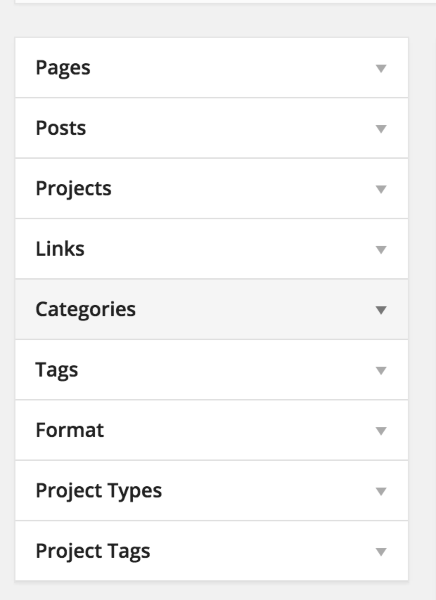
I’m still seeing the Album PAGE not the Album CATEGORY added to your menu. When you go to Appearance > Menus, click on the Category to add the Album category as seen here:
-
I get this when I try to create an Album category
A term with the name provided already exists with this parent.
-
I get this when I try to create an Album category
You have already created the Album category, so you are set there. Now, all you have to do is add that category to your menu. You do that from the menu page. Here’s a direct link:
https://karenophotography.wordpress.com/wp-admin/nav-menus.php
First, click on categories. It’s the 4th option in the column that starts with “Pages.”
From there, click “View All” and check the box next to Albums.
That will add the category page to your menu. From there you work the menu the usual way.
Let me know if you have any questions about that!


- The topic ‘Is it possible to have two blog styled pages’ is closed to new replies.


 WordPress.com Forums