

Is there a menu option to change hyperlink color in Twenty Twelve?
-
The hyperlink color in Twenty Twelve is very pale and effectively washes out the link text, instead of highlighting it. I tried using the “custom” menu to change the color of links, but it did not change the hyperlinks. Is there a way to darken the color somewhere in a menu? I really don’t want to deal with CSS.
The blog I need help with is: (visible only to logged in users)
-
Hi there!
You can edit the Link colors through the Customize menu under Colors. The first color circle is Links and the second is Link Hovers. (You can see these labels when you click on the color.)
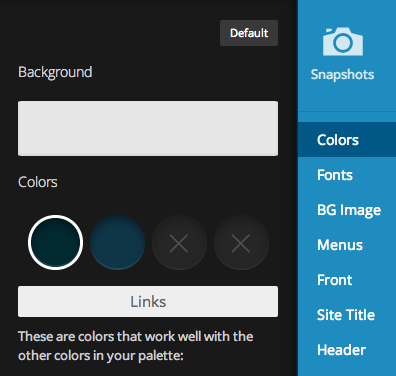
Let me know if I can help with anything else!
-
When I change Links and Link Hovers, it changes the links for the pages, but not the hyperlinks I’ve inserted into blog text and page text. Is there a way to include those in the change?
-
Hi there!
I just checked this out and the links in your blog posts and pages also change when I change the colors. I was testing this on your Events page, which looks like the only page with links.
Navigate to Events in this window then try changing the Links color:
https://larafreidenfeldsdotcom.wordpress.com/wp-admin/customize.php
Here’s a screenshot of what happened when I tested changing the color to red (don’t worry, I didn’t save any changes!)
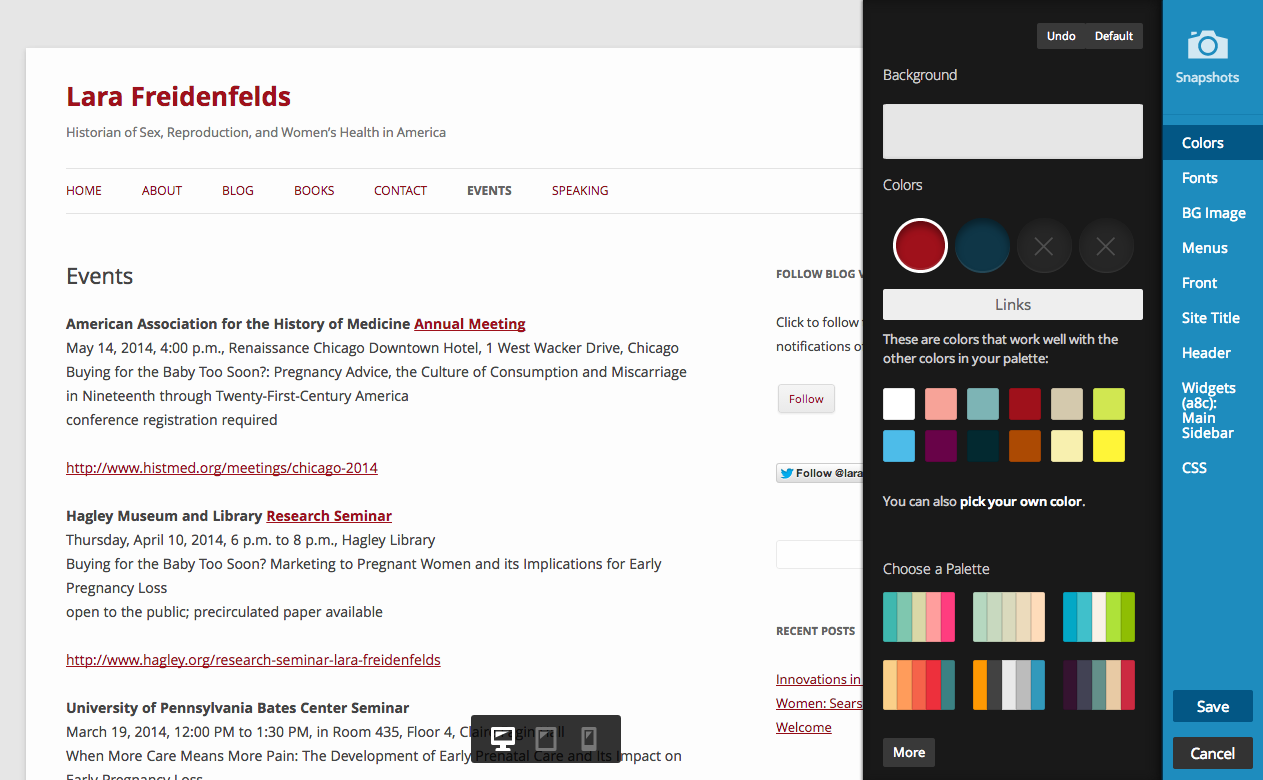
Let me know if you continue to have trouble with this!
-
I continue to get the same result — I go to the “color” menu, choose the round button that then shows me “links,” and choose red. The links in the header and sidebar all turn red, but the ones in the text stay gray. The screen shot you showed me is exactly what I want. Any ideas why I’m not getting that result?
-
Mystery solved! The links turn gray once you’ve visited them. of course, I had visited all those links to get the addresses to put in, so they were all gray. Once I cleared my browser history, they were no longer gray.
-
Great! Yeah, visited links will have a different color. I’m glad you got it figured out!
Let me know if I can help with anything else!


- The topic ‘Is there a menu option to change hyperlink color in Twenty Twelve?’ is closed to new replies.


 WordPress.com Forums