

Is there a way to hide the category list at the bottom of my blog?
-
I have so many categories – I have written about dozens (hundreds?) of subjects over the years and the list is more absurd and ugly than helpful – for me or readers.
The blog I need help with is: (visible only to logged in users)
-
Hi Harold,
Unfortunately, that Category list was designed into the theme. I highly recommend applying another theme as the Ocean Mist theme is now retired.
You’ll find that our other themes do not do this and if anything were to happen, we could take a look and fix it if need be. We no longer provide support for retired themes.
Another possibility would be to purchase the Custom Design upgrade. We could then remove it with CSS.
Let me know if you have any questions with this!
-
If I change the theme, will all of the postings and information transfer to the new one?
Thank you. -
-
Thank you again. I will get to work on it. One more question. Are themes regularly retired, or can I assume the new one I choose will be around for awhile?
-
The ones that are not very popular will be retired, but normally they will stick around for awhile.
If you want to make sure a theme does not retire for awhile, choose one of the Twenty-Thirteen, Twenty Fourteen or Twenty Fifteen themes:
https://theme.wordpress.com/themes/twentythirteen/
https://theme.wordpress.com/themes/twentyfourteen/
https://theme.wordpress.com/themes/twentyfifteen/Feel free to reach out if you have any questions about these themes or any others you are thinking about!
-
I started a new blog with twentyfifteen https://palestineinsight.wordpress.com/
– and will slowly copy posts from sumnonrabidus. In twentyfifteen if I upload a heading picture, the widget headings are impossible to see. Can’t I change the print color or something? It would be a lot more inviting with a picture — and I have hundreds from Palestine.Also, why can’t I either delete my gravatar profile or change it. This blog is not about me!
HaroldBuy your tickets now for NPR’s A Way with Words at the Majestic on April 23. SUPPORT THE ABERG CENTER FOR LITERACY.
-
I started a new blog with twentyfifteen https://palestineinsight.wordpress.com/ – and will slowly copy posts from sumnonrabidus.
What you can do is just Export your previous site and then, Import it into your new site.
You can also just keep old site and change the theme as well. But, if you want that new address, you can do what I advised above.
As for the widgets, this is what I see:
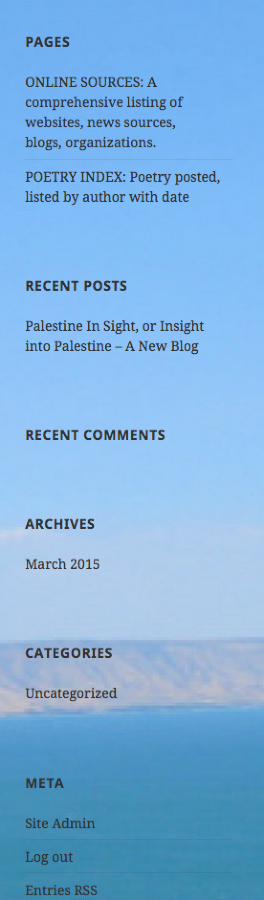
It seems to look ok. Do you still need help with this?
Also, why can’t I either delete my gravatar profile or change it. This blog is not about me!
To change your Gravatar, go here and you will be able to upload a new image:
-
Sorry to be such a bother. Isn’t there a way to have a link for people to click to follow my blog? Do I have to invite people? Thanks.
-
Hi Harold,
So what you can do is add a Follow Blog widget to your sidebar/footer and send a link to your site. Readers can add their emails in that widget to follow your blog.
-
I have paid the $99 to upgrade my theme, but I can’t figure any of it out. I thought I had taken a domain name, but I was sent to the page to tame a domain name. It seems to be circular reasoning. I want to change the sizes of the fonts and make page names more visible, but I can’t figure out how to do any of that. Ist there a tutorial or something, or am I just on my own to figure out how to use the hundred bucks? I know I’m a technologically challenged 70-year-old, but I’m not stupid, either :)
-
It looks like you added the Premium upgrade to the site: palestineinsight.wordpress.com. You can add a custom domain by going to Store > My Domains in your Dashboard:
https://palestineinsight.wordpress.com/wp-admin/paid-upgrades.php?page=domains
Here’s a support guide on adding a domain:
Please note that since you purchased Premium you will not have to pay extra for this.
I want to change the sizes of the fonts and make page names more visible, but I can’t figure out how to do any of that. Ist there a tutorial or something, or am I just on my own to figure out how to use the hundred bucks?
You can start customizing your site (such as fonts and colors) by going to Appearance > Customize in your WP Admin Dashboard. Here is a support guide for doing this:


- The topic ‘Is there a way to hide the category list at the bottom of my blog?’ is closed to new replies.
 WordPress.com Forums