

Karuna Theme – Help Adding Personalized Icons to Social Nav Bar
-
Hello!
I’m working with the Karuna theme and I’m trying to figure out if it’s possible for me to add a custom button on the social menu for specific links. The theme seems to be using placeholder icons for the time being for sites it doesn’t recognize.
I’m looking to have the yelp page have an associated yelp icon and having the mindbody site (last link on the social menu) have custom icon I create.
Any help would be appreciated.
The blog I need help with is: (visible only to logged in users)
-
Hi @primeintensitytrainingpit!
Adding new icons to the menu can be done through CSS, but the code will need to be specifically tailored to each link.
If I inspect the Yelp link you have now I can see that it’s listed under the ID menu-item-321.
That means some CSS like this would be a good starting point:
#menu-item-321 a:before {
	content: url('YOUR ICON URL HERE');
	background-size: contain;
	display: block;
	position: relative;
	top: 4px;
	right: 5px
}
You’ll need the URL to the image you want to display, and the top and right values will need to be adjusted to fit your specific image. There may also be some spacing or margin issues you’ll want to address :)
-
-
Hi, staff-loquaciousloon –
I actually just realized a problem with those updates that I was hoping you could help me with.
For some reason, the 2 new icons are not clickable to the links when using google chrome on desktop. Is there something I need to adjust? I’m using the Karuna theme social nav menu, so I’m not sure what’s wrong.
Help!!
-
Right you are!
Here’s an amended version of your current CSS (with your url and everything)
#menu-item-321 a:before {
    content: url(https://primeintensitytrainingpit.files.wordpress.com/2017/03/yelp-icon-logo-white-rounded3.png);
    background-size: contain;
    display: inline-block;
    position: relative;
    top: 6px;
    right: 4px;
    margin-top: -.5em;
}
Changes:
– display from block to inline-block
– top from 8px to 6px (changing the display caused a small shift in the vertical alignemnt)I like that pop of yellow on your Join icon by the way. Draws the eye, but isn’t clash with the other icons :)
-
-
-
Hi, staff-loquaciousloon –
I just noticed that the social menu icons have been duplicated for some reason? Both my personalized icons as well the theme’s icons are now appearing next to each other and are linked together as if they’re the same image. I’m not sure what happened.
What can I do to fix this?
-
-
@primeintensitytrainingpit: Did you already sort this out?
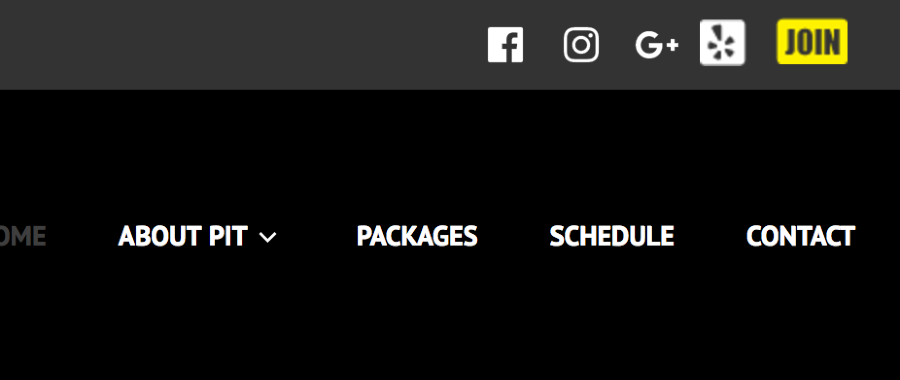
Here’s a screenshot of what I see today:


- The topic ‘Karuna Theme – Help Adding Personalized Icons to Social Nav Bar’ is closed to new replies.
 WordPress.com Forums