

Leave a Comment button
-
Is there a way on your home page feed to add the “Leave a Comment” button appear at the end of a post as well as the beginning? Or instead of the beginning? I don;t want people to have to scroll all the way up to leave a comment. People are lazy by nature and I think will just move on.
The blog I need help with is: (visible only to logged in users)
-
Hello there!
While the leave a comment button/count appears at the top of you post, your comment box appears at the bottom. So, when a user reaches the end of your post, he/she can simply leave a comment in the box. No button necessary.
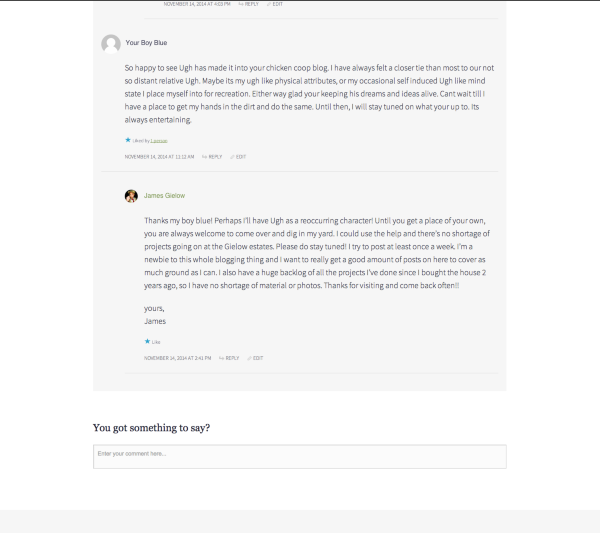
You can change the prompt in the comment box to something more obvious, like, “Leave your comment here.” If you’d like to do that, you can adjust your settings at the very bottom of this page:
https://mindyourdirt.wordpress.com/wp-admin/options-discussion.phpI hope this helps! If you have any other concerns, drop me a note. Thanks much!
-
Hi Robyn,
Thank you for your reply. Yes, it’s true if someone is looking on the post page itself, but not true if you are looking at the home page. In the feed, the only buttons are for sharing on social media or email. I’d like to have a Leave a Comment button there as well.
I’ve already changed the verbiage of the comment leaving to “you got something to say?”
SO, if you look at my front page or home page feed where all the posts are one after the other, you’ll see that there are no comment spaces below. I have added a “read more” tab so that readers will click on that which takes them away from the feed to the actual post. Make sense?
I don’t want to have to do that each time, especially for short posts. I’m hoping there’s a way to simply copy the button at the end of each post on the main feed.
yours,
James -
Hi Robyn,
Thank you for your reply. Yes, it’s true if someone is looking on the post page itself, but not true if you are looking at the home page. In the feed, the only buttons are for sharing on social media or email. I’d like to have a Leave a Comment button there as well.
I’ve already changed the verbiage of the comment leaving to “you got something to say?”
SO, if you look at my front page or home page feed where all the posts are one after the other, you’ll see that there are no comment spaces below. I have added a “read more” tab so that readers will click on that which takes them away from the feed to the actual post. Make sense?
I don’t want to have to do that each time, especially for short posts. I’m hoping there’s a way to simply copy the button at the end of each post on the main feed.
yours,
James -
Ah! I see, James.
Unfortunately, there isn’t a way to add that button at the bottom of your post. It isn’t entirely dependent on CSS and we don’t have access to the other code needed to impact the button’s placement.
Sorry I can be of help with that. If you’d like, I can assist you in finding another theme that might give you the functionality and aesthetics you’d like.
Let me know! Thanks much.


- The topic ‘Leave a Comment button’ is closed to new replies.
 WordPress.com Forums