

Linking posts to pages
-
I tried using the short codes to link a recent post to a page. I’ve made several attempts with no success. I have a page “food” with a sub page “farmer’s market meals” – I would like the post to show up in “farmer’s market meals”. I have attempted to use both tags and categories to make this happen.
The blog I need help with is: (visible only to logged in users)
-
Hi there,
I see your page “Farmers Market Meals” and also that you’ve created a tag and a category for farmers market meals, but I do not see the shortcode in place anywhere.
Try adding this shortcode to the body of your Page:
[display-posts category="farmers-market-meals"]This will display a list of all posts in the category “Farmer’s Market Meals”. Right now there’s just one.
-
To clarify – do I add the shortcode to the bottom of the page or the post? I ask because I added it to the bottom of the post and nothing happened.
-
It’s completely up to you where it is in the post’s body. You can have other text, images, etc before or after the shortcode if you want.
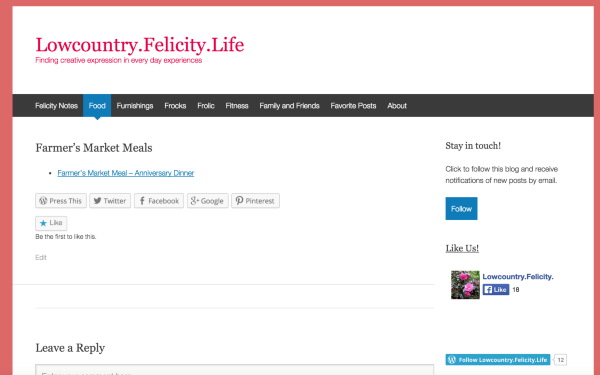
Just visited your page, and the shortcode appears to be working:
-


- The topic ‘Linking posts to pages’ is closed to new replies.
 WordPress.com Forums