LinkWithin
-
Hello!
I am an administrator on my friend’s blog and she has asked to add linkwithin to her posts. She bought the domain a few months ago, so she went from shamiamglam.wordpress.com to shamiamglam.com. Should this not give us the ability to add a plugin? Any help or advice would be greatly appreciated!The blog I need help with is: (visible only to logged in users)
-
Hi. No, the domain mapping upgrade only gives you the possibility to use a domain name. Please read the “Important notes before upgrading”:
http://en.support.wordpress.com/domain-mapping/#important-notes-before-upgrading -
Every day members make assumptions about what the purchase of a domain mapping upgrade includes. It includes exactly what’s stated ie a domain name and domain mapping and nothing more when the blog remains self hosted here at WordPress.com. This is stated in the support documentation:
Important Notes Before Upgrading
Same Terms of Service – The Domain Mapping Upgrade does not permit the use of any kind of prohibited code or upload additional themes or plugins. With the upgrade, your blog will still be hosted here at WordPress.com, which means that you will not have FTP access to your files and you will still be required to abide by our Terms of Service. http://en.support.wordpress.com/domain-mapping/#important-notes-before-upgradingP.S. Th e linkwithin widget has been previously requested on several occasions. I was accustomed to using it on a self hosted install and I regret that it cannot be used on a free hosted WordPress.com blog but that’s the way it is. Sorry.
-
Dear @airodyssey and @timethief,
Thank you so much for the swift response! So we need to have the site hosted on a different server in order to add plugins? I assume something like godaddy is what is recommended? -
That’s correct. See here please:
WordPress.org Hosting
Many of the suitable hosts on our WordPress web hosting list offer a one-click, automatic installation of the software. If you are using a host that does not offer automatic installation of WordPress, you can review the official installation guide. http://en.support.wordpress.com/moving-a-blog/.
-
What is the reason LinkedWithin widget is not available for wp.com domains? This widget surely drives more page views and it seems unusual to me that WP would not want people to stay on their site as much as possible.
I appreciate any insight.
Another suggestion is that WP allow its faithful bloggers / users to ‘vote’ for popular features to add to WP.com. Many software companies do this and it results in us loving WP even more. :)
-
@cinhosa1
It’s a JavaScript widget that’s not available to us. If you would like to you can communicate with Staff about this after the holiday. -
The also have the Related Posts feature available here, and you can install and configure Zemanta in your browser to get exactly the same effect.
-
Thank you for the suggestion. Yes, I already use Zemanta for images and related articles. I like it. The difference between Zemanta and Linkwithin is that for related articles, Zemanta does not automatically generate thumbnail images from the inserted related articles. See this page: http://www.linkwithin.com/learn
If you know how to do this in Zemanta, I would appreciate a link to a how to document. I will also post on their forums. Maybe someone has a less manual way to accomplish the same thing?
-
Here’s the thread I posted to Zemanta’s forums.
Please vote this one up to get it noticed!
-
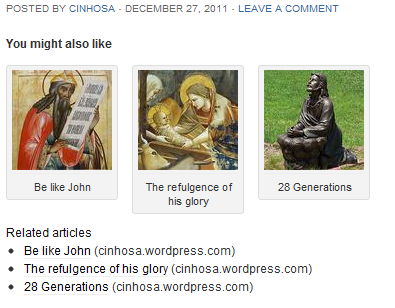
I was able to make a similar-looking section using zemanta thumbnails and some trial-and-error.
Click here to see an example mock-up using Zemanta.
Key tips:
1. I did this using the Zemanta plugin on chrome (windows 7), not zemanta add-in for WP because :
2. I used My Sources to more easily find my own blog entries
3. The thumbnails are generated by Zemanta. When you hover over a related article that has an image, you can then click-and-drag the thumbnail into the post.
4. Make all thumbnail images left-aligned to have them stack horizontally
5. I had to link images to the post
6. Zemanta strips link tags for the caption so those are not linked.So, yes it is indeed possible with Zemanta although this is a manual effort.
Another way for this to be useful is to save it as a draft post and then use copy post to save the formatting.
-
Here’s the HTML code FWIW:
<h4>You might also like these articles</h4>
[caption id="" align="alignleft" width="100" caption="Be like John"]<img class="zemanta-article-preview-img" src="http://thumbs.zemanta.com/67286688.jpg" alt="" width="100" height="100" />[/caption][caption id="" align="alignleft" width="100" caption="The refulgence of his glory"]<img class="zemanta-article-preview-img" src="http://thumbs.zemanta.com/68092808.jpg" alt="" width="100" height="100" />[/caption]
[caption id="" align="alignleft" width="100" caption="28 Generations"]<img class="zemanta-article-preview-img" src="http://thumbs.zemanta.com/66989084.jpg" alt="" width="100" height="100" />[/caption]
-


- The topic ‘LinkWithin’ is closed to new replies.
 WordPress.com Forums