

Lodestar featured image size
-
Hello.
I’m using the Lodestar theme and I need to be able to customize the size of the featured images as they are displayed in the panels of the home page. The image I want to use is 2000 x 504 rather than the 2000 x 1200 Lodestar wants to use. Is there any custom CSS I can use to get it to display correctly without cropping in? -
Modifying the height of a panel would require Custom CSS, which is available with the Premium or Business plans. If you decide to upgrade, let me know which specific panel you want to make less tall and I can help you with the code.
-
-
These forums are for sites hosted on WordPress.com. If you need further help with the self-hosted version of Lodestar, you can post in the WordPress.org general themes forum:
https://wordpress.org/support/forum/themes-and-templates
Tag your post with wpcom-theme in the tags area to be sure it will get attention:
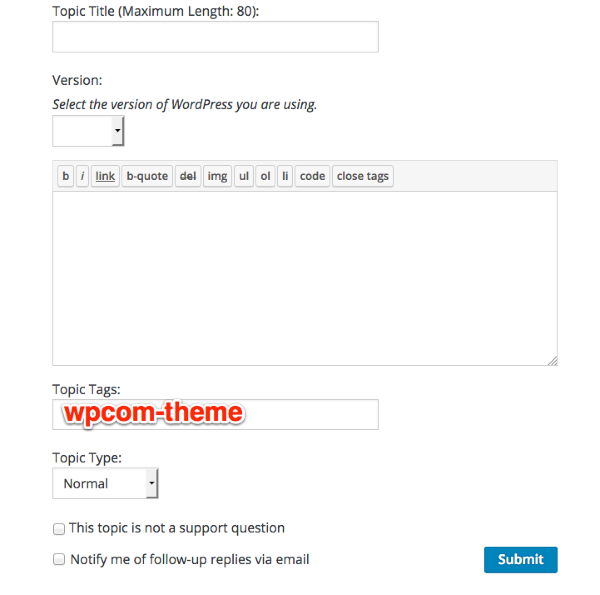
You’ll need a free WordPress.org account to post – if you don’t already have one, you can register here:
https://wordpress.org/support/register.php
Be sure to provide a link to your site when you post so folks can help you more easily, and mention which specific panel you’re trying to change the height for, because the code will be different depending on which panel you want to change.


- The topic ‘Lodestar featured image size’ is closed to new replies.
 WordPress.com Forums