

Logo image?
-
Hello!
I have a picture that I took myself that displays the name of the blog/business I want to have. I tried to put it up on the Dara layout, which I like, and the only thing that it seems I can do is use it in place of the flower that is there. What I want to do, is remove the little flower, and replace the white background with my picture; is there a way to do this?
I have looked through all of my selections when I go to customize, but either it’s not there or I have just missed it?
The blog I need help with is: (visible only to logged in users)
-
There is! And I’d be happy to get you going towards this. Your blog is private so I can’t see exactly where the flower image is but if you are trying to change your logo and it’s not changing, make sure the picture you took is in a supported format, WordPress.COM only accepts: .jpg/.jpeg, .gif, and .png
In addition, there are a few other issues you might be having while trying to upload your image, see this article for trouble shooting options:
Finally, here is the general help article on how to change your site logo:
Let us know how this works out for you!
Thanks,
-
That’s the thing, I don’t want the logo there, I want to use the white space behind it to add a photo. I know how to change it, as in to the picture I have, which is a JPEG, but I don’t want the pic to be used as the tiny logo on the white background. I want to use the white background behind it.
-
Looks like you’ve switched to Twenty Fourteen – are you happy with that or do you need further help?
-
I am happy with that, yes…though the coloration of the sidebar and top are an issue now, as well as the social media icons. The icons aren’t showing, and the blue that is on there makes it really hard to read, even when putting the writing huge. I’m trying to figure out how to change the color on it, but I can’t seem to figure it out.
I made another post about the icons, not about the color yet though.
-
(again, because I don’t know how to add to posts or edit yet) It’s giving me a headache to read it, I can’t look at it, and I don’t like any of the other pallet choices.
-
Hi there – I’ve replied to your other thread about the social icons.
Twenty Fourteen comes with five free colour palettes. If you prefer to choose your own colour, you would need some Custom CSS, which is available with the Premium or Business plans.
Alternatively, I would be glad to help you find another theme if you prefer. For example, Button 2 is a lovely 2-column blogging theme designed specifically for crafters:
https://button2demo.wordpress.com/
It comes with seven (6 + default) free colour palettes:
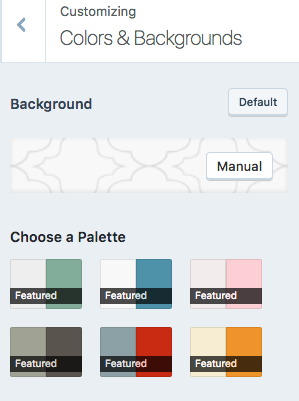
If you’re looking for a specific colour scheme, let me know and I’d be glad to help you find something that suits your needs.
-
No, I love the way that Twenty Fourteen is laid out. I love the way it’s set up, it’s just the color schemes picked, they all make my eyes hurt when trying to read it, both black and white font alike. It allows for me to have my picture logo in the top without having to fiddle in photoshopt too much and it makes my logo picture the center of the title. I do appreciate the help, I really do, I’m just super picky lol.
-
No, I love the way that Twenty Fourteen is laid out. I love the way it’s set up, it’s just the color schemes picked, they all make my eyes hurt when trying to read it, both black and white font alike. It allows for me to have my picture logo in the top without having to fiddle in photoshopt too much and it makes my logo picture the center of the title. I do appreciate the help, I really do, I’m just super picky lol.
-
-
No worries about the duplicate. :)
OK, perhaps custom CSS is the best solution in this case. If you do decide to get a plan with Custom CSS, I’d be glad to help you change the colour scheme to something that doesn’t make your eyes hurt. :)
-
See, I might in the future, this is just to test to see how far this goes and takes off, if it does. If it does, great, I will pick a plan, if not, then I would have to wait a bit lol. Thank you though for the help ^-^
-


- The topic ‘Logo image?’ is closed to new replies.
 WordPress.com Forums