

lost widgets
-
I used to edit my “page foots” via “dashboard”-“appearance” – “widgets”. Recently (may 2025) it’s no more possible as my texts have disappeared from all the “zones of foot-page”. These texts are still available for the visitors of my site but i can no more modify them. So i think that a recent update of the wordpress appli has moved theses contents in some other part of the skeleton.
The blog I need help with is: (visible only to logged in users)
-
Hi there,
My name is Pat, I’m a Happiness Engineer with WordPress.com and I’d love to help.
I used to edit my “page foots” via “dashboard”-“appearance” – “widgets”. Recently (may 2025) it’s no more possible as my texts have disappeared from all the “zones of foot-page”. These texts are still available for the visitors of my site but i can no more modify them. So i think that a recent update of the wordpress appli has moved theses contents in some other part of the skeleton.
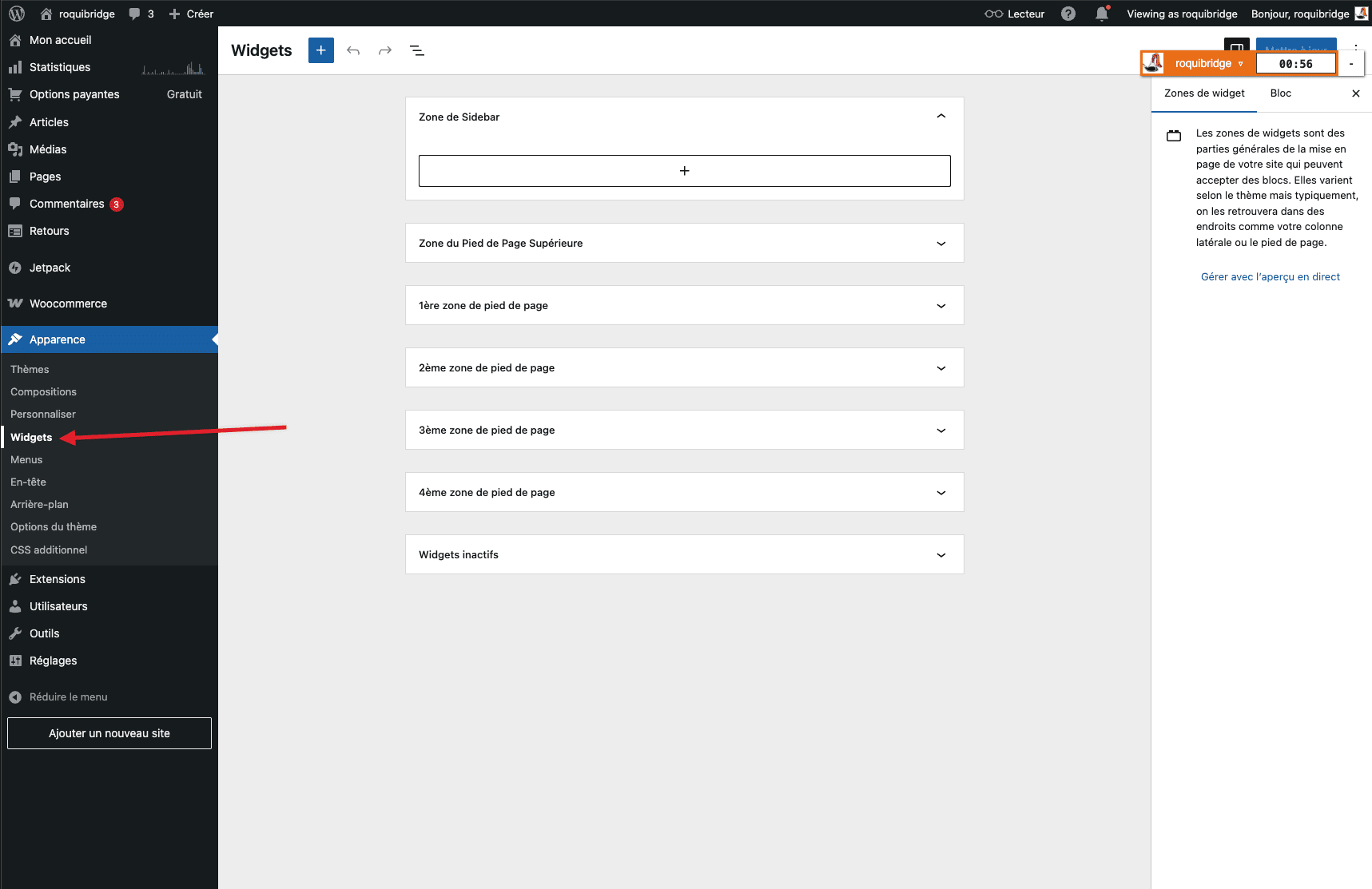
I’m still seeing your Appearance ⇢ Widgets section as expected, as in this screenshot:
If there’s a block you want to add to your footer, you can expand the “Zone du Pied de Page Supérieure” section of that page on your dashboard, click the + button at the bottom, and search for the block you’d like to add.
Let us know if anything else comes up and in the meantime have a great rest of your day. -
Thank you for your reply, but,
when i open “widgets”, i see what you show: 6 “zones de pied de page” and when i open anyone of them, i see: “widget hérité, widget manquant”, instead of the contents i had written in the past and i intend to update.
In the meantime, I found a solution: opening “personnaliser” instead of “widgets” in the “appearance” menu. What has changed and I don’t understand is why the contents which were in “widgets” are no more in this location, but only available via “personnaliser” and I fear that they will soon not appear anywhere.
-
Hi there, the theme you’re using on your site, Chateau, is a very old and now retired Classic theme. The Customizer is what that theme uses for creating menus, changing colors, etc. along with editing widgets. But you are right that widgets should also appear in the Appearance>Widgets dashboard.
Keep in mind that most widgets have changed to Blocks and some widgets may no longer be available (widget hérité, widget manquant).
-
Here’s what I see after activating an older theme with widgets on my test site

So it seems editing that widget is no longer possible.
Which widgets on your site are you wanting to update? It might be possible to re-create or create the content in a new way.
-
I am wanting to update the widgets which appear on the page foots of the site: https://roquibridge.wordpress.com/. I thought that the mantras of computing development were no-regression and ascendant compatibility. Maybe it’s old fashioned.
-
Oh dear! It looks like my detailed reply with links to the relevant support guides fell into the forum spam filter. Hopefully staff can fish it out.
-
Hello again, these are the widgets I currently see in your site’s footer:

Google Translate https://wordpress.com/support/widgets/google-translate-widget/
Traffic (Blog Stats) widget https://wordpress.com/support/wordpress-editor/blocks/blog-stats-block/
Recent Posts widget https://wordpress.com/support/wordpress-editor/blocks/latest-posts-block/
Gravatar https://wordpress.com/support/gravatars/#gravatar-shortcode or https://wordpress.com/support/gravatars/#gravatar-widget
Text widget replaced by the HTML block https://wordpress.com/support/wordpress-editor/blocks/custom-html-block/ Here you can copy your current content and paste it into the HTML block or change what you need here.In some of these widgets you may need to add Header text separately with the name of the widget, but you can follow this guide to Group blocks https://wordpress.com/support/group-content/ so they stay together.
Here’s general info on working with the new version of widgets https://wordpress.com/support/widgets/ and here’s a list of the currently available widgets https://wordpress.com/support/category/create-content/widgets/
Hope that also helps, but post back here if you have other questions about this.
-
Hi there,
Thanks for this information and the screenshot of the legacy widget error.
I’m looking into this and what the cause might be. In the meantime one workaround would be that you can go from your WordPress.com Dashboard to Appearance ⇢ Customize, click on Widgets there, and open a widgets section that you want to modify.
There you’ll be able to modify those legacy widgets as needed.
I’ll continue looking into when/if there will be a fix so that this can be edited from Appearance ⇢ Widgets directly. We do recommend using blocks wherever possible instead of widgets, since newer themes don’t use widgets and thus they won’t continue to be updated to include new features.
-
Thank you for the information. I have already been able to modify my widgets using the way “customize” which was suggested to me by the automated help available through “?”. I hope to be able to use it further.



- The topic ‘lost widgets’ is closed to new replies.
 WordPress.com Forums