main page menu appears wrong
-
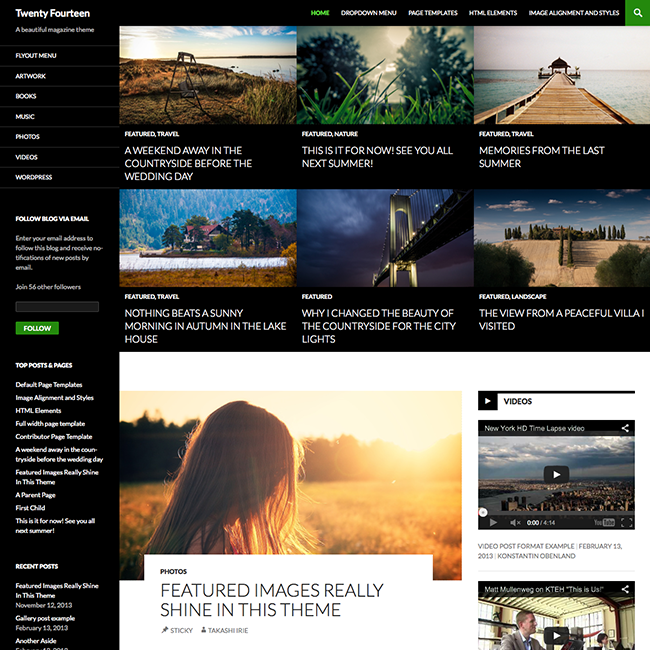
menu appears wrong. It shows a large black/grey area under the top photo but before the article. Only happens on the home page.
The blog I need help with is: (visible only to logged in users)
-
That’s a ‘featured’ area of the front page for this theme. Your front page supports more than one of those featured items, and will stack them from left to right and top to bottom, but only on the front page. Right now you only have one featured item, so it looks a little awkward. Try adding a couple additional featured items.
Example here: http://www.wpexplorer.com/wp-content/uploads/twenty-fourteen-wordpress-theme.png
Here’s a live demo: https://twentyfourteendemo.wordpress.com/
Here’s the theme’s home page, which may prove useful: https://theme.wordpress.com/themes/twentyfourteen/
Due to its popularity there are many video tutorials on YouTube on how to setup this theme.


- The topic ‘main page menu appears wrong’ is closed to new replies.
 WordPress.com Forums