

make new free blog
-
I have a free WordPress private blog , I would like to create another,
But I dont get that option this time? -
Hi there,
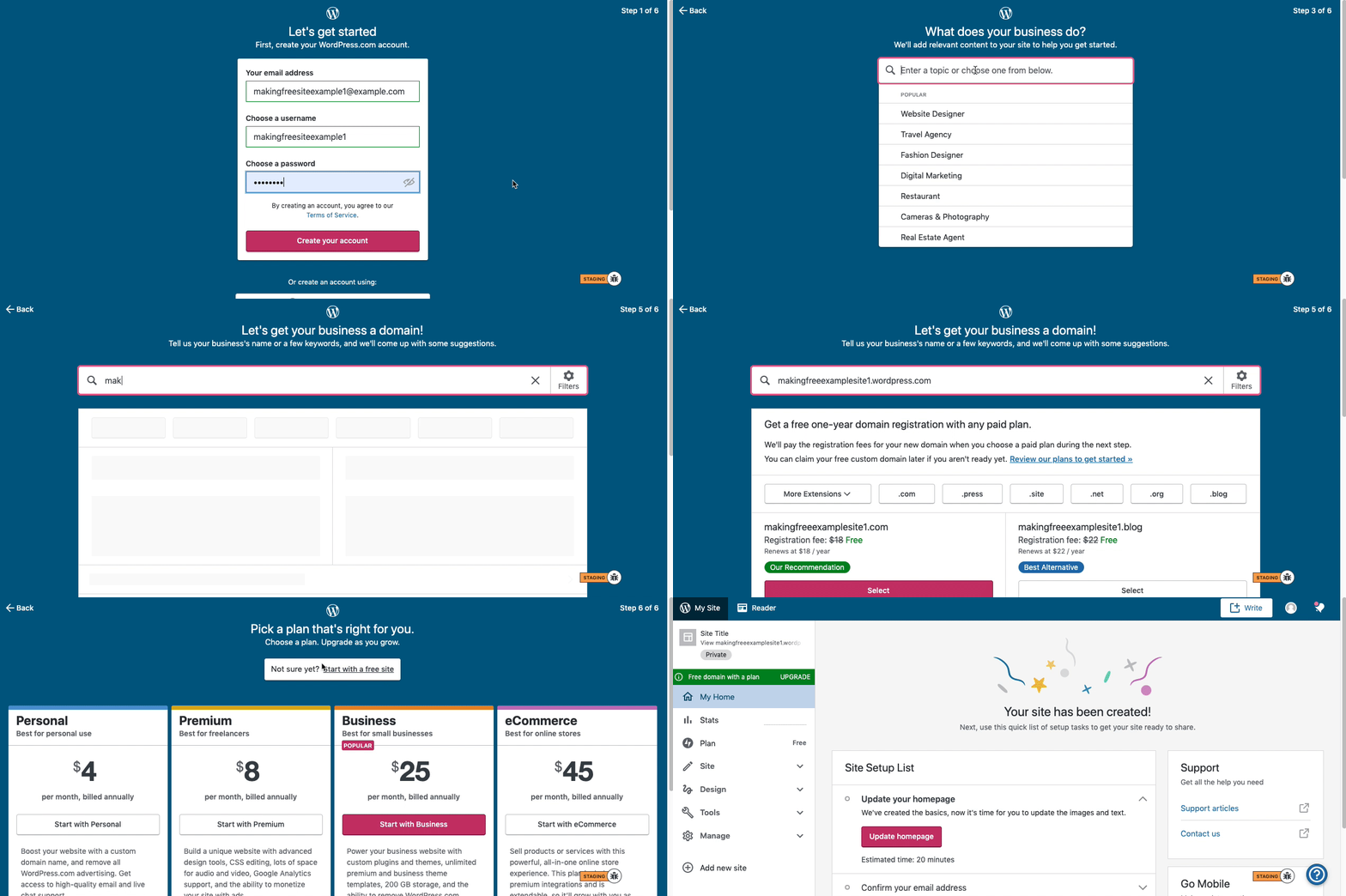
Here is visual instructions on how to create a free
.wordpress.comsite:Step 1: Select email, username, and password.
Step 2: select Blog for a
.home.blogfree site or Business for a.wordpress.comsite.Step 3: Select the Topic of your site.
Step 4: Type in the Title of site (optional).
Step 5: Type in the full, exact site address you want including the
.wordpress.comor.home.blogsubdomain (ex: freeexamplesite.wordpress.com, freeexampleblog.home.blog). The first option should be the free site that you manually typed in. Click select next to that option.Step 6: At the very top, click the link that says: start with a free site.
Then, your free site should be created! Please follow those steps and if you have any questions, let us know. Thanks!
-
hi darnel,
thank you for these instructions, but I think I am missing something?
starting ay my existing Free WordPress blog siteI was going to include screen shots but looks like not possible here.
if I could send you the images it would be more helpfull I believe?
thank you
jimI do not see the prompts for my email user name and Password?
-
-
-
there are only 5 steps I cant ship any of them and I cant pass the 4 th step as you have to pick a custom domain.
Can one have a free account and have more then one site? looks like that may not be an option?
please advise.
Thank you
JM -
Can one have a free account and have more then one site? looks like that may not be an option?
You can have as many free sites as you can cope with. Skip past the first few steps and type a word or a phrase at step 4 and you’ll see the offer of a free address below the two paid-for ones. You can continue to fine-tune the free address until you’ve found one you’re happy with.
-
-




- The topic ‘make new free blog’ is closed to new replies.
 WordPress.com Forums