

Mapping my blog to my webstore's domain
-
I’m having trouble with mapping my blog to my website’s domain. I have done this job in the past and it was much easier. I’m following the directions by WordPress but still not getting what I want.
My blog is funkypiece.wordpress.com and I want it to be blog.funkypiece.com. I set up the domain mapping according to the instructions but when I enter blog.funkypiece.com it just directs me back to the funkypiece.wordpress.com url which I don’t want. I want it to stay on my store’s domain.
Anyone can help me out?
The blog I need help with is: (visible only to logged in users)
-
Hi there,
It looks like you want to map a subdomain instead. Take a look at the instructions below for more information:
If this is what you want, please reply to confirm and I can swap out the Domain Mapping upgrade you added for a Subdomain.
Let me know if you have any questions with this!
-
Hello yes this is exactly what I would like to do. I’ve added the CNAME already. Please let me know when I can finish the process on WordPress’ end.
Thanks,
-
Hi there,
It has been swapped as requested as seen here:
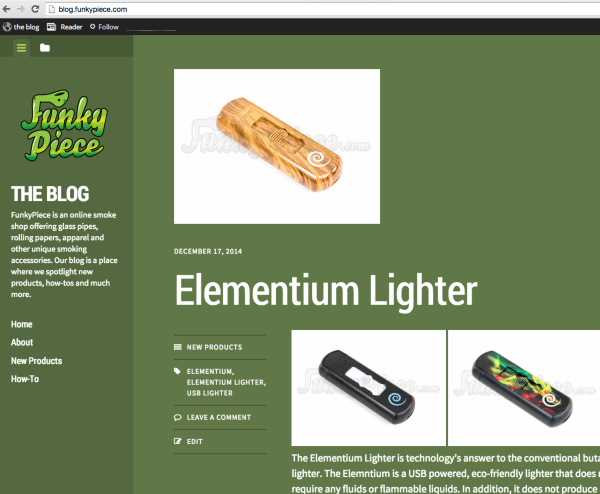
If this is not what you see, can you please try clearing out your cache and cookies using the guide below?
Cheers!
-
Thank you for taking care of that so fast. I do have another question. How can I shorten this url to remove the date of the post?
Example – http://blog.funkypiece.com/2014/12/17/elementium-lighter/
I would like for it to just read blog.funkypiece.com/elementium-lighter/
Is this only supported if I’m using the .org version?
Thanks!
-
Is this only supported if I’m using the .org version?
Yes. The permalinks cannot be changed to remove the dates on WordPress.com.
-
Ok thank you. Is there an article on how to complete the process of switching from .com to .org version?
-
Sure! This guide will step you through the process of moving your site to a WordPress.org instance:
http://en.support.wordpress.com/moving-a-blog/#moving-to-wordpress-org
As we only support sites hosted here at WordPress.com, all issues with the new site – including the importing of the file – must be taken to the WordPress.org support community:
If you’d like assistance moving your WordPress.com site to WordPress.org, we have a service called Guided Transfer that does all the work for you. Check it out to see if itâs right for you:


- The topic ‘Mapping my blog to my webstore's domain’ is closed to new replies.


 WordPress.com Forums