

menu
-
hi there I am setting up my first WordPress site and am trying to add different pages and to be accessed via the menu. I have followed the instructions available on the site but when I click on the menu icon nothing is showing….
WP.com: Yes
Correct account: YesThe blog I need help with is: (visible only to logged in users)
-
Hi there,
Your website is looking great.
To add pages link on the menu please follow the below process.
>Go to your_site->Appearance->Customize
>From the next screen select Menus->Select_your_menuThe menu will be like the image below. Make sure that the menu location box is checked :)
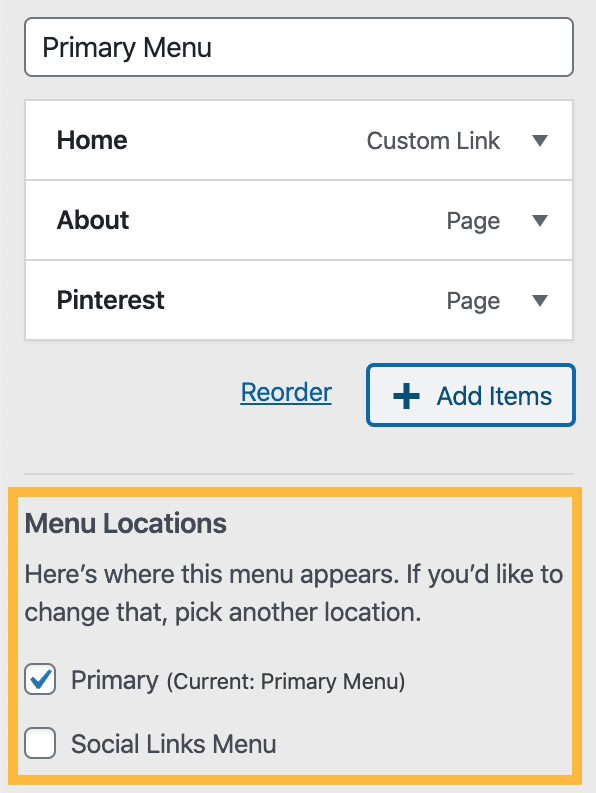
>Now to add a page on the menu click on “Add Items”
>From the appeared sidebar click “Pages” to add the pages link
>Select the pages you want to add as link. ScreenshotDon’t forget to click the “Save Changes” button
Hope this helps. Let us know if you face any issues :)
Thanks


- The topic ‘menu’ is closed to new replies.
 WordPress.com Forums