Menu Item Description
-
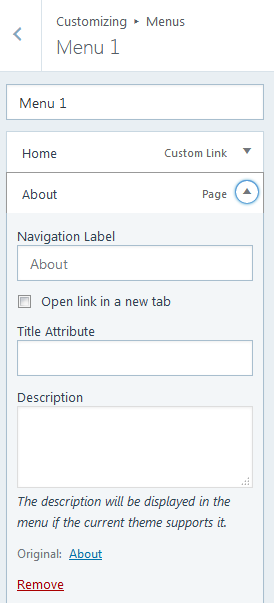
using textbook theme can not access the menu item description in the customize menu. It does not show up so i can change it.
Please help. thank you.
The blog I need help with is: (visible only to logged in users)
-
Hi,
I’ve not been able to duplicate the issue you describe. On a test site with the Textbook theme applied, I find that the menu item description field is always clearly visible, as can be seen in this screenshot: https://snag.gy/tQIUeg.jpg. I’ll call for staff attention to the topic. Please wait for staff to respond.
-
Hi folks, I learned something new :) That setting can be enabled or disabled … in wp-admin. I guess it’s usually enabled by default. I’ve enabled it for you, @holystreamsolutions, and now it works.
-
thank you both for your speedy reply.
I did not know there were screen options for menu items.
That was very helpful supernovia.
God bless. -
Just wanted to add that you can also display the menu description via the Customizer‘s Menus panel.
Click the gear icon and then check off “Description” and you’ll get a field in which you can enter it.
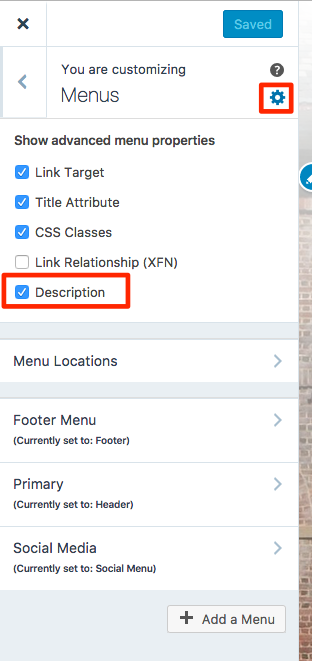
So no need to go to WP Admin!


- The topic ‘Menu Item Description’ is closed to new replies.
 WordPress.com Forums