

Menu location, no side bar please
-
Please change my menu location
I can’t find the area to change the location of my menu bar. I’m the Motif theme.The blog I need help with is: (visible only to logged in users)
-
-
Hi Madison,
The location of the menu is designed to be under the Site title and description. You can read more about the theme here:
http://theme.wordpress.com/themes/motif/
If you want to create a menu (I couldn’t find one on your site), you can do so through this guide:
Exactly where did you want your menu bar? It might be better to look into another theme, but let me know and I can see what I can find.
Cheers!
-
I seem only be able to make side bar menus . I want 5 top level categories. Painting,Sketches,Textiles,Tips,Artist. I made them and they showed up. On the side . I can’t find how to get them in the top bar under the title like on the theme.
-
Hi Madison,
Currently this is what I’m seeing:
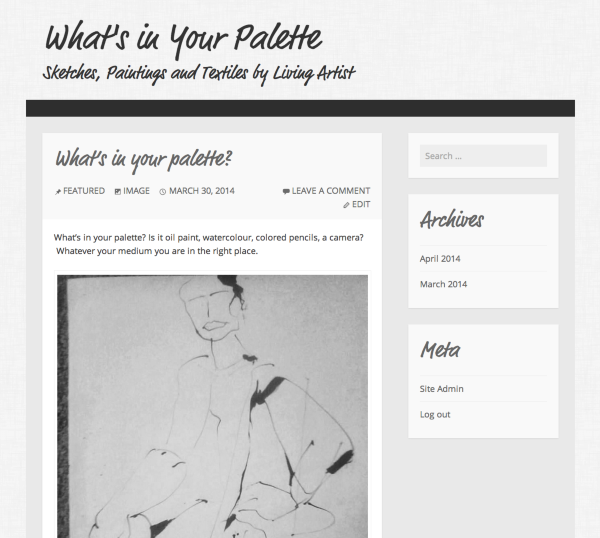
I cannot find those categories in the sidebar. If you want a top bar menu of pages please view the the link to custom menus I provided you above.
If you don’t want pages, but instead your categories to show up you can create Category Pages.
Let me know if you have any questions with this.
-
My theme is perfect foe top menu. I did everything you said by making a category pages rather than a custom menu. Still nothing!
User name
Madisonduveau
€£¥Wordpress
PAINTINGS SKETCHES TEXTILES ARTIST QUOTESplease make this my navigation bar under the title. I spent hours every day .
-
Hi Madison,
What you did was create 5 separate Menus not Categories. I think there’s some confusion on what is a category, page and menu.
Please note that these are your categories:
https://madisonsartistblog.wordpress.com/wp-admin/edit-tags.php?taxonomy=category
You can put all your posts into these categories or create a new category and put your posts in the respective categories. You want the categories: Painting, Sketches, Textiles, Artist, and Quotes. So create these 5 categories and place the posts you want into those categories. Here’s a support guide on doing this:
Once you put all your posts into then, go to Appearance > Menus and place your categories into a menu. As seen here all your categories will show up on the left. Click the 5 and add them to the menu as seen here:
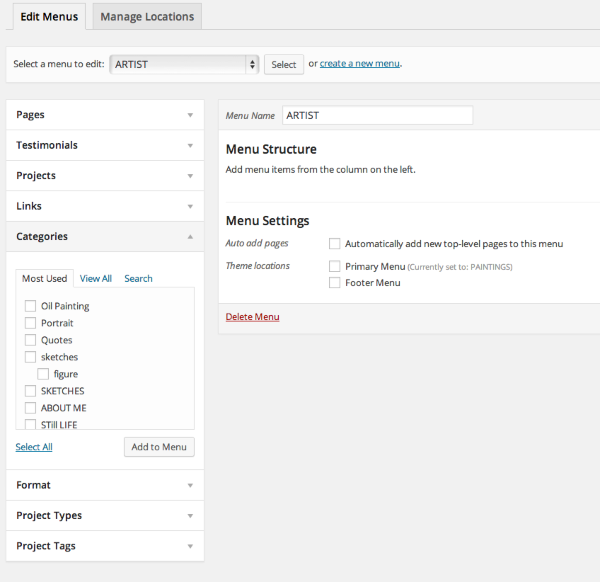
Remember the Menu name that you just created here:

Save the menu, and go to Manage Locations at the top here:
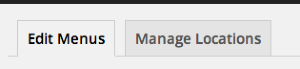
Once you are there, select that Menu as the Primary Menu, and you should be set.
If you have issues with this. Set up your categories and label each post to the correct category and I can set up the menu for you.
Let me know if you have any questions with this!


- The topic ‘Menu location, no side bar please’ is closed to new replies.
 WordPress.com Forums