Menu Options that should be there, aren't
-
When it comes to changing my name server:
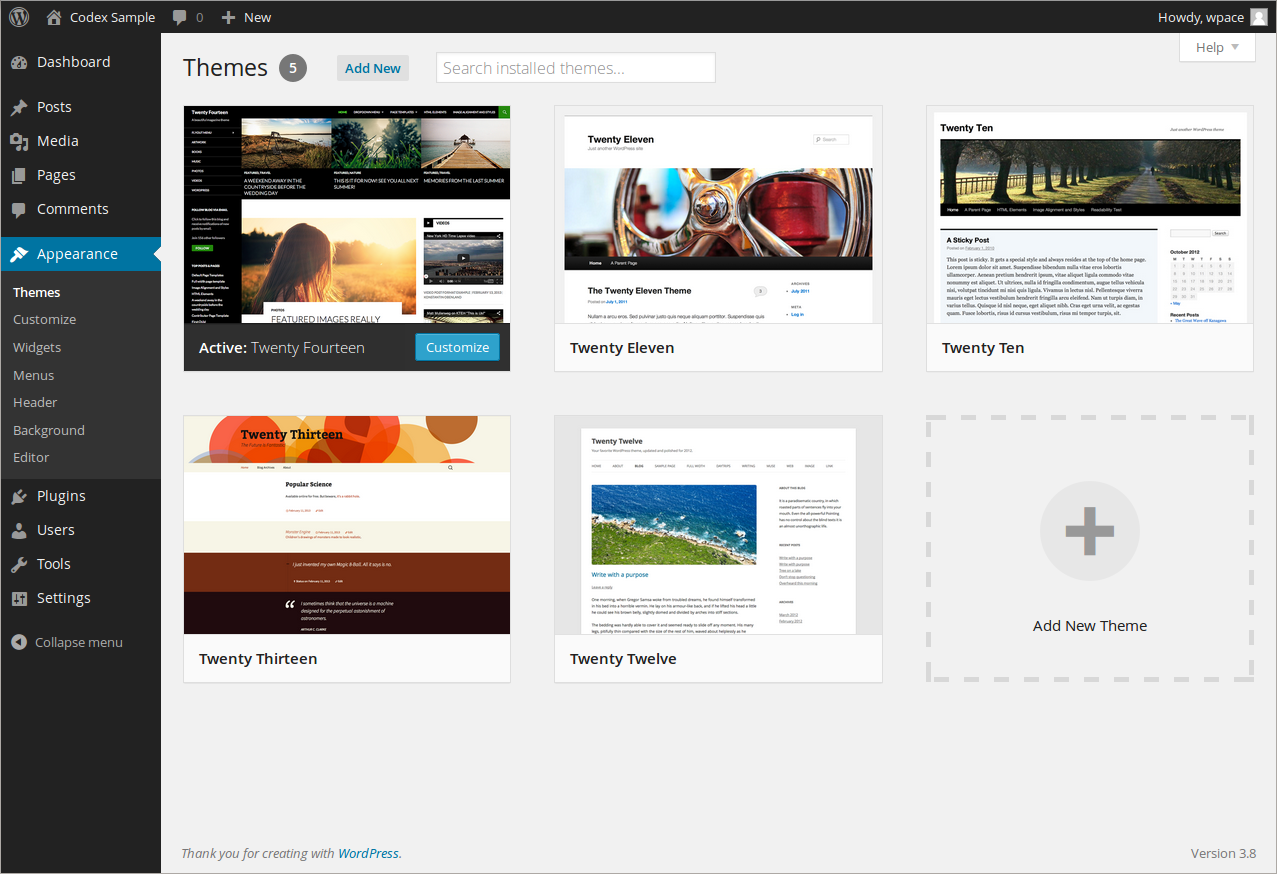
When it comes to adding a website theme, my computer shows this: http://i.imgur.com/38XRsUZ.png
WordPress Example:
http://codex.wordpress.org/images/9/9a/themes.pngMy computer shows this: http://i.imgur.com/dk4NHmy.png
WordPress example example is this: http://en.support.files.wordpress.com/2012/08/mydomainschangens.png?w=688&h=564
As you can see, the options to add a theme and change name servers are missing and I have no idea why. Any ideas what’s wrong?
The blog I need help with is: (visible only to logged in users)
-
The only themes we can use on WordPress.com blogs like your blog here http://kenpire.wordpress.com/ are licensed and adapted to run on our multiuser software are the themes that are found here http://wordpress.com/themes/ and in your dashboard at > Appearance > Themes
There is no FTP access to free hosted WordPress.com blogs for security reasons and we cannot:
upload any third party themes,
create child themes,
create our own themes,
edit templates,
create own own layouts,
or use stylesheets from other themes.Relevant support docs:
http://en.support.wordpress.com/ftp-access/
http://en.support.wordpress.com/themes/adding-new-themes/You cannot upload any third party themes into a WordPress.COM hosted blog so be clear on that. There is no upgrade you can purchase here that changes that reality.
Our support docs are here http://support.wordpress.com and no other tutorials or support docs apply to WordPress.COM hosted blogs.
WordPress.org offers free software that you can install on a web server. You can create themes, upload and install themes and plugins, run ads, and edit the database, etc. If you want FTP access and to install plugins or third party themes into a site then you will have to hire a web host http://wordpress.org/hosting/ and set up your own WordPress.org install.
Be aware that we provide support here only for WordPress.COM hosted blogs. WordPress.COM and WordPress.ORG are completely separate and have different logins, features, run different versions of some themes with the same names, and have separate support forums. Read the differences here > http://en.support.wordpress.com/com-vs-org/
If you are not referring to a WordPress.COM hosted blog we cannot help you. So if that is the case then and you don’t have a username account at WordPress.ORG click http://wordpress.org/support/ and register one on the top right hand corner of the page that opens, so you can post to the support forums there.
-
When it comes to changing my name server
There does not appear to be a domain mapping upgrade for this WordPress.COM hosted blog http://kenpire.wordpress.com/ so changing nameservers is not relevant.
-
If you are referring to kenpire.com then please return to this thread and read what has been posted there https://en.forums.wordpress.com/topic/what-is-the-norm-with-domain-mapping?replies=6#post-2192206
-
Oh, thank you. That was very helpful, I wasn’t aware you could not download them on this site.
But what about the issue with changing name servers. I want to change my blog’s url from “kenpire.wordpress.com” to just “kenpire.com”. How should I go about doing that?


- The topic ‘Menu Options that should be there, aren't’ is closed to new replies.
 WordPress.com Forums