Minor bug in Publication theme
-
Hi there,
I hope I’m allowed to post this. :)
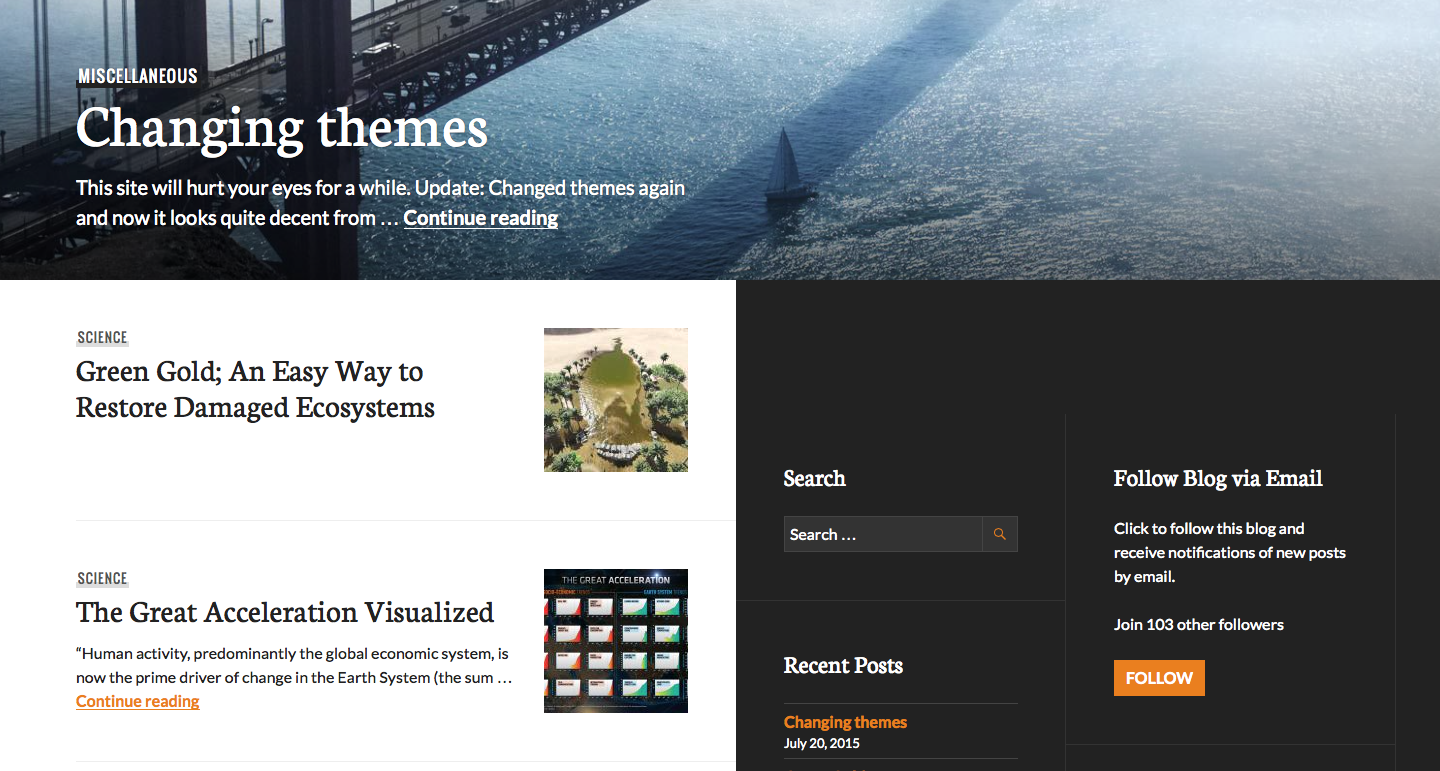
But I just noticed this on my site (and on the theme demo in both Safari and Chrome):
https://cldup.com/doykeQAEBd.pngOn pages with a large hero image there is an empty space of about 102px above the sidebars. In the functions.js file there is a function which (among others) adds a negative top margin to the .hero element (in my case margin-top: -102px), but it doesn’t do so for the #secondary widget area (which would fix the problem).
I think this should be fixed in the JavaScript file. :)
A quick (temporary) fix for anybody else reading this would be:
#secondery {
	margin-top: calc(100vh - 102px);
}
Also there is a very minor inconsequential typo in the header.php file on line 80:
</nav><!-- #site-navigation -->This should be:
</nav><!-- #site-social -->Best regards,
Michael
The blog I need help with is: (visible only to logged in users)
-
Thanks for both reports – I’ll let our developers know and we’ll keep you posted here!
I hope I’m allowed to post this. :)
Of course – the forums are the right place to report bugs. We appreciate it!
-
Both these issues should be fixed and you should see the spacing tweak on both your site and the Publication demo.
The typo correction will be visible the next time we generate a downloadable zip of the theme.
Thanks for letting us know about both issues!
-
Just a follow-up, we’ve actually had to undo the spacing change temporarily as it caused an unintended side-effect. When we get if fixed again, we’ll let you know!
-
-
-


- The topic ‘Minor bug in Publication theme’ is closed to new replies.
 WordPress.com Forums