

Missing header image after static front page created
-
Hi,
I want to have a static front page for my Organization’ themed website.
I have followed your instructions of
Pages>Add page
Make this page ‘home’ – write content
Pages>Add page
Make this page ‘blogs’ – leave content empty
Settings>Reading
Click ‘Static’ radio button
>Make Front page ‘home’
>Make Post Page ‘blog’Save
After I have published the above changes, my 980 x 550 header image has disappeared?
I would like to keep my header image. Can you help?Thanks,
Mel.
The blog I need help with is: (visible only to logged in users)
-
Hi there,
It looks like your header was set but perhaps you deleted the media file afterwards creating this error icon shown here:

Can you try uploading and adding your Custom Header one more time following the instructions here?
http://en.support.wordpress.com/themes/custom-header-image/
Let me know if that works!
-
Hi, Thanks for getting back to me.
I have done as you suggested, it’s not working and driving me bananas.
The header image will not show up on the static Home page but is there for the Blog page?
Any other ideas,
Thanks. -
Hi there,
I went to your Appearance > Customize > Header page and found that it was empty as seen here:
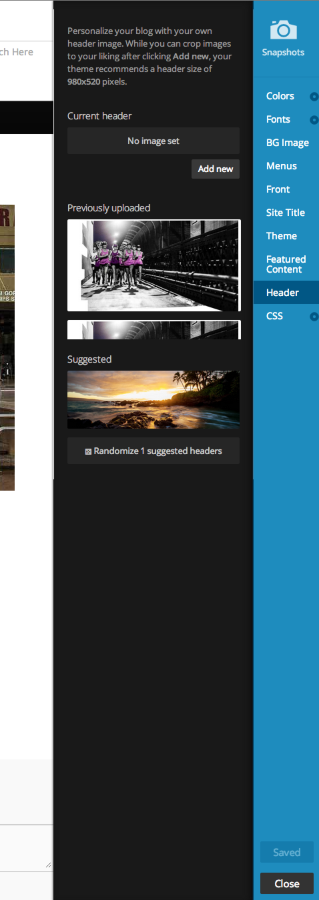
Please go there and add a header image and it should show up!
Feel free to reach out if you have any questions!


- The topic ‘Missing header image after static front page created’ is closed to new replies.


 WordPress.com Forums