

Mobile view
-
In the Customizer with my Zuki theme, my posts look fine in Desktop and Tablet views. The images resize and the text wraps around. But in the Mobile view the images remain full size and are just chopped off so only a bit of the top corner shows. The text is also chopped off and cannot be read – it doesn’t word wrap. The posts that don’t work in Mobile view are using the Zuki Medium Recent Posts widget in the Front Page – Post Content 1 area.
What should I do?
Thanks.
The blog I need help with is: (visible only to logged in users)
-
Hi Laura!
So first thing, in your site’s mobile options you have the Mobile Theme enabled, so when I visit your site on a phone, I actually view this:
If you want your readers to see the phone version, like what’s in your Customizer, visit your mobile options and switch “Enable mobile theme” to “No” and save click Update.
Regarding the errors you’re seeing in the Customizer though, it sounds like there was just an issue with Customizer at the time you were using it. I just viewed your site and the mobile view looked great:
Screencast of Zuki in the Customizer
Could you try clearing your cache and cookies, then revisit the Customizer? If you see the same issues with your images and word-wrapping, could you please take a screenshot then upload the screenshot to your media library so I can view it?
-
Hi Alex,
Thanks for your quick reply. I have Internet Explorer v11 and Chrome v40.
I cleared the cache and cookies on these two and fixed the mobile option in WP Admin. This has not made a difference. I have taken screenshots of all the posts and put them in my media library. They are all called ‘… test’. ‘Welcome test’ and ‘Booking test’ are both fine – images resized and text wrapped. The other 4 still have chopped off images and text.
-
Hi Laura,
Thanks for those screenshots. So far I’ve not been able to replicate the errors on my own, but I’m going to show these screenshots to the developers working on the Customizer and see if they have ideas on what’s happening.
I cleared the cache and cookies on these two and fixed the mobile option in WP Admin. This has not made a difference.
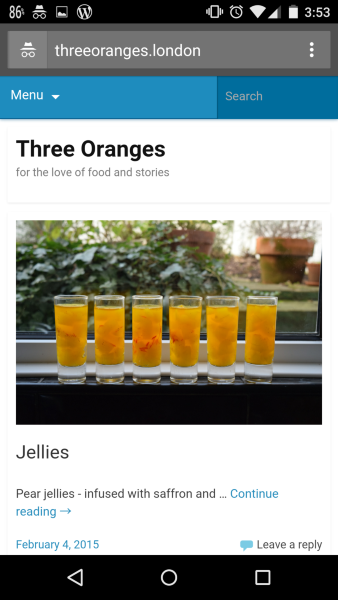
The mobile option I wouldn’t expect to effect the issue in Customizer — however, it does change what your site looks like on readers’ phones. Here’s what I see now when visiting your site on my phone:
Since the images and text wrapping look good there, I’m pretty convinced this is an issue with the Customizer and not with your site.
Thanks again for reporting the issue. :) We’ll get this figured out and let you know what we find!


- The topic ‘Mobile view’ is closed to new replies.
 WordPress.com Forums