

Moving to another host, the "Transfer Domain" Button is not shown on WordPress.com.
-
I want to move from wordpress.com to wordpress.org on host1, a norwegian hoster.
All of the documented ways to transfer a domain are not possible, the menu options are missing.
The blog I need help with is: (visible only to logged in users)
-
this is how my menu looks – the options are missing:
https://www.dropbox.com/s/ly4g6ym1awihch1/Screenshot%202015-04-23%2012.01.55.png?dl=0tried everything.
thanks guys. -
I reviewed nordlandpublishing.wordpress.com and I found that the nordlandpublishing.com domain was purchased at WordPress.com last year but it was already transferred to a different registrar after that.
You can see the public record for the domain here:
http://www.networksolutions.com/whois/results.jsp?domain=nordlandpublishing.comSo you may not need to transfer the domain depending on your end goal. If you are trying to change DNS settings such as the Name Servers or A record, then you will need to contact the registrar where the domain is currently owned. In the record I linked above, it looks like the registrar is http://www.enom.com/ Note that the owner on file will need to be the one to contact the registrar. The record for nordlandpublishing.com appears to be public, so you can see the owner listed if you click on the link I posted above.
At WordPress.com, if you purchase a domain here and then transfer it to a different registrar domain will still be listed in the Store > Domains page and work as a site redirect until it expires. That is done in case someone would like to redirect traffic from nordlandpublishing.wordpress.com to nordlandpublishing.com after the blog is moved to a different host. That is usually a good idea if there are established links to nordlandpublishing.wordpress.com out in the world, but if you always used the custom domain then you probably don’t need the redirect.
It looks like nordlandpublishing.com is not currently set as the primary domain here:
https://nordlandpublishing.wordpress.com/wp-admin/paid-upgrades.php?page=domainsSo you are safe to delete nordlandpublishing.com from the WordPress.com side since it was already transferred away to a different registrar in the past. I can remove it for you if you’d like, or you can keep it and use it to redirect traffic from nordlandpublishing.wordpress.com to nordlandpublishing.com later if that is something you would like to do after your new site is setup through your Norwegian hoster.
If you still have questions about how all of this works or what to do next, please let me know and include some additional details about the specific settings you are trying to change for the domain if you know that information.
-
Hello,
thanks for the answer.The nordlandpublishing.com DNS is currently moved by our norwegian host to his own servers, they offer that service (they contact / carry this out for us). It is already 23 hours, i hope it will work soon.
Please feel free to delete the nordlandpublishing.com domain from wordpress.com, because for some reason i do not have that option at all / are missing some menu options (i have admin rights btw).
The rest should handle itself.
Thanks again!
-
Please feel free to delete the nordlandpublishing.com domain from wordpress.com, because for some reason i do not have that option at all / are missing some menu options (i have admin rights btw).
I checked on this and the account mavericksguerillaconsulting does not have the option because a username other than mavericksguerillaconsulting was used to purchase the domain originally. Only the purchaser can cancel or request to remove the domain. So you can either have the person who purchased the domain log in and request the change (or if that’s you, then log in as the other account and make the request). Sorry for the extra step!
The nordlandpublishing.com DNS is currently moved by our norwegian host to his own servers, they offer that service (they contact / carry this out for us). It is already 23 hours, i hope it will work soon.
Here is what I see right now for http://nordlandpublishing.com/
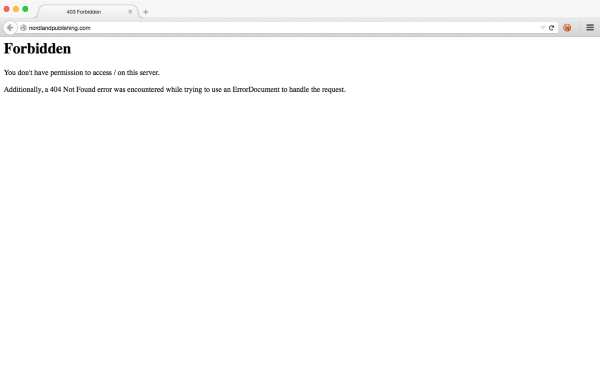
It looks to me like the DNS change has gone through but the server on the new host has not been setup properly because I can see a “403 Forbidden” error. The DNS only points the domain to a different host, and once that goes through the hosting itself also needs to be setup correctly. I would recommend contacting them to make sure the site is working properly (regardless of the DNS) at this point.
-
Yeah, it looks like i broke my WordPress installation by updating the installation directory and -path from nordlandpublishing.com/wp to nordlandpublishing.com on cPanel. I see the same thing since yesterday.
But i am still not sure if the DNS transfer has been completed. You say it’s done? In this case i will wipe the wordpress installation on the server and set it up again. Looks like the domain on wordpress is the only hurdle then. I contacted my colleague who purchased the domain. Fingers crossed. :)
-
But i am still not sure if the DNS transfer has been completed. You say it’s done?
It looked done from my end, however, DNS propagates when it updates, so that’s why it will update sooner for some people compared to others—it depends on a few variables. Here’s what’s happening: when you update DNS through your registrar, they submit the update to the master database, from there the update goes to a few more databases, and so on and so on. Then, each ISP or local network will pick up the changes at different intervals. Because of that propagation process, one person may see a DNS change a lot sooner than another. It all depends on how quickly your ISP picks up the change. I’ve even heard of some people seeing the change working one hour and not the next, possibly because of load balancing or caching DNS on the ISP’s part. That’s all a very long explanation which is normally just reduced to something like this for simplicity’s sake: it can take up to 72 hours for a change in DNS to go through.
:)
In any case, as this screenshot shows, I’m seeing the new hosting working from my location.
-
Okay, thanks.
The original purchaser of the nordlandpublishing.com domain on wordpress.com can also not delete the domain redirecting to wordpress.com – still shown as “handled by wordpress.com”.
The options are not there (in the upper left) as shown in all support documents, even if the billing history shows that he is logged in in the right account (the one the domain has been purchased from).
How can we get this domain to redirect / get it deleted from wordpress.com, but still pay yearly to keep it registered there?
(or am i assuming wrong that there is still a wordpress.com redirect and “handled by wordpress.com” just means it has been purchased /registered there, nothing more?)If there is anything you can do there, please do it.
Thanks!
-
How can we get this domain to redirect
To redirect traffic from https://nordlandpublishing.wordpress.com/ to http://nordlandpublishing.com/ you should go to the following page and make nordlandpublishing.com the primary domain:
https://nordlandpublishing.wordpress.com/wp-admin/paid-upgrades.php?page=domainsYou can probably just let the WordPress.com upgrade expire normally from there because you are unlikely to need to redirect traffic from nordlandpublishing.wordpress.com to nordlandpublishing.com for an extended period of time.
Separately, to renew the domain ownership itself (the registration), you must go through whatever company you transferred the domain to (this is probably your new host). Hosts often include domain registration as part of their hosting fee—check with your host if you are not sure.


- The topic ‘Moving to another host, the "Transfer Domain" Button is not shown on WordPress.com.’ is closed to new replies.


 WordPress.com Forums
