

Multiple RSS feeds?
-
Hi ,
I am trying to add RSS news feeds to my blog on the sidebars , but when I add more than one, one of them gives an error: “An error has occurred; the feed is probably down. Try again later.” I am not sure what the problem is. Both feeds work if I put only one of them (either one), but when I add them both at the same time, one of them doesn’t show… is there a workaround or is it only possible to add only one RSS news feed on the blog ? -
I have more than one in my blog. It’s one per widget. Were you trying to put more than one in a single widget?
-
I hate to ask, but you are putting them in separate RSS widgets, right? I have to check.
Can you give us a link to the blog so we can take a look at the widget that IS working? I have two on my blog and just checked and they’re both working fine.
-
Yes, of course, I am putting them in separate RSS widgets . I’ve tried putting them on the same sidebar (but two separate instances of RSS widgets), and I’ve tried putting them in different sidebars each (my theme is 3-column and shows sidebar1 and sidebar2 in the widgets section) and I still get that error.
Here’s my blog address:
http://ashrafmn.wordpress.com/Thanks a lot…
-
I can’t read that language — Arabic? — but I see 2 widgets, one on each side, with distinctly different widget titles and characters in the content. If that’s not what you’re seeing, I’ll be happy to take a screenshot. To my uneducated eyes, they seem like widget and article titles, not error messages, but I really don’t know.
-
Hi Ella,
One of them shows fine on my screen, the other (on the right hand side ) gives an error message… here is a screenshot of what i see on the right hand side :
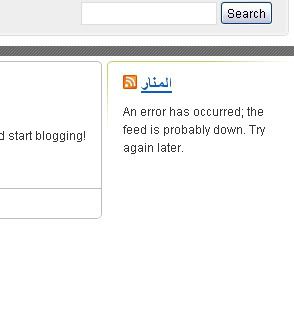
-
-
And I just noticed that on the right hand side when I move my cursor on the title , in the status bar it shows my blog’s link whereas on the rss widget on the left it shows the link to the website that contains the feed…
-
-
Yes ! that’s what I would like to see… so you see it, but I don’t. Strange. Anyone know why that would be the case ? It makes no sense , does it ??
-
Well, at least we know the rest of the world is seeing the right thing!!
You’re probably seeing a cached copy. Clear your browser’s cache. If that doesn’t do the trick, close your browser and re-open it. If that still doesn’t do it, reboot. For some reason, rebooting sometimes clears the cobwebs, so to speak.
I’m glad it’s working for rest of us!
-
Thanks for your time, Ella. I’ve actually tried clearing the browser cache, closing the browser and re-opening it, using another browser, resetting my connection, and even rebooting…… none of it works… yeah, at least it works for the rest of the world, though it’s a bit annoying to get all those error messages. :) Thanks again for your help. :)
-
It’s quite possible the issue is that sidebars are cached and ella may be looking at it from a different angle of the internet, so to speak. Wait an hour or so and see if it clears up for you. If it’s still wonky from your point of view by Monday send in a support message.
I see exactly the same as ella sees. Nice header, btw. Arabic is such a beautiful written language.
-
You’re welcome, and I am baffled why you get something different. Tomorrow might be different, seriously. Maybe when you add another post.
Happy blogging!
-
Thanks, Raincoaster , I will wait it out and hopefully it will fix itself . Thanks for the compliment about the header and Arabic , by the way. Am glad you like it. :)
-
-
I’m having a similar problem, but I only have a single RSS feed widget in my left sidebar. It worked for a little while, but now it always displays an error message. Here’s my address: http://outrapolitica.wordpress.com
The feed there is actually an internal feed, which shows posts from a single author of that blog: http://outrapolitica.wordpress.com/author/marianaalmeida/feed/
This feed works fine in RSS readers, only in the sidebar it doesn’t.
Does anyone have any idea of what’s happening? Many thanks in advance!
-
Try editing that widget. The feed info I see is just http://outrapolitica.wordpress.com/, which is, of course, not a feed. For some reason it may have changed the URL. Just change it back.
-
Thanks for the answer, Raincoaster. Actually, the feed here is really http://outrapolitica.wordpress.com/author/marianaalmeida/feed/ — I’ve just checked in my dashboard. The title of that widget links to http://outrapolitica.wordpress.com/, but if you look at the RSS icon I believe you’ll see the full RSS address.
-
It’s weird! The same feed works for other authors, and as I said before, this exact feed works in a RSS reader — but it won’t work inside a widget.
I have now replaced that widget, it’s not in the site anymore — but if anyone wants to have a look at this problem, reply here, that I’ll put it back on (I’m following this thread’s RSS).


- The topic ‘Multiple RSS feeds?’ is closed to new replies.
 WordPress.com Forums