

my blog address does not show up as it should but in my dashboard it reads prope
-
my blog address does not show up as it should but in my dashboard it reads properly. when i try to change it i get a message that the name is taken….when i initially requested the name it was free…and said it assigned to me but now its taken? but still reads on the dashboard correctly…this is sooo confusing
The blog I need help with is: (visible only to logged in users)
-
The address for your WordPress.com site is baskinbliss.wordpress.com and its title is set to Lemonade:
https://baskinbliss.wordpress.com/wp-admin/options-general.php
How would you like this changed? Keep in mind, the URL for your WordPress.com site must be unique.
If another WordPress.com user has the exact address you’re interested in, try something similar, or use a custom domain, if necessary.
Let us know if you have any more questions :-)
-
Thanks so much for the response. I initially registered my address as baskinbliss however I changed it a month or so ago to lavenderlemonade and when i go to “my account” the web address reads as “http://lavenderlemonade.wordpress.com Shown publicly when you comment on blogs and in your Gravatar profile.” which confuses me because when i go to this site it has not been published. what is my web address because I am seeing conflicting information.
-
At present, this is what I see for your account:
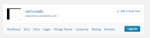
If possible, send me a screenshot, so I can better understand the issue. You can simply upload the screenshot to your Media Library, like any other image, and I’ll be able to access it from there.
The page at the following link has some helpful tips for taking screenshots:
Once I get some feedback, we can take the next troubleshooting step in resolving your issue.
-
-
I do not see your attachment.
Can you add it to your site’s Media Library, as I previously requested?
https://baskinbliss.wordpress.com/wp-admin/upload.php
Thank you for your patience.
-
-
You can learn about attracting more people to your site using these tips:
* Use Publicize to tell people in your social networks about your new post:
* Make your content visible to search engines:
* Encourage friends and family to read your blog by sending them reminder emails when you publish posts:
* Read and comment on other blogs:
You can learn more here:

If I’ve misunderstood the issue, or if you have any other questions, please let me know.
-
-
You can update the value in the screenshot you provided to baskinbliss.wordpress.com, if you so desired.
Are you satisfied with baskinbliss.wordpress.com, or did you want the address of lavenderlemonade.wordpress.com?
-
-
To confirm, you’ve never actually used the address lavenderlemonade.wordpress.com for a WordPress.com site before, correct? This wasn’t a previously registered site that was later deleted or whose address was changed to baskinbliss.wordpress.com?
Once you give me some additional clarification, I will be more than happy to continue resolving your issue.
-
correct it was never officially registered. I attempted to change FROM baskinbliss TO lavender lemonade which is why it showed up on the dash board but for whatever reason the process did not officially register the blog address lavender lemonade. does that make sense. lavender lemonade address has never been published our used..
-
When you create a WordPress.com user account, a WordPress.com site URL that contains your username is reserved for you. At present, the address lavenderlemonade.wordpress.com is reserved for WordPress.com user lavenderlemonade.
If you are the owner of the lavenderlemonade account, you can create the site lavenderlemonade.wordpress.com, and then transfer it to your baskinbliss account:
http://en.support.wordpress.com/moving-a-blog/#transferring-your-blog-to-another-user-or-account
Let us know if you have any more questions :-)


- The topic ‘my blog address does not show up as it should but in my dashboard it reads prope’ is closed to new replies.
 WordPress.com Forums