

My blog is being linked to a porn site!!
-
Oh, I am sorry that I wasn’t clear. When I just went to make a post at millslegacy.wordpress.com, a warning popped up that someone else besides wordpress.com would be making the post so I deleted it completely and never made that post today.
The pop up warning appeared to say Hedliners or Headliners.com just a few seconds ago. It said that this other site would be making the post for me on the wordpress.com blogsite and not wordpress.com, and I thought that wordpress should know whatever information exists so that they can protect their own interests.
That isn’t wordpress.com so somehow our organization’s wordpress.com blogsite has been hacked.
It also appears that our blogsite has been hacked in such a way that wordpress.com cannot perceive that our blogsite has been hacked or the way that it has been hacked.
The people doing this hacking seem to be very intelligent, but with a very misguided value system and mission.
Because it just happened again as we were about to create and post a “Post” on this wordpress.com blogsite, not a “page” but a “post” it seemed that this should be brought to your attention as soon as possible.
I believe you that anyone can copy and repost my content. What is offensive is who is copying and reposting my content, or rather who did that in the past, and how they are using my content. I went through a long list of other sites that included links to millslegacy.wordpress.com which I had found online. I shared that list with you previously.
They fell into three categories for the most part at that time:
1. My photos had been taken along with a link to our blogsite at wordpress and reposted by Crazy Gallery, for an example of one of them, but there were others that were almost identical.
– Each of the sites had an inoperable contact us link.
– Beneath my stolen photos were links back to my blogsite.
– I had never been asked nor given permission for anyone to take and to repost my photos.
– each of these sites that had stolen my photos of innocence were sites that quickly linked to hard core porn and possibly to prostitution.
( I want nothing to do with those things in anyway nor do I wish to be a part of such things by default.)
– those sites had also created a re-post link to Pinterest for all of my photos.
– there is no way that we can as one person get this to stop, but it need to stop.2. Other sites appeared to be bogus news sites:
– Most of them said “Zuri Notes” at the top of their blogsites and had a link to our wordpress blogsite just below that
– The information on the pages, and there were several, had a lack of cohesiveness and a very random and disconnected quality to them
– those posts would either flash and have scrolling pornographic images or create pop-up advertisements of one kind or another.3. Some of the sites had recombined woodworking with millslegacy.wordpress.com
– it may have been that the word “mills” drew in woodworkers who would have discovered immediately that millslegacy.wordpress.com had nothing to do with wood working, but that whatever has attached itself to millslegacy.wordpress.com then recombined the two into a bogus new link or webpage of some kind by combining material found at both of the original sites.We have never signed up for a SEO, which I believe means “search engine optimization as suggested for what may have happened. Or better yet, we have never knowingly signed up with a SEO although that has been suggested as a possibility for this problem.
The suggestion to create a new wordpress site for our organization appeals to us, but without knowing how our content was accessed to be used in such offensive ways previously, we find ourselves facing a real dilemma.
The fact that wordpress can’t perceive that other blogsites are intervening when we go to make post on wordpress when we just observed that only a few moments ago is problematic not only for us, but for wordpress.com
Even with a new blogsite name through wordpress, when we can’t uncover how this problem happened and wordpress cannot perceive it as it is happening although as we go to make a post, this “warning” pops up that it is someone else who is posting for us at wordpress.com. The fact that this just happened even only a few minutes ago indicates that the source of the problem hasn’t yet been found, but that it is very real and that it does in fact exist.
I am not convinced that by creating a new wordpress.com blog site will prevent this from continuing to happen there since it has happened at the current site and none of us, including wordpress.com seems to know how.
We are not technologically savvy people; we need a user friendly tool where we can post information for our organization.
Whomever has hacked into our posting ability at millslegacy.wordpress.com seems to have done so in a way that wordpress.com is not able to be able to perceive their presence. This may be the real problem.
Thank you for considering the ramifications that this problem holds for us and for wordpress.com
-
At some point in time millslegacy enabled “instant feedback” and that means they registered with headlinerfm which became copromote.com. To disable instant feedback millslegacy needs to go to https://wordpress.com/settings/account/
To have the blog URLs removed from that third party site millslegacy has to contact them directly and request removal.
-
@timethief, thanks for catching that. I didn’t connect the dots until his most recent post. :)
-
-
Headliner is a social sharing service that automatically pushes your blog posts to your social networks. You get the link in the instant feedback section that looks like this:
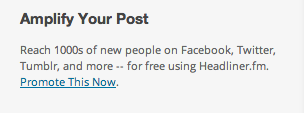
To disable Headliner.fm and disconnect it from your WordPress.com site, go to your account security area, https://en.wordpress.com/settings/security/
Your Headliner connection will be listed at the bottom of that screen and you can disconnect it from there. :)
-
It will also cause search engines and website analysis sites to classify you as a spammer because yeah, that’s what that service does. It doesn’t just push it out to YOUR social networks.
-
In response to the topic “My blog is being linked to a porn site!!”:
Jackie dana wrote:
“To disable Headliner.fm and disconnect it from your WordPress.com site, go to your account security area, https://en.wordpress.com/settings/security/ “
“Your Headliner connection will be listed at the bottom of that screen and you can disconnect it from there. :) “I have just been to the link above where I found the following message:
“Connected Applications
No authorized applications were found.
Find out how to add and manage applications.”
When I clicked on “add and manage applications” the following came up on the screen:
How Do I Connect To An Application?
To securely connect to WordPress.com:
1. On the website or application that you want to connect to, find a button or link asking you to connect to WordPress.com.
2. Click on the Connect link, which will bring you to WordPress.com. You will be asked to login. You can verify you are are on WordPress.com and secure by checking that the URL starts with https://public-api.wordpress.com.
3. Once you’re logged in, approve the application by clicking “Authorize.” If you have multiple blogs you can select which blog you would like to grant access to.
4. You’re now connected! If you would like to view details for this connection or revoke access you can do so any time from your Account Settings Security page.

I only see 3 applications, although it says there are 8, that are attached to the blogsite I created, and I have no idea what they are or how I attached to them.The following came up when I clicked on the link above for https://public-api.wordpress.com.
Documentation → REST API Resources
Welcome to the REST API. Below, you’ll find a full listing of all the available endpoints. As we add more endpoints, they will be automatically documented here and available through the Developer Console.
For more information about a particular endpoint, click on its name under the Resource header. You’ll be taken to the endpoint’s documentation page, which includes what query parameters the endpoint will except, what the JSON object’s parameters will be in the response, and an example query/response.
Users View user information data such as username, name, email, blog and Gravatar.
Resource
Description
GET/sites/$site/users
List the Users of a blog
GET/me
Meta data about auth token’s User”“Sites View metadata on a blog.”
“Resource
Description
GET/sites/$site
Information about a site ID/domain
Posts
View and manage posts including reblogs and likes.
Resource
Description
GET/sites/$site/posts/
Return matching Posts
GET/sites/$site/posts/$post_ID
Return a single Post (by ID)
POST/sites/$site/posts/$post_ID
Edit a Post
GET/sites/$site/posts/slug:$post_slug
Return a single Post (by slug)
POST/sites/$site/posts/new
Create a Post
POST/sites/$site/posts/$post_ID/delete
Delete a Post. Note: If the post object is of type post or page and the trash is enabled, this request will send the post to the trash. A second request will permanently delete the post.
GET/sites/$site/posts/$post_ID/likes/
List the Likes for a Post
POST/sites/$site/posts/$post_ID/likes/new
Like a Post
POST/sites/$site/posts/$post_ID/likes/mine/delete
Remove your Like from a Post
GET/sites/$site/posts/$post_ID/likes/mine/
Get your Like status for a Post
GET/sites/$site/posts/$post_ID/reblogs/mine
Get Reblog status for a Post
POST/sites/$site/posts/$post_ID/reblogs/new
Reblog a Post
POST/sites/$site/posts/$post/related
Search within a site for related posts
Comments View and manage a post’s comments.
Resource
Description
GET/sites/$site/comments/
Return recent Comments
GET/sites/$site/posts/$post_ID/replies/
Return recent Comments for a Post
GET/sites/$site/comments/$comment_ID
Return a single Comment
POST/sites/$site/comments/$comment_ID
Edit a Comment
POST/sites/$site/posts/$post_ID/replies/new
Create a Comment on a Post
POST/sites/$site/comments/$comment_ID/replies/new
Create a Comment as a reply to another Comment
POST/sites/$site/comments/$comment_ID/delete
Delete a CommentTaxonomy View and manage a site’s tags and categories.
Resource
Description
GET/sites/$site/categories/slug:$category
Returns information on a single Category
POST/sites/$site/categories/slug:$category
Edit a Category
GET/sites/$site/categories
Returns a list of a site’s categories
GET/sites/$site/tags
Returns a list of a site’s tags
GET/sites/$site/tags/slug:$tag
Returns information on a single Tag
POST/sites/$site/tags/slug:$tag
Edit a Tag
POST/sites/$site/categories/new
Create a new Category
POST/sites/$site/tags/new
Create a new Tag
POST/sites/$site/categories/slug:$category/delete
Delete a Category
POST/sites/$site/tags/slug:$tag/delete
Delete a TagFollow Follow and unfollow another blog.
Resource
Description
GET/sites/$site/follows/
List a site’s followers in reverse chronological order
POST/sites/$site/follows/new
Follow a Blog
POST/sites/$site/follows/mine/delete
Unfollow a Blog
GET/sites/$site/follows/mine
Get Blog Following status for this UserFreshly Pressed View Freshly Pressed posts from the WordPress.com homepage.
Resource
Description
GET/freshly-pressed/
List Freshly Pressed Posts
Notifications Control of a user’s notifications.
Resource
Description
GET/notifications/
Reverse-chronologically list User Notifications
GET/notifications/$note_ID
Get a Notification
POST/notifications/seen
Set the timestamp of the most recently seen Notification
POST/notifications/read
Mark a set of Notifications as readInsights Get analytics for your application.
Resource
Description
GET/insights
A list stats/metrics/insights that the provided developer token has access to.
GET/insights/$slug
Raw data for a particular graph.Reader WordPress.com reader feeds.
Resource
Description
GET/read/menu/
Default reader menu.
GET/read/feed/$feed_url
Get details about a feed
GET/read/following/
List of posts from the blogs a user follows.
GET/read/liked/
List of posts from the blogs a user likes.
GET/read/tags/$tag/posts
List of posts from a tag
GET/read/tags
Returns the list of tags subscribed to by the user.
GET/read/tags/$tag
Returns details about a specified tag.
GET/read/tags/$tag/mine
Returns the subscribed status of the user.
POST/read/tags/$tag/mine/new
Subscribe to a new tag.
POST/read/tags/$tag/mine/delete
Unsubscribe from a tag.
GET/read/following/mine
List the feeds the user is following.
POST/read/following/mine/new
Follow the specified blog.
POST/read/following/mine/delete
Unfollow the specified blog.
GET/read/recommendations/mine/
Get recommendations to blogs you may likeStats Stats for a site.
Resource
Description
GET/sites/$site/stats
Get a site’s stats
GET/sites/$site/stats/visits
View and visitor counts for a site
GET/sites/$site/stats/referrers
Get a site’s referrers
GET/sites/$site/stats/top-posts
View a site’s top posts and pages by views
GET/sites/$site/stats/country-views
View a site’s views by country
GET/sites/$site/stats/clicks
View a site’s outbound clicks
GET/sites/$site/stats/search-terms
View search terms used to find the siteMedia Manage a site’s media library.
Resource
Description
GET/sites/$site/media/
Return the media library
GET/sites/$site/media/$media_ID
Return a single media item (by ID)
POST/sites/$site/media/$media_ID
Edit basic information about a media item
POST/sites/$site/media/new
Upload a new piece of media
POST/sites/$site/media/$media_ID/delete
Delete a piece of mediaBatch Batch several API GET requests into one.
Resource
Description
GET/batch/
Run several GET endpoints and return them as an arrayI must apologize for my lack of skill in using this kind of internet blogsite data. None of the items above make any sense to me for how I can fix the problem that I have encountered using the wordpress.com site.
I am grateful for your input, and I have taken all of the input you have given me, but with my current skill level, which is a lack of skill, and my own general naivety, I have not been able to come up with a solution that makes this blogsite user friendly for me.
I also recognize that my lack of experience and lack of familiarity with the vocabulary associated with blogsite or internet usage make it impossible for me to know when I am being approached by an internet thief.
The number of links found at https://public-api.wordpress.com is overwhelming to me. I don’t know what topic even begins to address my needs and concerns.
I do not understand how I enabled and allowed some auxiliary site to access my wordpress blogsite, take my data and then repost it in a way that I find to be offensive.
It is clear to me at this point that you are saying that I allowed this malevolent entity to access my blogsite.
Have you heard though that this happened without my awareness?
How I did that is completely unclear to me. It is as if we are speaking two different languages. I am now aware that I do not have the vocabulary necessary for using the wordpress blogsite in an affirming and helpful way to me, and our organization. We are in fact using two different language systems, and the problem originated, as you say, because I gave permission to some malevolent entity through my own naivety.It may be that for wordpress.com to continue that they may need to find a way to make your site user friendly for people who are as ignorant and unskilled as I am so that we can avoid such problems.
I have no idea which of the above links I would need to select to click on to begin the process to correct this problem.I am feeling rather hopeless and overwhelmed by this process trying to get this problem fixed.
I have read and understood that I must contact the reposting websites directly to ask them to remove my content, but have you heard that I have done that only to find that all of the “contact us” links are inoperable and non-functioning links?
The “contact us” link is inoperable at the sites that are connected to hardcore porn and to what is most likely prostitution and organized crime. I never knowingly gave my consent to have my photos taken and reposted on those sites.
Because of my own skill level which is zero, I have heard you say that what happened is all my own fault. I agree that I am naive and that most likely I did do something to allow this malevolent entity to have access to my blogsite.
My current skill level does not enable nor does it allow me to be able to correct this problem. I have looked at all of the suggestions and opened links that only lead me to feel further frustrated that I cannot correct this problem.
I would like to bring this to your attention because for someone of my skill level, the wordpress.com blogsite is not a tool that I can use for the benefit of my organization.
In response to raincoaster who wrote:
It will also cause search engines and website analysis sites to classify you as a spammer because yeah, that’s what that service does. It doesn’t just push it out to YOUR social networks.The problem seems to be that I (due to my own lack of skill) enabled and even joined the international world of spammers without knowing it.
Have you given me a concrete solution or is this just another opportunity to tell me that I know nothing? I already know that so I signed up for wordpress.com because I heard that it would be useful to people new to blogsite creating.
I haven’t yet found a real solution nor a way to correct what I am being told is a problem that I created myself.#1 I still have no idea how I agreed to join the world of spammers, nor how to leave that domain using information that may appear to be useful to others.
#2 My content was taken and is being reused in ways that I find to be extremely offensive. I do not feel as if I have been heard nor that my problem has been addressed in a way that I can correct my neophyte’s mistake.
#3 How nice that you seem to get the picture! I don’t. I wanted to be able to correct the problem, but this has resulted in being reminded of how unskilled and naive I am in this domain. This has been most unhelpful. I wanted to be able to correct the problem. I still would like to be able to correct this problem.
#4 We seem to be speaking two different languages so that I perceive that far too much time is being spent on reminding me that I did something to allow this to happen. Yes, I began with no knowledge and I am pretty much still at that same level of ignorance, my neophyte level of understanding, that allowed me to create something I find to be offensive. How do I correct this problem? I haven’t gotten what is a clear response to that.
I am looking for a solution to the problem. The problem is clearly beyond my capabilities and my current skill level. I am well aware of this. Being reminded of that distracts from searching for a way for me to actually correct the problem.
I need clearer information to remove my content from those porn sites than what I have at this time.
I do not believe that I have yet been able to communicate that I am looking for a way to find a solution and that I need very basic and clear information for how to do that. I have been given links upon links so far, told that I created the problem, but I haven’t yet found a real solution for correcting the problem.
Being told repeatedly that I did something to allow this problem to occur has not been helpful. In fact, I believe that it distracts this conversation from focusing on helping me, using my lack of skill, the same lack of skill that allowed this problem to arise, to get a real solution.
I think that there may also be miscommunication due to the fact that the language being used ( which is computer talk) is the same as if I was trying to understand someone speaking a language I do not know.
How do I actually get my content removed from those sites which I find to be offensive and which took my content without actually getting my permission to post them.How I actually signed up for one of the “Search Engine Enhancers” is unclear to me. Why did it seem like something I should do when it appeared to me? I clearly would not have agreed to have my content linked with porn if it had been requested in that way.
This is my problem, but usually in the past when I encountered any other problem, I almost always saw that it had already affected others and even to a greater extent. For this reason, I believe that the problem may be affecting many other people. In this way, it is a problem for wordpress.com.
I am happy for those people who have greater skills and a better understanding of this situation so that they have not experienced the same thing. My own frustration is growing because I have yet to find a solution that I can follow that actually leads to a correction of the problem which I apparently allowed to happen.
I recognize that comments are being posted in an effort to be helpful, but I have yet been able to use the input to get a solution.
It has been made clear to me that I should never enter this kind of endeavor again. Can I just get this problem corrected?
-
I checked your account and copromote.com/Headliner.fm are not currently connected. At this point I have run out of ideas. Since these sites are not connected with WordPress.com, we truly have no control over what they post or how they operate. Since you have deleted your site content and are not currently posting at millslegacy.wordpress.com, I have little choice at this point other than to consider this matter closed.
If you need assistance setting up a new blog, or if you decide to restart the existing one and need further general assistance, please let us know by posting a new thread.


- The topic ‘My blog is being linked to a porn site!!’ is closed to new replies.
 WordPress.com Forums