

My CSS disappeared
-
Hi! My CSS suddenly disappeared so all my custom design is gone. Why did this happen ?
Best regards,
LydiaThe blog I need help with is: (visible only to logged in users)
-
Hi Lydia, on http://lydiawho.com/ I see the following custom CSS in your customizer. Is this what was missing?
#site-title { background-image: url('//lydiawho.files.wordpress.com/2014/11/lydia-header41.jpg'); background-position: -37px; } -
I had been changing my page to be 900px but now it’s small. And when I last time pasted this code you just sent me it looked good on top. It’s just weird cause everything in css just disappeared without me doing anything..? So even when I paste the css I saved last time it won’t change… I had fixed header to ;none so the default header wouldn’t appear but now it won’t be removed. I just don’t understand why this suddenly happened :)
– Lydia
-
Lydia, there had been an earlier issue with saving CSS, but it should be fixed now, and I would be happy to help with getting things back to where you want them. If you click on CSS Revisions at top right on the CSS editing page in the Customizer, you will see two revisions listed. If you click on the Dec. 2 revision and then restore it, the above CSS will return. Make sure and save that change after you restore the revision.
If you can explain exactly what you are wanting to change, width wise, I would be more than happy to help with that since that CSS seems to have disappeared. Sorry for the inconvenience on this.
-
Hi! Yes, there’s only two revisions unfortunately… The Dec. 2th is there though.
So..
I would like my blog to change the with to 900px (yes I know I can just write that in the editor, but nothing is happening…). And I would like the clickable “LYDIA” on top to be gone so I can insert my background link-picture I used as header
– Lydia
-
Lydia, ok, let’s start with this and see what you think.
#site-wrapper, #core-content, #footer { width: 900px; } -
Yay, thank you!
Now problem nr. 2:
When I add my background picture the whole “blog” is too far up so my new header hides behind my menu. The picture is 900 × 264.Last time I just added this
#site-title {
background-image: url(‘picture link’);
background-position: -37px;
}and the menu sunk down beneath it. Doesn’t now.
Problem 3:
To remove the clickable “LYDIA” where the header should be:))
– Lydia
-
Oooops
Problem 4:
To remove border around the pictures.
(Ahhhhrgh why are all my edits just gone…)– Lydia
-
#2 & 3: Try the following. I’ve used an image from your media library, which might not be the one you were going to use. If it is, it has a good bit of white space to the right of the text, which I would suggest cropping out so that the image can be centered. I’ve hidden the text site title and adjusted that div so that it covers your entire header image so it is clickable as a return to your home page.
#site-title { background: url("https://lydiawho.files.wordpress.com/2014/11/lydia-header41.jpg") no-repeat scroll center top; height: 264px; width: 900px; } #site-title a { color: rgba(0, 0, 0, 0); display: block; line-height: 200px; position: relative; top: 70px; }#4: Here is the code to remove the border around the images.
.hentry img { border: none; } -
Amazing! The only problem (haha, nag of the year): It doesn’t appear in the centre of the blog – it moves to the left, to the left
– Lydia
-
But you know what, it’s all good – I changed the page to 800px, everything looks perfect and I’m totally fine with it. Thank you so much for your help!
Have a nice day :)
– Lydia
-
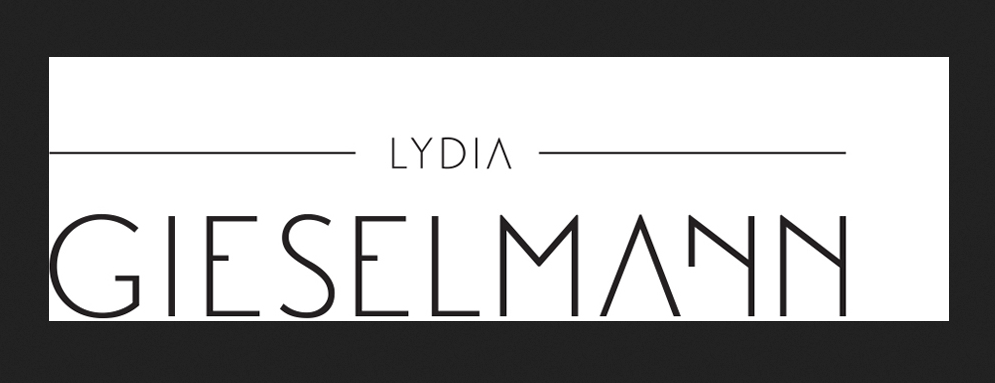
Lydia, the image you are using has extra whitespace on the right end of it. You can edit the image and crop it tighter and then save it again at 900px wide and use that image.
-
Yeah, I had the text centered in the beginning – but then it didn’t centre on the blog. So I made one where it would fit perfectly where I wanted :) But now it looks good!
– Lydia
-
Lydia, your site is looking awesome, and if you are happy, we am happy. :)
Please let us know if you have further questions or problems.


- The topic ‘My CSS disappeared’ is closed to new replies.
 WordPress.com Forums