

My header doesn't cover the full width of the screen
-
I saw a bunch of stuff about css and coding and stuff, but I don’t see any place to input a code! What do I do?
The blog I need help with is: (visible only to logged in users)
-
Hello @ahneemeh,
There are a couple of Free Themes that have full width headers: Baskerville 2, Gateway, Affinity (These are similar to the layout you have).
For custom CSS options you need to have a paid plan (Premium or Business). You can see pricing and all the options you get here > https://wordpress.com/pricing/
I hope this helps
-
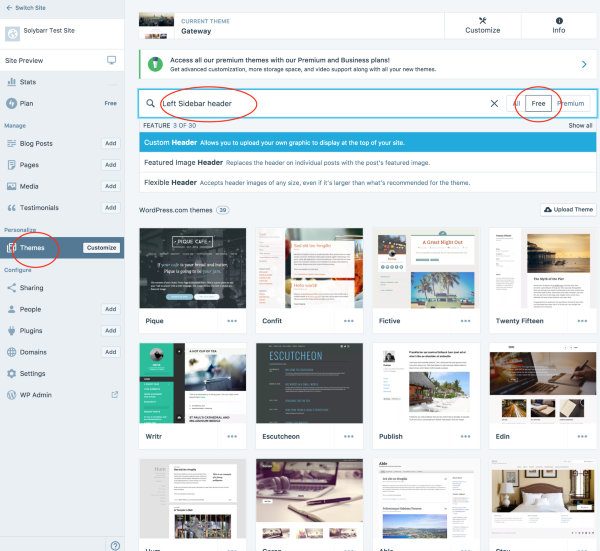
While I do that I also wanted to share a screenshot of how you can search more effectively for Themes in the panel.
You use keywords to describe what you want.
-
I found two that let you switch sidebars (In the customizer, choose “Theme Options, Sidebar Position, Left”
Goran and Edin, Goran seems good but I couldn’t get my image to show. Edin has a very thin header image and I think you wanted something bigger, that calls the attention.
The best way to do this, unfortunately is to test the themes and their options to see which one suits your site best.
I hope this has helped you!
-
I think the important thing is that it can be easily seen so the visitors can find what they are looking for on your site.
I’m not a designer though! :)


- The topic ‘My header doesn't cover the full width of the screen’ is closed to new replies.
 WordPress.com Forums