

My site goes to the mobile version on a computer
-
When I go to my website (www.epoxyguys.com) on a desktop or laptop computer, it takes me to the mobile version rather than the computer version. How do I fix this?
The blog I need help with is: (visible only to logged in users)
-
Hi there. When I open http://www.epoxyguys.com/ on my browsers, this is what I see:
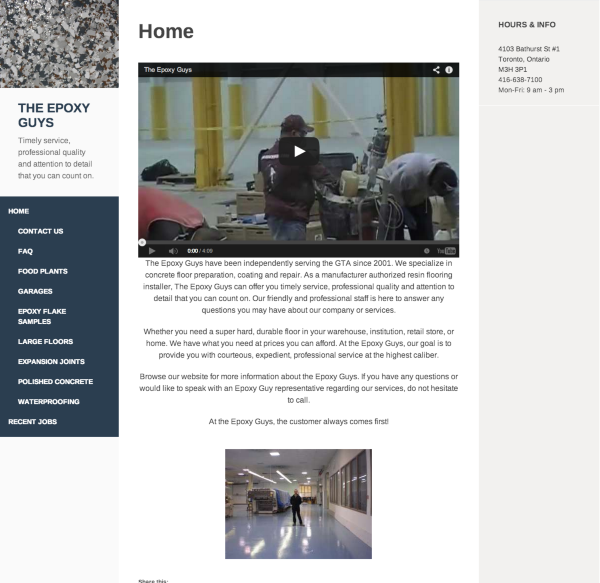
Are you seeing a narrower version of the site? One without sidebars? If so, it could actually be your browser setup. If your browser is not already open to it’s full screen size, please do that now. Did that change the look of your site? If not, please open your site in your browser, click View, and then Zoom Out (several times, if need be). See if you site is completely visible then.
Your theme, Adaptation, is responsive and will adjust to any size screen. It may be shrinking due to the manner in which you’re viewing it.
If you still are not seeing your site as you hope, upload a screenshot, so I can better understand the issue. You can simply add the screenshot to your Media Library, like any other image, and I’ll be able to access it from there. Just let me know when there’s something I should look at.
The page at the following link has some helpful tips for taking screenshots:
I hope this helps! Best wishes to you.


- The topic ‘My site goes to the mobile version on a computer’ is closed to new replies.


 WordPress.com Forums