

Need help with how media shows on customized surburbia theme home page
-
My blog has the customized suburbia theme. I quite like it, however, the media that is uploaded does not show correctly on the home page. It does in the actual posts. How can we make the media look appropriate (IE tops of photos not getting cut off) on home page?
The blog I need help with is: (visible only to logged in users)
-
Hi there,
I believe you’re referring to something like this:
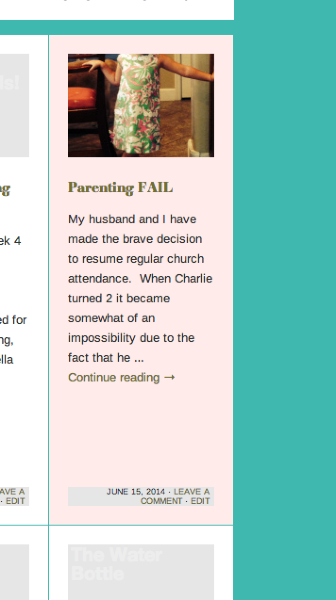
The top of that image is cutoff. The original image should look like this:
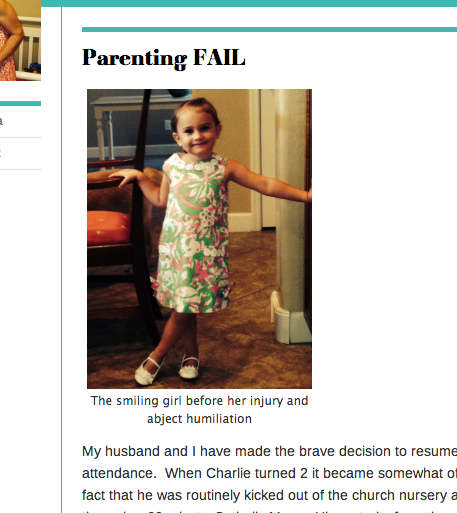
That occurs automatically within the theme if an image is too far outside of the rectangular-ish featured image setting of 350 x 248 px.
Unfortunately, that isn’t able to be changed (even through CSS). The format for the featured images is preset through the them. The only way around this would be to set featured images that are closer to the dimension ratios mentioned above. Instead of being chopped, those photos will be scaled down to fit the image box.
-
Thank you! So basically turn my phone when taking a pic to have it post correctly. Am I boiling that down correctly? 😀
-
That’s definitely one method! That will make sure your post is closer to the correct sizing. Alternatively, you can use our image editor to crop your image a bit to get closer to the dimensions:
http://en.support.wordpress.com/images/image-editing/#cropping
Something along the lines of a 3:2 ratio should work. Can you give that a go and let me know how it turns out?


- The topic ‘Need help with how media shows on customized surburbia theme home page’ is closed to new replies.
 WordPress.com Forums